Published by Branded Brothers
Updated April 16, 2026
Matching games for adults, kids and seniors. Picture match. download and try it
| Version | 2.63 |
| Size | 66.1 MB |
| What's New | - Compatibility with new devices - Minor bug fixes - Improved online gameplay performance |
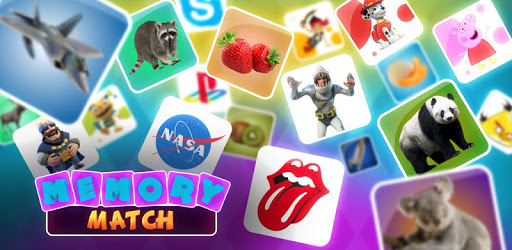
Memory Match: Memory games. Picture match fun! is an Android app developed and published by Branded Brothers at Google Play Store on Aug 11, 2018 for Android users. Memory Match: Memory games. Picture match fun! is so popular that it has gained 5000 installs so far and growing.
Are you ready to put your memory skills to the test? Look no further than Memory Match, the ultimate memory game that will keep you entertained for hours on end. With its unique gameplay and exciting features, this game is a must-have for anyone looking to improve their memory and have fun at the same time.
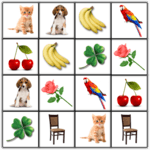
Memory Match takes the traditional concept of a memory game and adds a thrilling twist. Instead of seeing all the tiles from the start, you'll be matching tiles that are actually flipped over and hidden from view. This adds an extra layer of challenge and excitement to the game, making it a true test of your memory skills.
But that's not all - Memory Match also allows you to play against an opponent. Yes, you heard that right! You can now challenge your friends or family members to see who has the better memory. It's a great way to have some friendly competition and see who can match the most tiles in the shortest amount of time.
One of the best things about Memory Match is the variety it offers. With various games available for purchase, you'll never get bored. Whether you're a fan of music, cars, or any other category, there's a game for you. Choose the images that interest you the most and dive into a world of endless fun and excitement.
And here's the best part - Memory Match is available offline. That's right, no need to worry about annoying ads popping up while you're trying to concentrate. You can enjoy the game anytime, anywhere, without any interruptions. It's a genuine gesture from the developers to make the game accessible and enjoyable for everyone.
Memory Match isn't just a game for kids. It's a game that can be enjoyed by people of all ages. Whether you're a child, an adult, or even someone dealing with Parkinson's, Memory Match offers different levels and functionalities that can help improve your memory and cognitive abilities. It's a game that not only entertains but also provides a valuable brain exercise.
And if you're looking for a game that helps you relax and relieve stress, Memory Match has got you covered. With its enjoyable graphics and engaging gameplay, it's the perfect game to unwind after a long day. So sit back, relax, and let your mind do the work as you match pairs and exercise your brain.
Yes, Memory Match is available for both Android and iOS devices. You can download it from the respective app stores.
Yes, there are various games available for purchase within the app. These games offer different categories and images to enhance your gaming experience.
Absolutely! Memory Match can be played offline, allowing you to enjoy the game without any interruptions or ads.
Yes, Memory Match is suitable for people of all ages. It offers different levels and functionalities that cater to various age groups and cognitive abilities.
Yes, Memory Match is designed to improve memory and cognitive abilities. It provides a valuable brain exercise that can benefit players of all ages.
Don't miss out on the opportunity to challenge your memory and have a blast with Memory Match. Download the game now and start matching those tiles!
Yes, you can run Memory Match: Memory games. Picture match fun! on PC, but first, you will need emulator software installed on your Windows or MAC, which you can download for free. In the below video, you will find Memory Match: Memory games. Picture match fun! in action. Before you install the emulator, check out the minimum and recommended system requirements to run it seamlessly. They may change depending on which version of the emulator you choose. Therefore, we recommend you download the latest version of the emulator. Below you will find three free Android emulators that we have shortlisted based on their popularity:
Up to date graphics drivers from Microsoft or the chipset vendor.
Storage: 1 GB available under installation path, 1.5GB available hard drive space
Internet: Broadband Internet connection
Regardless of which Android emulator you install, the steps to install, configure, and running the Memory Match: Memory games. Picture match fun! app on PC are the same.