Published by Bank of Baroda
Updated March 28, 2026
The official Mobile Banking app of Bank of Baroda for Android.
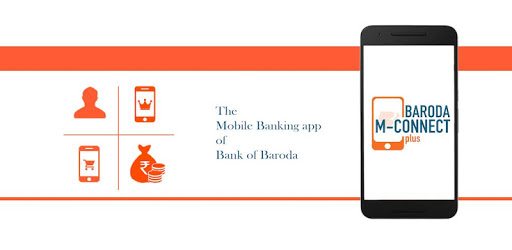
M-Connect Plus is an Android app developed and published by Bank of Baroda at Google Play Store on Dec 24, 2018 for Android users. M-Connect Plus is so popular that it has gained 85448739 installs so far and growing.
M-Connect Plus is here to make your banking experience smoother and more enjoyable. If you are looking for a reliable, user-friendly banking platform, you might find M-Connect Plus to be the perfect solution for managing your finances with ease and convenience. From accessing your bank account anytime, anywhere to ensuring the utmost security for your transactions, there's a lot to explore with this app.
With M-Connect Plus, you can swiftly open and manage your bank account without any hassle. The app is designed to provide smooth and straightforward account opening procedures, making it easier for you to get started. Plus, you can effortlessly monitor your account activities, ensuring that you stay on top of your financial game.
One of the standout features of M-Connect Plus is the ability to download your bank statements. While currently allowing statements for the past three months, this feature helps you keep track of your financial history digitally. The team behind M-Connect Plus is continually striving to enhance this feature, aiming to provide more comprehensive statement downloads for up to a year.
Another reason to consider M-Connect Plus is its commitment to quality customer service. Known for prompt and excellent service, M-Connect Plus ensures that your queries and issues are resolved efficiently. This dedication to customer satisfaction sets it apart from other banking apps, thus providing a reliable support system for every user.
Security is a top priority for M-Connect Plus. The app implements robust security measures to protect your information and transactions. Whether you are transferring funds or checking your balance, you can be assured that your data is secure. Recently, restrictions placed by the RBI were lifted, indicating the app’s compliance with regulatory standards and offering a more secure banking environment for its users.
Navigating M-Connect Plus is a breeze thanks to its intuitive design. The user-friendly interface ensures that all features are easily accessible, eliminating any complexity. From checking your account balance to finding your nearest bank branch, the app covers all essential banking needs in just a few taps.
Compared to other banking apps, M-Connect Plus stands out for its remarkable combination of simplicity, functionality, and security. It is designed to cater to all your banking needs effectively while providing an unmatched user experience. Additionally, the regular updates and improvements ensure that the app stays relevant and continuously meets its users' demands.
In summary, M-Connect Plus is more than just a banking app; it is a comprehensive platform designed to enhance your banking experience. Its seamless account management, extensive statement download capabilities, excellent customer service, and robust security make it a top choice for anyone looking to manage their finances effortlessly.
Yes, you can run M-Connect Plus on PC, but first, you will need emulator software installed on your Windows or MAC, which you can download for free. In the below video, you will find M-Connect Plus in action. Before you install the emulator, check out the minimum and recommended system requirements to run it seamlessly. They may change depending on which version of the emulator you choose. Therefore, we recommend you download the latest version of the emulator. Below you will find three free Android emulators that we have shortlisted based on their popularity:
Up to date graphics drivers from Microsoft or the chipset vendor.
Storage: 1 GB available under installation path, 1.5GB available hard drive space
Internet: Broadband Internet connection
Regardless of which Android emulator you install, the steps to install, configure, and running the M-Connect Plus app on PC are the same.