
Published by Finance, Budget Planner & Bill Tracker - Truebill
#1 budget planner, bill tracker and reminder. Manage your subscriptions & bills
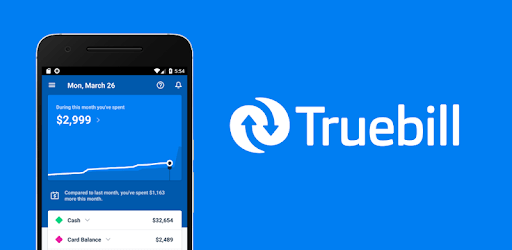
Truebill Budget Planner, Bill Tracker and Reminder is an Android app developed and published by Finance, Budget Planner & Bill Tracker - Truebill at Google Play Store on Jul 14, 2016 for Android users. Truebill Budget Planner, Bill Tracker and Reminder is so popular that it has gained 14143312 installs so far and growing.
Are you tired of struggling to keep track of your expenses and manage your budget effectively? Look no further! Truebill Budget Planner, Bill Tracker, and Reminder is here to revolutionize the way you handle your finances. With its seamless integration with banking apps, accurate insights, and user-friendly interface, this app is a game-changer for anyone looking to take control of their money.
One of the standout features of Truebill is its ability to provide a comprehensive breakdown of your spending habits. By categorizing your expenses, you can easily identify where your money is going and make informed decisions about your budget. Whether it's groceries, entertainment, or bills, Truebill shows you exactly how much you're spending in each category.
Additionally, Truebill offers valuable insights on your finances, helping you make smarter financial choices. As a visual person, I find the app's visual representations of my spending extremely helpful in understanding my financial situation at a glance.
Truebill seamlessly integrates with most banking apps, allowing you to effortlessly pull information on your earnings and expenses directly from your bank and credit card accounts. This eliminates the hassle of manually inputting data and ensures that your financial overview is always up to date.
Furthermore, Truebill provides alerts on subscriptions, which can be a lifesaver for anyone who tends to forget about recurring payments. With this feature, you'll never miss a subscription renewal again, saving you both money and the stress of unexpected charges.
Truebill has proven to be an invaluable tool for many users when it comes to saving money. By identifying unused subscriptions and recurring fees, the app helps you clean up your bank account and potentially save hundreds of dollars. The ability to cancel subscriptions directly through the app is a convenient bonus, although some users have found it more effective to follow the provided instructions to cancel themselves.
For those who prefer a more hands-on approach to managing their finances, Truebill offers the perfect balance of guidance and self-management. While the app won't do the work for you, it provides the necessary tools and organization to make managing your money infinitely easier.
Truebill stands out among other budgeting apps due to its user-friendly design and seamless integration with various banking apps. The app just works, and its accuracy and helpfulness have made it a favorite among Android users. With its ability to track multiple accounts, including Robinhood, regions bank, and discover accounts, Truebill offers a comprehensive overview of your financial situation in one convenient location.
Whether you're new to budgeting or a seasoned pro, Truebill is a must-have app for anyone looking to take control of their finances and live a better life.
No, Truebill provides instructions on how to cancel subscriptions yourself. However, it does offer alerts to remind you of upcoming subscription renewals.
Truebill seamlessly integrates with most banking apps, ensuring that you can easily access your financial information from various accounts.
Absolutely! Truebill helps you identify unused subscriptions and recurring fees, allowing you to clean up your bank account and potentially save hundreds of dollars.
Yes, Truebill is available for Android users and is highly recommended by many who have used it on their phones.
Yes, Truebill has a dedicated customer support team that is responsive and helpful in addressing any questions or concerns you may have.
Yes, you can run Truebill Budget Planner, Bill Tracker and Reminder on PC, but first, you will need emulator software installed on your Windows or MAC, which you can download for free. In the below video, you will find Truebill Budget Planner, Bill Tracker and Reminder in action. Before you install the emulator, check out the minimum and recommended system requirements to run it seamlessly. They may change depending on which version of the emulator you choose. Therefore, we recommend you download the latest version of the emulator. Below you will find three free Android emulators that we have shortlisted based on their popularity:
Up to date graphics drivers from Microsoft or the chipset vendor.
Storage: 1 GB available under installation path, 1.5GB available hard drive space
Internet: Broadband Internet connection
Regardless of which Android emulator you install, the steps to install, configure, and running the Truebill Budget Planner, Bill Tracker and Reminder app on PC are the same.