Published by Averi Studios
Updated April 1, 2026
A mobile encyclopedia for fictional world-building
| Version | 1.9.0 |
| Size | 6.9 MB |
| What's New | Upgraded app's source code to new standard required by Google Play. This is in response to a mandatory update that Google Play requires by August 31, 2024. |
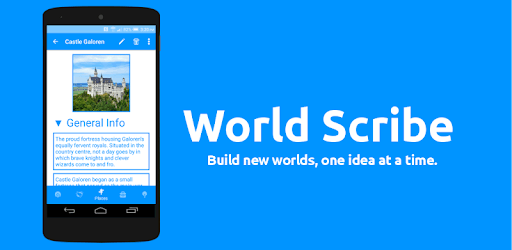
World Scribe is an Android app developed and published by Averi Studios at Google Play Store on Sep 4, 2016 for Android users. World Scribe is so popular that it has gained 95664 installs so far and growing.
World Scribe is a versatile app that allows writers, RPG developers, and creative minds to keep track of their world-building projects. Whether you are crafting a novel, developing a role-playing game, or fleshing out a screenplay, World Scribe offers a clean, simple, and to-the-point interface to manage your ideas and concepts.
One of the standout features of World Scribe is that it is available completely free of cost and does not bombard users with annoying ads or pay-to-unlock features. This makes it an accessible tool for anyone who needs to organize a large amount of information without breaking the bank. Users appreciate that the app is easy to use, allowing them to start immediately without a steep learning curve.
World Scribe proves to be a helpful tool for various applications. Novel writers can keep track of characters, plot lines, and settings. RPG developers can organize information about non-player characters (NPCs), locations, and items. With its categorization features, the app is incredibly beneficial for scene building and RPG campaign planning.
World Scribe offers several useful features that make it a joy to use. It feels like an encyclopedia of your world, rather than just a collection of notes. Users can easily navigate and edit items, making it simple to add new details or modify existing ones. The connections between entries allow for easy organization of world concepts.
While World Scribe is highly praised, there are suggestions for improvements that could enhance its usability even further. Adding a spiderweb view mode or a terminology tab could provide more advanced ways of organizing information. Customization options, such as adjustable font sizes and editable field descriptions, could also make the app even more user-friendly.
The addition of a timeline feature or events section could be incredibly useful for writers who need to track the chronology of their story. Another commonly requested feature is a PC version of the app, which would allow users to work on their projects from a computer, offering more flexibility and convenience.
World Scribe is highly recommended for writers, worldbuilders, and game masters (GMs). It's perfect for detailing entire worlds, organizing character traits, tracking NPCs, and fleshing out campaign settings. The app’s organizing capability means users can store large amounts of information and access it easily, making it an invaluable tool for creating rich, detailed worlds.
Users find World Scribe to be the best world-building app available, with its simple and efficient UI. It allows concepts to be organized efficiently, enhancing the creative process without the hassle of ads or restricted features.
With these robust organizing features and dedicated use for creative projects, World Scribe stands out as an essential tool for anyone looking to detail and build their imagination.
Yes, you can run World Scribe on PC, but first, you will need emulator software installed on your Windows or MAC, which you can download for free. In the below video, you will find World Scribe in action. Before you install the emulator, check out the minimum and recommended system requirements to run it seamlessly. They may change depending on which version of the emulator you choose. Therefore, we recommend you download the latest version of the emulator. Below you will find three free Android emulators that we have shortlisted based on their popularity:
Up to date graphics drivers from Microsoft or the chipset vendor.
Storage: 1 GB available under installation path, 1.5GB available hard drive space
Internet: Broadband Internet connection
Regardless of which Android emulator you install, the steps to install, configure, and running the World Scribe app on PC are the same.