Published by Cambridge Audio
Updated March 26, 2026
Full control of your Cambridge Audio network player from your android device
| Version | 3.2.3 |
| Size | 6.4 MB |
| What's New | Thank you to Laszlo, Gregor and Hendrik who got in contact with us to report the issue with Control Bus.It should now be resolved. |
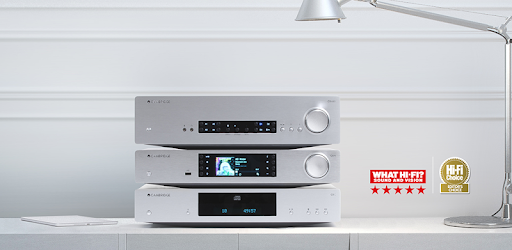
Cambridge Connect is an Android app developed and published by Cambridge Audio at Google Play Store on Dec 17, 2014 for Android users. Cambridge Connect is so popular that it has gained 90943 installs so far and growing.
Are you tired of constantly having to reset your balance settings every time you power up your device? Do you wish you could adjust the balance setting from your phone without having to be close to the unit? Look no further than Cambridge Connect, the app that revolutionizes the way you control your music.
With Cambridge Connect, you can seamlessly control your music from your phone, allowing you to enjoy a hassle-free listening experience. Whether you're using a Stream Magic 6 or any other compatible device, this app has got you covered.
One of the standout features of Cambridge Connect is its sleek and intuitive remote control app. Designed with simplicity in mind, this app allows you to effortlessly control every aspect of your music playback. From adjusting the volume to selecting your favorite tracks, Cambridge Connect puts the power in your hands.
But it doesn't stop there. Cambridge Connect goes above and beyond by offering seamless integration with popular music streaming services such as Spotify Connect. Say goodbye to the hassle of switching between apps – with Cambridge Connect, everything is right at your fingertips.
Cambridge Connect takes your music streaming experience to the next level. Whether you have music stored on a hard drive or enjoy internet radio, this app has got you covered. It effortlessly connects to your media servers and stored files, ensuring that you can enjoy your favorite tunes without any effort.
Additionally, Cambridge Connect offers support for Tidal, allowing you to access a vast library of high-quality music. With the ability to set playlists and sort your music by artist, album, genre, or folders, you'll never have to worry about finding the perfect song again.
Cambridge Connect boasts a clean and user-friendly interface, making it a joy to use. Whether you're a tech-savvy audiophile or a casual music lover, this app is designed to cater to your needs. Its simplicity and speed ensure a seamless user experience, allowing you to focus on what matters most – your music.
While some users may miss the cover art when playing music from an older player, it's important to note that Cambridge Connect is constantly evolving. With regular app and firmware updates, the developers are dedicated to improving the user experience and addressing any issues that may arise.
Yes, Cambridge Connect allows you to adjust the balance setting from your phone, eliminating the need to be close to the unit.
Unfortunately, Cambridge Connect is not compatible with turntables at this time. However, it offers seamless control over other devices, ensuring a smooth and enjoyable listening experience.
While Cambridge Connect does not currently have a search function, its fast and streamlined interface makes it easy to navigate through your music library. However, the developers are always open to feedback and may consider adding this feature in future updates.
Absolutely! Cambridge Connect is compatible with both Apple iOS and Android devices, ensuring that you can enjoy your music regardless of your preferred operating system.
Yes, Cambridge Connect is fully compatible with the CXN V2, allowing you to easily access music files from your NAS and hard drives on your PC. Listening to music has never been easier.
Experience the power and convenience of Cambridge Connect today. Download the app and take control of your music like never before.
Yes, you can run Cambridge Connect on PC, but first, you will need emulator software installed on your Windows or MAC, which you can download for free. In the below video, you will find Cambridge Connect in action. Before you install the emulator, check out the minimum and recommended system requirements to run it seamlessly. They may change depending on which version of the emulator you choose. Therefore, we recommend you download the latest version of the emulator. Below you will find three free Android emulators that we have shortlisted based on their popularity:
Up to date graphics drivers from Microsoft or the chipset vendor.
Storage: 1 GB available under installation path, 1.5GB available hard drive space
Internet: Broadband Internet connection
Regardless of which Android emulator you install, the steps to install, configure, and running the Cambridge Connect app on PC are the same.