Published by Art DS Apps
Updated September 29, 2026
Add location details to photos taken with GPS Camera.
| Version | 1.38 |
| Size | 14.2 MB |
| What's New | - Removed bugs & crashes.- Better User Interface. |
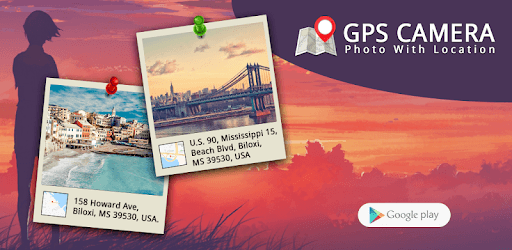
GPS Camera: Photo With Location is an Android app developed and published by Art DS Apps at Google Play Store on Jan 8, 2018 for Android users. GPS Camera: Photo With Location is so popular that it has gained 1699436 installs so far and growing.
Are you tired of not being able to remember where you took a certain photo? Do you struggle with organizing your pictures and keeping track of their locations? Look no further - GPS Camera: Photo With Location is here to solve all your problems. This incredible app not only captures stunning photos but also provides you with accurate location details, ensuring that you never forget where your precious memories were made.
One of the standout features of GPS Camera: Photo With Location is its effortless location tracking. Simply click on any place during your highway drive, and the app will display the precise location details below your photo. Whether you're on a road trip or exploring new places, this app ensures that you can always look back and remember exactly where each picture was taken.
In addition to its exceptional location tracking, GPS Camera: Photo With Location also offers enhanced safety and security. This app provides a valuable tool for ensuring the safety of your loved ones and even assisting the police. By capturing photos with accurate location details, you can easily share important information with authorities or use it for personal reference.
GPS Camera: Photo With Location is proudly made in India, and it's an app that deserves our support. With its user-friendly interface and reliable functionality, it has quickly become a favorite among users. While there may be some minor performance and efficiency issues, the overall experience is highly satisfactory.
If you're looking for additional features and a seamless experience, consider upgrading to the paid version of GPS Camera: Photo With Location. While the free version can be slightly annoying at times, the paid version offers a range of customizable options, making it perfect for business purposes and real estate professionals.
Did you know that GPS Camera: Photo With Location is being used to document wildlife roadkills in Goa? This app is playing a crucial role in conserving the wildlife of Goa and addressing the issue of roadkills. Despite some initial problems, the updated version of this app has significantly improved, making it an invaluable tool for wildlife enthusiasts and conservationists.
Unfortunately, the current version of GPS Camera: Photo With Location does not offer customizable GPS map stamps. However, the developers are constantly working on improving the app and may consider adding this feature in future updates.
Yes, GPS Camera: Photo With Location is available for both Android and iOS devices. You can easily download it from the respective app stores and start capturing memories with accurate location details.
Yes, GPS Camera: Photo With Location stores the original, unstamped copy of the photo in its metadata. This ensures that you have a clean, unaltered version of the image while still having access to the location and address details.
If you encounter any issues or have suggestions for improving GPS Camera: Photo With Location, you can reach out to the developers through the app's support or feedback section. They value user feedback and are dedicated to providing the best possible experience.
GPS Camera: Photo With Location is the ultimate app for capturing and organizing your memories. With its accurate location tracking, enhanced safety features, and continuous improvements, it's a must-have for anyone who loves photography and wants to preserve their special moments. Download GPS Camera: Photo With Location today and start capturing memories like never before!
Yes, you can run GPS Camera: Photo With Location on PC, but first, you will need emulator software installed on your Windows or MAC, which you can download for free. In the below video, you will find GPS Camera: Photo With Location in action. Before you install the emulator, check out the minimum and recommended system requirements to run it seamlessly. They may change depending on which version of the emulator you choose. Therefore, we recommend you download the latest version of the emulator. Below you will find three free Android emulators that we have shortlisted based on their popularity:
Up to date graphics drivers from Microsoft or the chipset vendor.
Storage: 1 GB available under installation path, 1.5GB available hard drive space
Internet: Broadband Internet connection
Regardless of which Android emulator you install, the steps to install, configure, and running the GPS Camera: Photo With Location app on PC are the same.