Published by Appxplore (iCandy)
An Infinity War of Crabs. One snap… I mean tap away!
| Version | 3.80.2 |
| Size | 174.6 MB |
| What's New | v3.80.2- Happy Easter! Collect flower bulbs and exchange them for a special reward.- Gene Tree Ascension!- Daily Shop offers- Bug fixes |
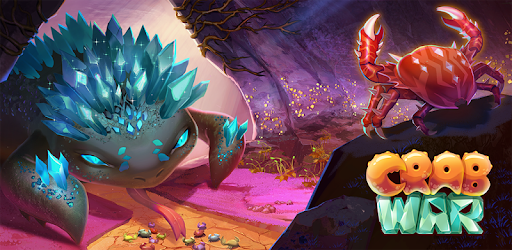
Crab War is an Android app developed and published by Appxplore (iCandy) at Google Play Store on May 25, 2016 for Android users. Crab War is so popular that it has gained 1000000 installs so far and growing.
Crab War is a highly enjoyable game that offers a plethora of features to keep players engaged for hours on end. With its solid visuals and captivating music, this game is a visual and auditory treat. But what truly sets Crab War apart is its unique concept of crabs rising against ancient and powerful lizards. It's a game that pulls you in and keeps you coming back for more.
One of the standout features of Crab War is its tapping mechanics. With a simple tap, players can unleash the power of their crabs and take down formidable enemies. It's a satisfying and addictive gameplay experience that will have you hooked from the start. In fact, many players have rated it a perfect 10/10 tap game.
From the moment you download Crab War, you'll be captivated by its awesomeness. While there may have been a few initial hiccups for some players, the developers have worked tirelessly to ensure a smooth and enjoyable gaming experience. And it's safe to say that their efforts have paid off, as Crab War has become a fan favorite.
Don't let the haters fool you - Crab War is a game that's worth your time. It's entertaining, engaging, and will keep you coming back for more. Whether you're enjoying a bowl of noodles or simply looking for a game to pass the time, Crab War is the perfect choice.
One of the things that sets Crab War apart from other games is its easy grind. Progressing in the game is a breeze, thanks to the abundance of power-ups and the simplicity of the gameplay mechanics. But don't be fooled by its simplicity - Crab War offers a deep and rewarding experience that will keep you engaged for hours on end.
While the game already offers a wide variety of crabs and power-up slots, players have expressed their desire for even more. And the developers have been listening. They are constantly working on adding new content, including new types of reptiles and exciting endgame challenges. So, rest assured, there's always something new and exciting to look forward to in Crab War.
Crab War has managed to capture the hearts of players since its release in 2016. Despite being a simple tapping game, it has stood the test of time and continues to be a favorite among gamers. Its nostalgic charm, combined with its addictive gameplay, makes it a must-play for both new and old players alike.
And if you're worried about forced ads ruining your gaming experience, fret not. Crab War is a game that respects your time and doesn't bombard you with unnecessary ads. It's a refreshing change in today's gaming landscape.
Once you start playing Crab War, you'll quickly realize the power that lies within your crabs. These mighty creatures are vessels of death, and with each new crab you obtain, your dominance over the game increases. The idle factor, provided by the "Tapper Crab" power-up, adds an extra layer of strategy to the game, making it even more exciting.
But the fun doesn't stop there. With each queen you buy, more crabs appear, adding to the excitement and unpredictability of the game. You'll never know just how many of these mighty crabs you can amass, making each playthrough a unique and thrilling experience.
While mods may offer shortcuts or additional features, it's always best to experience the game as intended by the developers. The journey and challenges you face in Crab War are part of what makes it so rewarding and enjoyable.
Absolutely! Crab War is a game that can be enjoyed by players of all ages. Its simple mechanics and engaging gameplay make it accessible to both casual and hardcore gamers alike.
Yes, Crab War does offer microtransactions. However, they are completely optional and not necessary to progress in the game. The developers have ensured that the game remains balanced and fair, regardless of whether you choose to make in-app purchases or not.
While Crab War does not currently offer tournaments or PvP content, the developers are always working on new updates and features. So, who knows what exciting additions the future may hold for Crab War?
Crab War offers an endless gameplay experience, with no cap on how strong you can become. The game keeps evolving and introducing new challenges, ensuring that you'll never run out of things to do. So, dive into the world of Crab War and embark on an epic journey of crab domination!
Yes, you can run Crab War on PC, but first, you will need emulator software installed on your Windows or MAC, which you can download for free. In the below video, you will find Crab War in action. Before you install the emulator, check out the minimum and recommended system requirements to run it seamlessly. They may change depending on which version of the emulator you choose. Therefore, we recommend you download the latest version of the emulator. Below you will find three free Android emulators that we have shortlisted based on their popularity:
Up to date graphics drivers from Microsoft or the chipset vendor.
Storage: 1 GB available under installation path, 1.5GB available hard drive space
Internet: Broadband Internet connection
Regardless of which Android emulator you install, the steps to install, configure, and running the Crab War app on PC are the same.