Numberzilla - Number Puzzle | Board Game for PC

Numberzilla - Number Puzzle | Board Game for PC

Published by LiftApp LLC

Updated September 19, 2025

Check out Numberzilla board game - number puzzle for brain and logic training!

What's New

Version7.5.0.0
Size79.5 MB
What's NewUpdate Highlights • Bugs fixed, fun boosted • Better stability, smoother playIt would be really awesome if you rate us 5 stars! Also, feel free to share all your ideas and questions with us at [email protected]. Your feedback is always helpful!

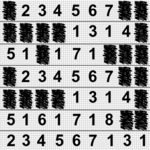
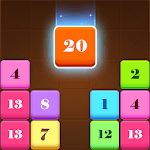
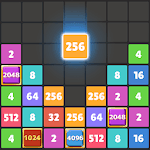
Numberzilla - Number Puzzle | Board Game Screenshots

Numberzilla - Number Puzzle | Board Game PC screenshot

About Numberzilla - Number Puzzle | Board Game For PC

Numberzilla - Number Puzzle | Board Game is an Android app developed and published by LiftApp LLC at Google Play Store on Oct 24, 2019 for Android users. Numberzilla - Number Puzzle | Board Game is so popular that it has gained 9891819 installs so far and growing.

Numberzilla - Number Puzzle | Board Game: An Addicting Number Matching Experience

Welcome to the world of Numberzilla - Number Puzzle | Board Game, a fun and challenging game that has captured the hearts of players. Whether you love numbers or find them a bit daunting, Numberzilla offers a unique combination of puzzle-solving and strategic planning that keeps players engaged for hours. Let’s dive into what makes this game so special.

Engaging Gameplay Mechanics

One of the highlights of Numberzilla is its straightforward and addictive gameplay. The main objective is to match pairs of numbers, which can make the sums disappear from the board. This simplicity masks a depth of strategy that becomes evident as you advance through the levels. Matching numbers sounds easy, but the challenge ramps up quickly, keeping you on your toes.

A Relaxing Yet Challenging Experience

The game strikes a perfect balance between relaxation and challenge. The classic mode provides a calmer experience with fewer ads, making it a great choice for those looking to unwind. Yet, the difficulty level is just enough to keep your brain active and engaged. Completing combos you hadn't noticed can be incredibly satisfying, making the game hard to put down.

Features and Options

Numberzilla offers several features to enhance your gameplay experience. An undo option, which some players miss, can help you correct mistakes and try different strategies. Although this option may be less available now, it was greatly appreciated by many who enjoyed revising their moves.

Dealing with Ads

Ads are part and parcel of many free mobile games, and Numberzilla is no exception. While some find the frequency of ads interruptive, options are available to remove them permanently. This can be seen as a small investment towards a seamless gameplay experience. Using options like private DNS settings can also help mitigate the ad overload for a more enjoyable game.

Achievements and Goals

Achievements in Numberzilla add another layer of engagement. Most players enjoy the sense of accomplishment that comes from reaching milestones. Some, however, feel that more achievements could be added to maintain long-term interest. Completing various game goals provides a sense of progression and keeps the gameplay fresh.

A Game for All Ages

Despite the numerical focus, Numberzilla is designed to be accessible and enjoyable for players of all ages. Even those who find numbers intimidating often discover they can have fun with this game. The intuitive design and progressively challenging puzzles cater to both beginners and experienced players alike.

Never a Dull Moment

The various modes and the evolving difficulty keep the excitement alive. Just when you think you've mastered all the combinations, the game throws a curveball, making you realize there’s always more to uncover. This keeps the gameplay endlessly interesting and highly replayable.

A Perfect Companion

Numberzilla is an excellent companion for travel and downtime. Whether you are on a road trip or winding down before bed, the game offers a pleasant distraction that can fit into any part of your day. Its addictive nature ensures that once you start, it’s hard to stop.

Numberzilla - Number Puzzle | Board Game is more than just a number-matching game; it’s a captivating puzzle experience that combines relaxation and mental stimulation in a perfectly balanced package. Dive in and discover why so many people find this game hard to put down.

Can I run Numberzilla - Number Puzzle | Board Game on PC?

Yes, you can run Numberzilla - Number Puzzle | Board Game on PC, but first, you will need emulator software installed on your Windows or MAC, which you can download for free. In the below video, you will find Numberzilla - Number Puzzle | Board Game in action. Before you install the emulator, check out the minimum and recommended system requirements to run it seamlessly. They may change depending on which version of the emulator you choose. Therefore, we recommend you download the latest version of the emulator. Below you will find three free Android emulators that we have shortlisted based on their popularity:

How to Install Numberzilla - Number Puzzle | Board Game on Windows PC

BlueStacks

Minimum
  • OS: Microsoft Windows 7 and above.
  • Processor: Intel or AMD Processor.
  • RAM: Your PC must have at least 4GB of RAM. (Note that having 4GB or more disk space is not a substitute for RAM)
  • Storage: 5GB Free Disk Space.
  • You must be an Administrator on your PC.
Recommended:
  • OS: Microsoft Windows 10
  • Processor: Intel or AMD Multi-Core Processor with Single Thread benchmark score > 1000.
  • Graphics: Intel/Nvidia/ATI, Onboard or Discrete controller with benchmark score >= 750.
  • Please ensure Virtualization is enabled on your PC/Laptop.
  • RAM: 8GB or higher
  • Storage: SSD (or Fusion/Hybrid Drives)
  • Internet: Broadband connection to access games, accounts and related content.

Up to date graphics drivers from Microsoft or the chipset vendor.

  • To start with, download Bluestacks from its official website. The latest version of BluesStacks is v 5, and it is around 400 MB.
  • Once the download is done, click on the Bluestacks set up file to install it on your Windows PC. Follow the on-screen instructions and install it accordingly.
  • The next step is to launch the emulator using the desktop shortcut and sign in using your Google account.
  • Now, head over to Bluestacks home screen and click on the Google Play Store icon.
  • Hit the search bar in Google Play and search for Numberzilla - Number Puzzle | Board Game.
  • Install Numberzilla - Number Puzzle | Board Game from the Play Store by clicking the Install option, which completes downloading of Numberzilla - Number Puzzle | Board Game on PC.

NoxPlayer

Minimum
  • Operating System: Windows XP SP3, Windows Vista, Windows 7, Windows 8, Windows 10, and DirectX 9.0c
  • Processor: At least dual-core processor, both Intel, and AMD are OK
  • Video: Supports Open GL 2.0 or above
  • Memory: 1.5 GB RAM
Recommended
  • Operating System: Windows 7, Windows 8, Windows 10
  • Processor: Multiple core processors which support VT-x or AMB-V Virtualization Technology, better performance with this function enabled
  • Video: The higher performance, the better
  • Memory: 4 GB RAM

Storage: 1 GB available under installation path, 1.5GB available hard drive space

Internet: Broadband Internet connection

  • Download NoxPlayer from the official website. The latest version of NoxPlayer is v 3, and it is around 600 MB.
  • Now install the emulator using the downloaded setup file. Just go through the on-screen instructions and install NoxPlayer on your computer or laptop.
  • After the installation process, launch the Nox Android emulator and log in using your Google account when it asks you.
  • Click on the Google Play Store icon and head over to the search bar to search Numberzilla - Number Puzzle | Board Game. Once found, click on the Install button to install Numberzilla - Number Puzzle | Board Game for PC.
  • If you do not find Numberzilla - Number Puzzle | Board Game on Google Play Store or if you want to skip logging in to Google, you can sideload APK (download the .APK file from this page and open it with NoxPlayer).
  • Launch Numberzilla - Number Puzzle | Board Game from home-screen and start playing it on PC right away!

MEmu

Minimum
  • 2 cores x86/x86_64 Processor (Intel or AMD CPU)
  • WinXP SP3 / Win7 / Win8 / Win10 (Not recommended to run on Server/Enterprise)
  • Latest Windows DirectX 11 / Graphics driver with OpenGL 2.0
  • Hardware Virtualization Technology (Intel VT-x/AMD-V) shall be enabled in BIOS
  • 2GB of RAM (4GB for x64 system)
  • 5GB of hard disk free space
Recommended
  • OS: Microsoft Windows 10 with VT Enabled
  • CPU: Single Thread PassMark score > 1500 (Intel/AMD Multi-Core).
  • Graphics: Intel/Nvidia/ATI, Onboard or Discrete controller with PassMark score > 750.
  • Latest Windows DirectX 11 / Graphics driver with OpenGL 4.5 or higher
  • RAM: 8GB or higher
  • HDD: SSD, 10GB of hard disk free space
  • Internet: Broadband connection with low latency for FPS games
  • Download MEmu Play from the official website. The latest version of NoxPlayer is v 7.5.
  • When the download is completed, install the MEmu emulator on your PC. Follow the on-screen instructions and keep on clicking the Next button until the final step.
  • Now, using the desktop shortcut, look for the MEmu Play emulator and launch it. Once done, it will ask you to log in using your Google account, proceed with the same.
  • MEmu Play will ask you to log in using your Google account. When you log in, it will sync your Google account to MEmu Play. Launch the Google Play Store by clicking on the icon and search for Numberzilla - Number Puzzle | Board Game.
  • Click on the Install button once you find Numberzilla - Number Puzzle | Board Game from the search results. You can also sideload APK (download the .APK file from this page and open it with MEmu) if you want to skip above step.
  • After the installation of Numberzilla - Number Puzzle | Board Game, you're all set to use the app on PC!

Regardless of which Android emulator you install, the steps to install, configure, and running the Numberzilla - Number Puzzle | Board Game app on PC are the same.


Download Numberzilla - Number Puzzle | Board Game For PC