
Published by 3k Developers
Updated October 8, 2026
Advanced Root Checker the ultimate root checking App for Android Devices.
| Version | 1.9.0 |
| Size | 6.6 MB |
| What's New | Version 1.9.0Android 15 & 16 SupportBug fixes and Performance improvements.Fixed the translation issuesVersion 1.8.1, 1.8.0Added themes supportVersion 1.7.0,1.6.0Android 12 SupportAdded more root informationVersion 1.5.0New Build information Tab AddedAndroid 11 SupportVersion 1.4.0Dark Theme - Night ModeSupport for Android 10 |
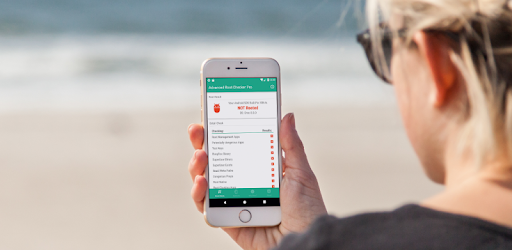
Advanced Root Checker is an Android app developed and published by 3k Developers at Google Play Store on Jul 16, 2017 for Android users. Advanced Root Checker is so popular that it has gained 624280 installs so far and growing.
Are you curious about whether your phone is rooted or not? Look no further than Advanced Root Checker, the app that provides detailed root-related information with just a few taps. This handy tool is designed to help you understand the intricacies of rooting and determine the root status of your device. Let's dive into the features and benefits of this remarkable app.
Advanced Root Checker is your go-to app for identifying the root status of your device. With its user-friendly interface, this app makes it incredibly simple to figure out whether your phone is rooted or not. Whether you are a tech-savvy individual or a beginner, this app caters to all levels of users, providing a seamless experience.
One of the standout features of Advanced Root Checker is its comprehensive help section. This section is not only informative but also engaging, making it a valuable resource for anyone seeking root-related information. Whether you're curious about the advantages, disadvantages, or other details of rooting, this app has got you covered. The help section is designed to explain complex concepts in simple language, ensuring that everyone can understand it easily.
For those who have rooted their devices, Advanced Root Checker is a game-changer. This app is the only one that accurately detects whether a phone is rooted or not. Say goodbye to the frustration of installing banking apps that refuse to work due to root access. Advanced Root Checker ensures that you have the necessary information to make informed decisions about your rooted device.
Advanced Root Checker is developed by the renowned 3K Developers, a team known for their exceptional work in the app development industry. Their apps consistently receive high praise from users, and Advanced Root Checker is no exception. With its easy-to-understand interface and reliable functionality, this app has earned the trust and recommendation of countless users.
One of the standout features of Advanced Root Checker is its ability to provide detailed information about your device's root status. It not only detects whether your device is rooted but also provides insights into various aspects, such as "Dangerous Props." This app goes above and beyond by explaining the significance of each element it checks, ensuring that you have a comprehensive understanding of your device's root status.
Rooting can often feel like a foreign language, with limited resources available to help users navigate the process. Advanced Root Checker aims to change that by providing detailed information and support. This app bridges the gap between experts and beginners, offering a platform where users can find answers to their root-related questions.
Advanced Root Checker is the ultimate tool for anyone seeking root-related information. With its user-friendly interface, comprehensive help section, and detailed insights, this app is a must-have for both rooted and non-rooted device users. Download Advanced Root Checker today and unlock a world of knowledge about your device's root status.
Advanced Root Checker utilizes advanced algorithms and checks various elements to accurately detect the root status of your device.
Yes, Advanced Root Checker's help section offers detailed information about the advantages and disadvantages of rooting in simple language, ensuring easy comprehension for all users.
"Dangerous Props" is one of the elements that Advanced Root Checker checks. It is a term used to identify certain properties on your device that may pose security risks.
Yes, Advanced Root Checker is compatible with a wide range of Android devices, ensuring that users can benefit from its functionality regardless of their device model or version.
Yes, you can run Advanced Root Checker on PC, but first, you will need emulator software installed on your Windows or MAC, which you can download for free. In the below video, you will find Advanced Root Checker in action. Before you install the emulator, check out the minimum and recommended system requirements to run it seamlessly. They may change depending on which version of the emulator you choose. Therefore, we recommend you download the latest version of the emulator. Below you will find three free Android emulators that we have shortlisted based on their popularity:
Up to date graphics drivers from Microsoft or the chipset vendor.
Storage: 1 GB available under installation path, 1.5GB available hard drive space
Internet: Broadband Internet connection
Regardless of which Android emulator you install, the steps to install, configure, and running the Advanced Root Checker app on PC are the same.