Published by SUD Inc.
Updated September 4, 2025
Dr. Driving drives you crazy! Not a racing game, but driving game!
| Version | 1.66 |
| Size | 30.6 MB |
| What's New | Minor bug fixes and improvements. Install or update to the newest version to check it out! |
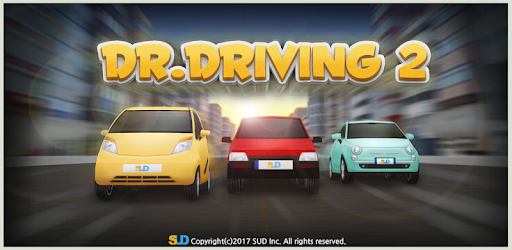
Dr. Driving 2 is an Android app developed and published by SUD Inc. at Google Play Store on Feb 24, 2017 for Android users. Dr. Driving 2 is so popular that it has gained 10000000 installs so far and growing.
Dr. Driving 2 is a captivating driving game that has been enchanting players for years. With its superb graphics and flexible controls, it's easy to see why this game has stayed on many players' phones for such a long time. The game's realistic driving experience is both fun and educational, making it an excellent choice for driving enthusiasts of all ages.
One of the highlights of Dr. Driving 2 is its impressive graphics. The game boasts bright, vivid visuals that make driving through virtual cities a delightful experience. Combined with smooth gameplay, it offers a seamless and enjoyable driving experience. Whether you're navigating through traffic or parking your car, every action feels realistic and engaging.
Dr. Driving 2 is not just about driving; it's about enjoying every moment behind the virtual wheel. The game features a variety of modes and challenges that keep players entertained. From tricky parking missions to navigating through busy city streets, there's always something fun to do. The ability to upgrade your car adds an extra layer of excitement, allowing you to enjoy even more thrilling driving adventures.
The educational aspect of Dr. Driving 2 cannot be overstated. Many players have found it to be a useful tool for improving their driving skills. The game provides a safe and effective way to learn about driving techniques and traffic rules. It’s a great way to gain confidence behind the wheel, all from the comfort of your own home.
Dr. Driving 2 strives to offer a realistic driving experience. Players can enjoy the feel of smooth brakes, responsive steering, and the pleasure of driving different types of vehicles. The game’s developers have done an excellent job in making the driving mechanics as true to life as possible, adding to the game's overall appeal.
What sets Dr. Driving 2 apart from other driving games is its continuous updates and improvements. The developers are always listening to player feedback, ensuring that the game stays fresh and exciting. Upgrading car bodies and enhancing game features are just a few ways the game evolves, keeping players coming back for more.
If you love driving or are looking for a fun way to improve your driving skills, Dr. Driving 2 is the perfect game for you. Its combination of realistic graphics, educational value, and endless fun makes it a game worth playing. So, buckle up and get ready for an exciting ride with Dr. Driving 2!
Yes, you can run Dr. Driving 2 on PC, but first, you will need emulator software installed on your Windows or MAC, which you can download for free. In the below video, you will find Dr. Driving 2 in action. Before you install the emulator, check out the minimum and recommended system requirements to run it seamlessly. They may change depending on which version of the emulator you choose. Therefore, we recommend you download the latest version of the emulator. Below you will find three free Android emulators that we have shortlisted based on their popularity:
Up to date graphics drivers from Microsoft or the chipset vendor.
Storage: 1 GB available under installation path, 1.5GB available hard drive space
Internet: Broadband Internet connection
Regardless of which Android emulator you install, the steps to install, configure, and running the Dr. Driving 2 app on PC are the same.