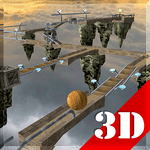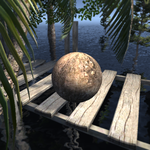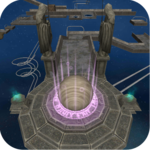
Published by aniFree
Updated May 11, 2026
Balling is a 3D puzzle, logic, and balance game with full physics simulation.
| Version | 1.8 |
| Size | 26.2 MB |
| What's New | Changed to the filtered Admob ads. |

Balling is an Android app developed and published by aniFree at Google Play Store on Dec 24, 2013 for Android users. Balling is so popular that it has gained 1000000 installs so far and growing.
If you're looking for a game that keeps you engaged and on your toes, Balling is the perfect choice. This game offers a thrilling experience with its variety of levels and challenges. Whether you're a seasoned gamer or new to the world of mobile gaming, Balling brings something special for everyone.
One of the best aspects of Balling is its gameplay. The game involves navigating through various levels that get progressively harder as you go along. Each level comes with its own set of obstacles and puzzles that require quick thinking and agility. The first few levels are quite easy, making it accessible for new players to get a hang of the controls and game mechanics. As you progress, the levels become more challenging, ensuring that you remain hooked to your screen.
Balling boasts high-quality graphics that are visually appealing and engaging. The galaxy shown in the background adds a unique charm to the game, making it a treat for the eyes. The game design is intuitive, which makes it easy to navigate through different features and options. These top-notch graphics contribute to an immersive gaming experience that keeps you coming back for more.
One of the standout features of Balling is its challenging levels. Some levels are so tough that it might take several days to complete them, but that's part of the fun! The feeling of accomplishment when you finally conquer a difficult level is unparalleled. To enhance the gaming experience, adding lives or chances could be beneficial. For instance, if you fall, you could lose a life but continue playing from the point where you fell. This feature would make the game less frustrating and more enjoyable.
If you're bothered by ads while playing Balling, a simple trick is to turn off your WiFi and Internet. This way, you can enjoy an uninterrupted gaming session. Also, make sure to stay updated with the latest updates and features that the developers constantly add to improve the game.
Balling is not just a game; it's an experience. It caters to a wide audience, making it enjoyable for kids and adults alike. The game is designed to test your skills and push you to your limits, making it a perfect way to pass the time and have some fun.
Overall, Balling is a must-download for anyone who loves a good challenge and visually captivating games. Whether you're playing to kill time or to test your skills, this game will not disappoint.
Yes, you can run Balling on PC, but first, you will need emulator software installed on your Windows or MAC, which you can download for free. In the below video, you will find Balling in action. Before you install the emulator, check out the minimum and recommended system requirements to run it seamlessly. They may change depending on which version of the emulator you choose. Therefore, we recommend you download the latest version of the emulator. Below you will find three free Android emulators that we have shortlisted based on their popularity:
Up to date graphics drivers from Microsoft or the chipset vendor.
Storage: 1 GB available under installation path, 1.5GB available hard drive space
Internet: Broadband Internet connection
Regardless of which Android emulator you install, the steps to install, configure, and running the Balling app on PC are the same.