Published by ALK Technologies
Updated October 26, 2025
CoPilot GPS – Car Navigation, Offline Maps and Traffic.
| Version | 11.3.0.1809 |
| Size | 61.4 MB |
| What's New | The latest version contains bug fixes and enhancements to help you to navigate safely and efficiently.Have questions? Find answers in our support center supportv11.copilotpro.com |
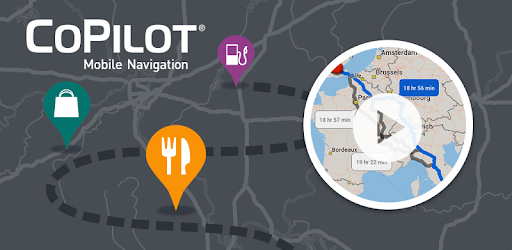
CoPilot GPS - Navigation is an Android app developed and published by ALK Technologies at Google Play Store on May 2, 2012 for Android users. CoPilot GPS - Navigation is so popular that it has gained 5000000 installs so far and growing.
When you’re on the road, whether towing a tall trailer, driving an RV, or simply commuting, CoPilot GPS - Navigation is here to help. This navigation app shines in many ways, providing everything a driver could want. From its offline capabilities to its excellent map coverage, CoPilot GPS makes every trip smoother and more enjoyable.
One of the standout features of CoPilot GPS - Navigation is its ability to work without an internet connection. This proves incredibly useful in areas with spotty reception or when traveling abroad where data costs can stack up. All the maps you need are stored directly on your device. This allows you to navigate even in remote areas without any hassle. A true lifesaver for those who rely on consistent directions.
CoPilot GPS offers comprehensive map coverage, including regions like Australia, Europe, and North America. Regardless of the device—whether it’s a Samsung phone or an iPhone—the app works seamlessly, making it a versatile choice for drivers around the globe. The reliability extends beyond personal use, as it's a trusted tool for professional drivers as well, proving effective both in built-in vehicle systems and as an Android app.
Setting up CoPilot GPS to match your specific needs is straightforward. You can customize road preferences and set local times to ensure accurate GPS readings. The interface might take a little getting used to, but once familiar, it makes route planning easy and hassle-free. Whether for daily commutes or long-distance drives, setting preferences helps avoid common road problems like low bridges or weight restrictions, particularly important for RV and larger vehicle drivers.
Another fantastic feature is the ability to locate nearby points of interest, such as supermarkets and gas stations. This is especially handy for long trips, ensuring you have all the necessary stops marked along your route. The app takes the worry out of planning by pinpointing convenient stops for rest, refueling, and refreshments.
While CoPilot GPS boasts a plethora of superb features, there's always room for more. Many users look forward to potential updates such as Android Auto compatibility and voice recognition, which could make navigation even more intuitive. Despite occasional issues with traffic in regions like the UK, the app reroutes efficiently to keep you moving. If any issue arises, the support team, despite appearing unresponsive at times, eventually provides the needed solutions.
In a professional setting, such as companies using Qualcomm tablets, CoPilot GPS offers significant advantages. It simplifies finding suitable spots to end shifts and ensures navigation remains smooth and safe. The app is particularly beneficial for RV driving, safeguarding against unfriendly routes and making reversions stress-free. Daily use shows that once the system is set up correctly, it becomes an indispensable tool in reliable travel planning.
CoPilot GPS - Navigation stands out as an excellent satnav option. Its ease of use, customization options, and reliable offline capabilities make it a must-have for any driver. Whether you're planning a local trip or an international journey, CoPilot GPS ensures you reach your destination with ease and peace of mind.
Yes, you can run CoPilot GPS - Navigation on PC, but first, you will need emulator software installed on your Windows or MAC, which you can download for free. In the below video, you will find CoPilot GPS - Navigation in action. Before you install the emulator, check out the minimum and recommended system requirements to run it seamlessly. They may change depending on which version of the emulator you choose. Therefore, we recommend you download the latest version of the emulator. Below you will find three free Android emulators that we have shortlisted based on their popularity:
Up to date graphics drivers from Microsoft or the chipset vendor.
Storage: 1 GB available under installation path, 1.5GB available hard drive space
Internet: Broadband Internet connection
Regardless of which Android emulator you install, the steps to install, configure, and running the CoPilot GPS - Navigation app on PC are the same.