Gunspell 2 - Puzzle Battles for PC

Gunspell 2 - Puzzle Battles for PC

Published by AKPublish pty ltd

Updated November 25, 2026

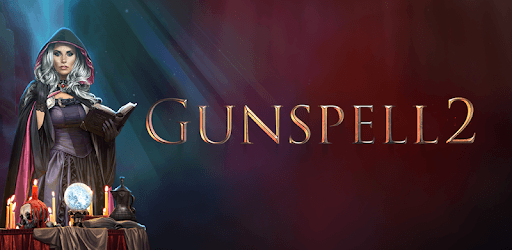
The best mix of RPG and Match 3 puzzle. Unique multiplayer with real opponents!

What's New

Version1.6.7710
Size181.9 MB
What's New• Minor bug fixes• Added support for new Android versions• Fixed issue with rewarded advertising

Gunspell 2 - Puzzle Battles Screenshots

Gunspell 2 - Puzzle Battles PC screenshot

About Gunspell 2 - Puzzle Battles For PC

Gunspell 2 - Puzzle Battles is an Android app developed and published by AKPublish pty ltd at Google Play Store on Apr 5, 2019 for Android users. Gunspell 2 - Puzzle Battles is so popular that it has gained 972310 installs so far and growing.

Gunspell 2 - Puzzle Battles: A Unique and Engaging Gaming Experience

Gunspell 2 - Puzzle Battles is a game that stands out from the crowd. Unlike most games, it caters to players of all ages, making it a truly inclusive and enjoyable experience. The game has garnered a loyal fanbase, with many players eagerly anticipating a newer version. It's clear that Gunspell 2 has struck a chord with gamers, and its popularity is only set to grow.

One of the standout features of Gunspell 2 is its refreshing take on Match 3 RPGs. In a sea of same-feeling clones, this game manages to offer something different and exciting. The gameplay is fast-paced and engaging, keeping players on their toes. However, unlike other games in the genre, Gunspell 2 doesn't require a strong internet connection to enjoy. This is a major plus for players who may have limited reception in their area.

A Challenging Adventure

Gunspell 2 introduces a brand new style from the original design of Gunspell. Players are still learning the basics of the game and discovering its unique mechanics. The challenges presented in the game keep players engaged and prevent them from winning too easily. It's a realistic approach that adjusts to the player's skill level, ensuring that victory is always earned.

One aspect that sets Gunspell 2 apart is its balanced gameplay. Unlike other Match 3 RPGs, this game rewards players simply for playing. Earning gold is easy and the game doesn't rely on a pay-to-win model. This fairness and accessibility have earned Gunspell 2 a solid 5/5 rating from many satisfied players.

A Gem Amongst Clones

Gunspell 2 has managed to capture the hearts of players who were initially skeptical about this type of game. Its addictive gameplay and lack of interference from developers' "silly ideas" have made it a favorite among mobile gamers. The game's longevity is a testament to its quality, with players proudly boasting about having it installed on their phones for years.

Furthermore, Gunspell 2 has received praise for its graphics and smooth gameplay. The developers have managed to spice up the match 3 genre, injecting new life into a stagnant category. With future updates on the horizon, players are excited to see where the game will go and hope it continues to stand out from the crowd.

Frequently Asked Questions

1. Is Gunspell 2 suitable for players of all ages?

Yes, Gunspell 2 is designed to be enjoyed by players of any age. Its inclusive gameplay ensures that everyone can have a great time.

2. Does Gunspell 2 require a strong internet connection to play?

No, Gunspell 2 doesn't rely on a strong internet connection. This is a major advantage for players who may have limited reception in their area.

3. Does Gunspell 2 follow a pay-to-win model?

No, Gunspell 2 is a fair and balanced game that rewards players for simply playing. It doesn't require any additional purchases to succeed.

4. Are there future updates planned for Gunspell 2?

Yes, the developers have hinted at future updates for Gunspell 2. Players can look forward to new features and improvements in the game.

5. How long has Gunspell 2 been available?

Gunspell 2 has been available since 2020 and has garnered a loyal fanbase since its release.

Can I run Gunspell 2 - Puzzle Battles on PC?

Yes, you can run Gunspell 2 - Puzzle Battles on PC, but first, you will need emulator software installed on your Windows or MAC, which you can download for free. In the below video, you will find Gunspell 2 - Puzzle Battles in action. Before you install the emulator, check out the minimum and recommended system requirements to run it seamlessly. They may change depending on which version of the emulator you choose. Therefore, we recommend you download the latest version of the emulator. Below you will find three free Android emulators that we have shortlisted based on their popularity:

How to Install Gunspell 2 - Puzzle Battles on Windows PC

BlueStacks

Minimum
  • OS: Microsoft Windows 7 and above.
  • Processor: Intel or AMD Processor.
  • RAM: Your PC must have at least 4GB of RAM. (Note that having 4GB or more disk space is not a substitute for RAM)
  • Storage: 5GB Free Disk Space.
  • You must be an Administrator on your PC.
Recommended:
  • OS: Microsoft Windows 10
  • Processor: Intel or AMD Multi-Core Processor with Single Thread benchmark score > 1000.
  • Graphics: Intel/Nvidia/ATI, Onboard or Discrete controller with benchmark score >= 750.
  • Please ensure Virtualization is enabled on your PC/Laptop.
  • RAM: 8GB or higher
  • Storage: SSD (or Fusion/Hybrid Drives)
  • Internet: Broadband connection to access games, accounts and related content.

Up to date graphics drivers from Microsoft or the chipset vendor.

  • To start with, download Bluestacks from its official website. The latest version of BluesStacks is v 5, and it is around 400 MB.
  • Once the download is done, click on the Bluestacks set up file to install it on your Windows PC. Follow the on-screen instructions and install it accordingly.
  • The next step is to launch the emulator using the desktop shortcut and sign in using your Google account.
  • Now, head over to Bluestacks home screen and click on the Google Play Store icon.
  • Hit the search bar in Google Play and search for Gunspell 2 - Puzzle Battles.
  • Install Gunspell 2 - Puzzle Battles from the Play Store by clicking the Install option, which completes downloading of Gunspell 2 - Puzzle Battles on PC.

NoxPlayer

Minimum
  • Operating System: Windows XP SP3, Windows Vista, Windows 7, Windows 8, Windows 10, and DirectX 9.0c
  • Processor: At least dual-core processor, both Intel, and AMD are OK
  • Video: Supports Open GL 2.0 or above
  • Memory: 1.5 GB RAM
Recommended
  • Operating System: Windows 7, Windows 8, Windows 10
  • Processor: Multiple core processors which support VT-x or AMB-V Virtualization Technology, better performance with this function enabled
  • Video: The higher performance, the better
  • Memory: 4 GB RAM

Storage: 1 GB available under installation path, 1.5GB available hard drive space

Internet: Broadband Internet connection

  • Download NoxPlayer from the official website. The latest version of NoxPlayer is v 3, and it is around 600 MB.
  • Now install the emulator using the downloaded setup file. Just go through the on-screen instructions and install NoxPlayer on your computer or laptop.
  • After the installation process, launch the Nox Android emulator and log in using your Google account when it asks you.
  • Click on the Google Play Store icon and head over to the search bar to search Gunspell 2 - Puzzle Battles. Once found, click on the Install button to install Gunspell 2 - Puzzle Battles for PC.
  • If you do not find Gunspell 2 - Puzzle Battles on Google Play Store or if you want to skip logging in to Google, you can sideload APK (download the .APK file from this page and open it with NoxPlayer).
  • Launch Gunspell 2 - Puzzle Battles from home-screen and start playing it on PC right away!

MEmu

Minimum
  • 2 cores x86/x86_64 Processor (Intel or AMD CPU)
  • WinXP SP3 / Win7 / Win8 / Win10 (Not recommended to run on Server/Enterprise)
  • Latest Windows DirectX 11 / Graphics driver with OpenGL 2.0
  • Hardware Virtualization Technology (Intel VT-x/AMD-V) shall be enabled in BIOS
  • 2GB of RAM (4GB for x64 system)
  • 5GB of hard disk free space
Recommended
  • OS: Microsoft Windows 10 with VT Enabled
  • CPU: Single Thread PassMark score > 1500 (Intel/AMD Multi-Core).
  • Graphics: Intel/Nvidia/ATI, Onboard or Discrete controller with PassMark score > 750.
  • Latest Windows DirectX 11 / Graphics driver with OpenGL 4.5 or higher
  • RAM: 8GB or higher
  • HDD: SSD, 10GB of hard disk free space
  • Internet: Broadband connection with low latency for FPS games
  • Download MEmu Play from the official website. The latest version of NoxPlayer is v 7.5.
  • When the download is completed, install the MEmu emulator on your PC. Follow the on-screen instructions and keep on clicking the Next button until the final step.
  • Now, using the desktop shortcut, look for the MEmu Play emulator and launch it. Once done, it will ask you to log in using your Google account, proceed with the same.
  • MEmu Play will ask you to log in using your Google account. When you log in, it will sync your Google account to MEmu Play. Launch the Google Play Store by clicking on the icon and search for Gunspell 2 - Puzzle Battles.
  • Click on the Install button once you find Gunspell 2 - Puzzle Battles from the search results. You can also sideload APK (download the .APK file from this page and open it with MEmu) if you want to skip above step.
  • After the installation of Gunspell 2 - Puzzle Battles, you're all set to use the app on PC!

Regardless of which Android emulator you install, the steps to install, configure, and running the Gunspell 2 - Puzzle Battles app on PC are the same.