Published by ZeoWorks
Updated September 20, 2025
The official android port for the famous 'Slendytubbies: Anniversary Edition'!
| Version | 2.1 |
| Size | 69.1 MB |
| What's New | -Bug fixes |
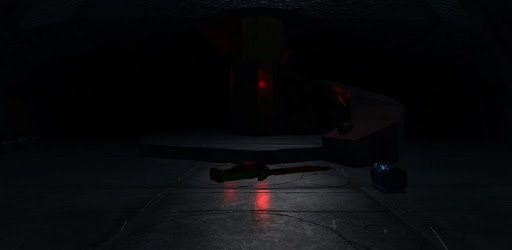
Slendytubbies: Android Edition is an Android app developed and published by ZeoWorks at Google Play Store on Jan 18, 2016 for Android users. Slendytubbies: Android Edition is so popular that it has gained 1000000 installs so far and growing.
Slendytubbies: Android Edition is a game that combines the innocent charm of Teletubbies with spine-chilling horror elements. This game for Android devices has become a favorite among fans of the franchise and horror game enthusiasts. Players can immerse themselves in a unique gameplay experience that brings back memories while keeping them on the edge of their seats.
One of the standout features of Slendytubbies: Android Edition is its entertaining gameplay. Players can crouch and move around in a funny way, adding a touch of humor to the otherwise scary environment. Additionally, a fascinating glitch allows players to fly, providing unexpected moments of fun and surprise. The game's unique blend of horror and humor makes it highly engaging and keeps players coming back for more.
Slendytubbies: Android Edition offers a multiplayer mode, allowing players to join games with random people or friends. This feature enhances the game's social aspect, making it possible to share the thrill with others. Whether you want to play with new people or create fun memories with friends, the multiplayer mode provides an excellent platform for interactive gameplay.
The game features the iconic character Tinky Winky as the main monster, adding a nostalgic element for fans of the Teletubbies show. However, the monster's behavior is quite different in this game. Tinky Winky can sometimes act unexpectedly, such as finding you even in the best hiding spots. These unpredictable elements add to the challenge and make each playthrough exciting. Despite some quirks, the game remains enjoyable and keeps players on their toes.
Fans of Slendytubbies: Android Edition have expressed a desire for additional modes and features. One of the common requests is for a sandbox mode, allowing players to explore and interact with the game's environment more freely. While adding such features might require extensive coding, the community's enthusiasm shows the game's potential for growth and improvement.
One of the most appreciated aspects of Slendytubbies: Android Edition is its ads-free experience. Players can fully immerse themselves in the game without interruptions, enhancing the overall enjoyment. This feature is particularly commendable, as it allows for uninterrupted gameplay and a more cohesive experience.
Slendytubbies: Android Edition holds a special place in the hearts of many players who have enjoyed the series over the years. The game has been around for a decade, and its longevity is a testament to its enduring appeal. Players appreciate the opportunity to revisit fond childhood memories while experiencing a fresh and thrilling twist on the beloved Teletubbies characters.
The game has a diverse fan base, and players from different regions celebrate its horror elements. For example, one review in Indonesian praises the game for being a great heart-pounding horror experience. This showcases the game's ability to resonate with players across various cultures and languages.
Slendytubbies: Android Edition is a delightful blend of horror and nostalgia that continues to captivate players with its unique gameplay, memorable characters, and social aspects. Whether you're a longtime fan or new to the franchise, this game offers an exciting and immersive experience on mobile devices.
Yes, you can run Slendytubbies: Android Edition on PC, but first, you will need emulator software installed on your Windows or MAC, which you can download for free. In the below video, you will find Slendytubbies: Android Edition in action. Before you install the emulator, check out the minimum and recommended system requirements to run it seamlessly. They may change depending on which version of the emulator you choose. Therefore, we recommend you download the latest version of the emulator. Below you will find three free Android emulators that we have shortlisted based on their popularity:
Up to date graphics drivers from Microsoft or the chipset vendor.
Storage: 1 GB available under installation path, 1.5GB available hard drive space
Internet: Broadband Internet connection
Regardless of which Android emulator you install, the steps to install, configure, and running the Slendytubbies: Android Edition app on PC are the same.