Published by Octagon Studio
Updated August 1, 2026
The Animal 4D+ app brings you a new way of seeing animals in Augmented Reality.
| Version | 4.3.9 |
| Size | 122.3 MB |
| What's New | Improve stability |
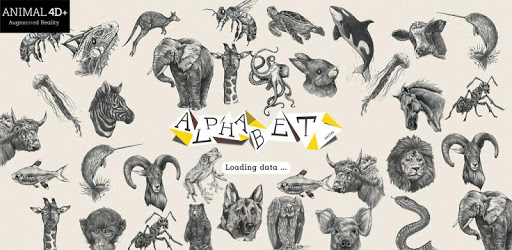
Animal 4D+ is an Android app developed and published by Octagon Studio at Google Play Store on Jan 27, 2015 for Android users. Animal 4D+ is so popular that it has gained 3392288 installs so far and growing.
Are you ready to embark on an extraordinary journey into the world of augmented reality? Look no further than Animal 4D+, the app that brings your favorite animals to life right before your eyes! With its innovative technology and captivating features, Animal 4D+ is a game-changer in the realm of educational apps. Let's dive into the incredible world of Animal 4D+ and discover why it's a must-have for both kids and adults alike!
Animal 4D+ is more than just a game – it's an immersive experience that will leave you in awe. Step into a world where animals come alive in stunning 4D, allowing you to interact with them like never before. Whether you're a curious child or a lifelong learner, this app will ignite your imagination and take you on a wild adventure through the animal kingdom.
One of the best things about Animal 4D+ is that it's designed for everyone to enjoy. Gather your family and friends and prepare for hours of laughter and excitement. Watch as your kids' faces light up with joy when they see their favorite animals right in front of them. This app is a fantastic way to bond with your loved ones while having a blast!
Animal 4D+ is incredibly user-friendly, making it accessible to users of all ages. The intuitive interface ensures a seamless experience, allowing you to navigate through the app effortlessly. Whether you're a tech-savvy individual or a complete beginner, you'll find that Animal 4D+ is a breeze to use. It's the perfect tool for teachers looking to engage their students in a fun and interactive way!
Education has never been this exciting! Animal 4D+ not only entertains but also educates. Discover fascinating facts about each animal as you explore their 4D models. Expand your knowledge of the animal kingdom and impress your friends with your newfound expertise. With Animal 4D+, learning becomes an adventure!
Yes, Animal 4D+ is designed to work seamlessly on a wide range of devices, ensuring that everyone can enjoy the app's incredible features.
The app typically takes around half a minute to load initially. While some users may find this wait time slightly longer, we assure you that the experience is well worth it!
Unfortunately, Animal 4D+ does not automatically save videos or photos taken while using the app. However, you can relive the magical moments by watching them in real-time.
No, Animal 4D+ provides a complete and immersive experience without the need for any additional purchases. Enjoy all the app's features right from the start!
If you have any questions or encounter any issues while using Animal 4D+, our dedicated support team is just an email away. Reach out to us, and we'll be more than happy to assist you!
So, what are you waiting for? Dive into the mesmerizing world of Animal 4D+ and let your imagination run wild. Experience the thrill of interacting with lifelike 4D animals and expand your knowledge in the most exciting way possible. Get ready for an adventure like no other!
Yes, you can run Animal 4D+ on PC, but first, you will need emulator software installed on your Windows or MAC, which you can download for free. In the below video, you will find Animal 4D+ in action. Before you install the emulator, check out the minimum and recommended system requirements to run it seamlessly. They may change depending on which version of the emulator you choose. Therefore, we recommend you download the latest version of the emulator. Below you will find three free Android emulators that we have shortlisted based on their popularity:
Up to date graphics drivers from Microsoft or the chipset vendor.
Storage: 1 GB available under installation path, 1.5GB available hard drive space
Internet: Broadband Internet connection
Regardless of which Android emulator you install, the steps to install, configure, and running the Animal 4D+ app on PC are the same.