Published by Apaydın Games
Updated October 27, 2026
Discover the best Corolla Drift & Driving Simulator world on the market.
| Version | 8.5 |
| Size | 103.9 MB |
| What's New | Bugs fixed.Ads reduced.Classic graphics returned.Classic driving added as an option.Car driving physics improved.Drift physics improved.Hydraulic System. |
Corolla Drift & Driving Simulator is an Android app developed and published by Apaydın Games at Google Play Store on May 3, 2018 for Android users. Corolla Drift & Driving Simulator is so popular that it has gained 1714871 installs so far and growing.
Are you ready for an adrenaline-pumping driving adventure? Look no further than Corolla Drift & Driving Simulator! This exciting game will take you on a thrilling ride through the streets, providing endless entertainment and excitement. Get behind the wheel and experience the rush of high-speed drifts, heart-stopping maneuvers, and breathtaking races. Let's dive into the world of Corolla Drift & Driving Simulator and explore what makes this game a must-play for all driving enthusiasts.
Corolla Drift & Driving Simulator offers a wide range of challenges that will put your driving skills to the test. Whether you're a seasoned driver or a beginner, this game has something for everyone. From drift competitions to intense races, you'll find yourself fully immersed in the world of fast cars and adrenaline-fueled action.
One of the highlights of this game is the realistic driving physics. The developers have gone above and beyond to ensure that every turn, drift, and acceleration feels incredibly authentic. You'll feel the power of the engine as you race through the streets, and the precise controls will give you full control over your vehicle.
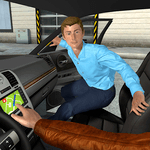
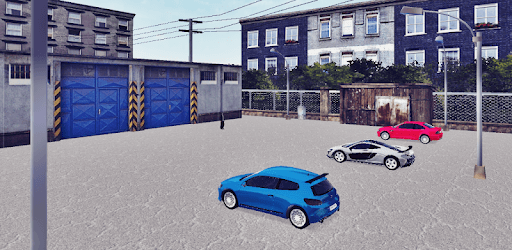
While Corolla Drift & Driving Simulator may not have the most cutting-edge graphics, it still manages to create immersive and visually appealing environments. The cityscapes are beautifully designed, with attention to detail that brings the game to life. From bustling downtown streets to scenic coastal roads, each location offers a unique and captivating experience.
However, some players have expressed their desire for improved graphics and updated car models. While the visuals may not be groundbreaking, they still provide a satisfying and enjoyable gaming experience. The developers have created a game that focuses on gameplay and excitement rather than solely relying on flashy graphics.
Corolla Drift & Driving Simulator features intuitive controls that make it easy for players of all skill levels to jump right into the action. The responsive touch controls allow for precise steering and smooth maneuvering, ensuring that you have full control over your vehicle at all times. Whether you're navigating tight corners or executing a perfect drift, the controls will never let you down.
However, some players have mentioned that the button to activate the blinker covers a portion of the screen, making it difficult to see other cars. This minor inconvenience can be easily addressed by the developers in future updates, ensuring an even better gaming experience for all players.
To install Corolla Drift & Driving Simulator on your phone, follow these simple steps:
If you see the message "pending" on your phone, it means that the game is still in the process of downloading or installing. This usually happens when there are network issues or if your phone's storage is almost full. Make sure you have a stable internet connection and enough storage space on your device. If the issue persists, try restarting your phone and reinstalling the game.
Corolla Drift & Driving Simulator is compatible with a wide range of phone models. However, it's always a good idea to check the system requirements before downloading the game. Visit the app store or the official website of the game to see if your phone meets the necessary specifications. If your phone meets the requirements, you can enjoy the thrilling driving experience offered by Corolla Drift & Driving Simulator.
Corolla Drift & Driving Simulator is a game that will keep you on the edge of your seat. With its engaging gameplay, realistic physics, and immersive environments, it's a must-play for any driving enthusiast. Get ready to hit the streets, drift around corners, and experience the thrill of high-speed races. Download Corolla Drift & Driving Simulator today and embark on an unforgettable driving adventure!
Yes, you can run Corolla Drift & Driving Simulator on PC, but first, you will need emulator software installed on your Windows or MAC, which you can download for free. In the below video, you will find Corolla Drift & Driving Simulator in action. Before you install the emulator, check out the minimum and recommended system requirements to run it seamlessly. They may change depending on which version of the emulator you choose. Therefore, we recommend you download the latest version of the emulator. Below you will find three free Android emulators that we have shortlisted based on their popularity:
Up to date graphics drivers from Microsoft or the chipset vendor.
Storage: 1 GB available under installation path, 1.5GB available hard drive space
Internet: Broadband Internet connection
Regardless of which Android emulator you install, the steps to install, configure, and running the Corolla Drift & Driving Simulator app on PC are the same.