Published by 아보카보
Updated April 13, 2026
Meteor 60 seconds! is an apocalypse simulator game simulates 60-seconds life.
| Version | 2.1.19 |
| Size | 84.4 MB |
| What's New | Minor bug fixes and improvements. Install or update to the newest version to check it out! |
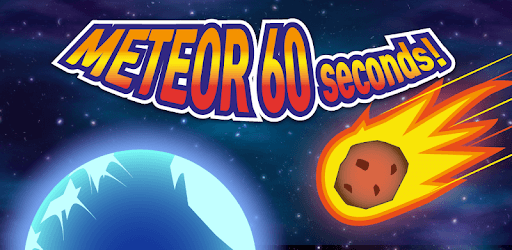
Meteor 60 seconds! is an Android app developed and published by 아보카보 at Google Play Store on Jan 14, 2018 for Android users. Meteor 60 seconds! is so popular that it has gained 9588425 installs so far and growing.
Looking for a game that will keep you entertained and laughing? Look no further than Meteor 60 seconds! This amazing game has captured the hearts of players with its unique concept and multiple endings. Whether you're a fan of art or just looking for a good time, this game has something for everyone.
Meteor 60 seconds! introduces players to a world where a meteor is set to hit the earth in just 60 seconds. But here's the twist - when you die in the game, it's actually a virtual reality experience. This adds a whole new level of excitement and unpredictability to the gameplay.
One of the best features of Meteor 60 seconds! is the multiple endings. Players can explore different paths and outcomes, making each playthrough a unique experience. The art in the game is also visually appealing, adding to the overall enjoyment.
While some players may find that the game can be completed quickly, it doesn't take away from the fun and excitement. Meteor 60 seconds! offers a great few minutes of entertainment, even if you've seen everything the game has to offer. It's a game that you'll want to recommend to your friends.
The positive feedback from players speaks for itself. Many players have praised the game for its addictive gameplay and hilarious endings. It's no wonder that Meteor 60 seconds! has become one of the best games they've ever played.
For those who played Meteor 60 seconds! as a kid, coming back to it now brings back fond memories. It's a game that has stood the test of time and continues to provide a great gaming experience.
If you're looking for an offline game that offers great endings and gameplay, Meteor 60 seconds! is the game for you. The developers have done a fantastic job of creating a game that is both enjoyable and glitch-free. And if you manage to complete all the endings, there's a final ending that will leave you satisfied.
For future updates, players have suggested adding special missions or events to keep the game fresh and exciting. Whether it's saving people as Spider-Man or exploring new storylines, these additions would make Meteor 60 seconds! even more captivating.
Yes, Meteor 60 seconds! is available for Android devices. Simply download it from the Google Play Store and start playing.
The game can be completed in a short amount of time, but the multiple endings and unpredictable gameplay make it worth replaying.
No, Meteor 60 seconds! is a free game with no in-app purchases. You can enjoy the full experience without spending any money.
Yes, Meteor 60 seconds! is an offline game, so you can play it anytime and anywhere without an internet connection.
The developers are open to suggestions and have expressed interest in adding new missions or events in future updates. Keep an eye out for exciting new content!
Yes, you can run Meteor 60 seconds! on PC, but first, you will need emulator software installed on your Windows or MAC, which you can download for free. In the below video, you will find Meteor 60 seconds! in action. Before you install the emulator, check out the minimum and recommended system requirements to run it seamlessly. They may change depending on which version of the emulator you choose. Therefore, we recommend you download the latest version of the emulator. Below you will find three free Android emulators that we have shortlisted based on their popularity:
Up to date graphics drivers from Microsoft or the chipset vendor.
Storage: 1 GB available under installation path, 1.5GB available hard drive space
Internet: Broadband Internet connection
Regardless of which Android emulator you install, the steps to install, configure, and running the Meteor 60 seconds! app on PC are the same.