Published by Match 3 Fun Games
Updated November 19, 2026
The great adventure starts now! Shoot & pop all the bubbles & unlock fun rewards
| Version | 6.7 |
| Size | 46.7 MB |
| What's New | Thanks to our dedicated users, we were able to identify and resolve some issues affecting gameplay. With our latest update, we've improved stability and fixed bugs to ensure you have a seamless experience. We've also made some minor improvements to enhance your overall experience. Update now to enjoy your favorite game without any interruptions. |
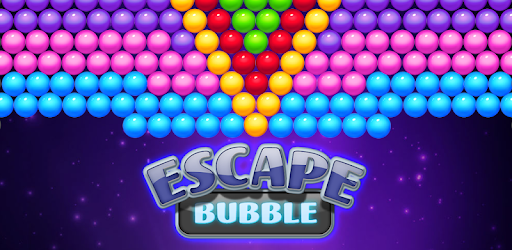
Escape Bubble is an Android app developed and published by Match 3 Fun Games at Google Play Store on Apr 25, 2018 for Android users. Escape Bubble is so popular that it has gained 27253186 installs so far and growing.
Escape Bubble is a game that stands out as one of the most entertaining experiences you can have on your phone. From the moment you start playing, you are drawn into a vibrant world of bubble-popping fun. Whether you are a seasoned gamer or new to mobile games, this game offers something for everyone.
The gameplay in Escape Bubble is both simple and engaging, making it accessible to players of all ages. Your mission is to pop as many bubbles as you can, each level bringing new challenges and rewards. The more bubbles you pop, the higher your score, which keeps you coming back for more.
One of the highlights of Escape Bubble is its colorful and vibrant graphics. Each bubble is beautifully designed, and the animations are smooth and satisfying. The visual appeal makes each game session enjoyable and keeps you glued to the screen.
Escape Bubble strikes the perfect balance between being relaxing and challenging. The soothing music and easy-to-understand controls help you unwind, while the progressively difficult levels keep you on your toes. This balance makes the game perfect for winding down after a long day or for a quick break during work.
Another great feature of Escape Bubble is its social aspect. You can invite friends to join you in the fun, compete for the highest scores, and even share your achievements. This makes it not just a solo activity but a social one as well, enhancing the overall experience.
One of the most compelling reasons to keep playing Escape Bubble is the frequent updates. New levels, challenges, and features are regularly added, ensuring that the game never gets old. You can always look forward to something new, making it a game that keeps on giving.
Escape Bubble is free to download and play. While there are in-app purchases available, the game does not force you to spend money. You can enjoy almost all of its features without paying a dime, making it accessible to everyone.
The game is very intuitive, meaning you can start playing without any tutorials. However, mastering it takes skill and practice, which keeps you engaged. The quick sessions are perfect for filling idle time, making it an ideal game for daily commutes or waiting in line.
Escape Bubble's blend of simplicity and complexity makes it suitable for players of all ages. Kids can enjoy the colorful graphics and simple objectives, while adults can appreciate the strategic elements and challenging levels.
So why wait? Dive into the vibrant world of Escape Bubble today and discover why so many people love playing it. Whether you are looking to kill some time or find a new favorite game, Escape Bubble is a perfect choice. It's fun, it's engaging, and it's waiting for you!
Yes, you can run Escape Bubble on PC, but first, you will need emulator software installed on your Windows or MAC, which you can download for free. In the below video, you will find Escape Bubble in action. Before you install the emulator, check out the minimum and recommended system requirements to run it seamlessly. They may change depending on which version of the emulator you choose. Therefore, we recommend you download the latest version of the emulator. Below you will find three free Android emulators that we have shortlisted based on their popularity:
Up to date graphics drivers from Microsoft or the chipset vendor.
Storage: 1 GB available under installation path, 1.5GB available hard drive space
Internet: Broadband Internet connection
Regardless of which Android emulator you install, the steps to install, configure, and running the Escape Bubble app on PC are the same.