Published by Bubble Shooter Artworks
Updated September 12, 2025
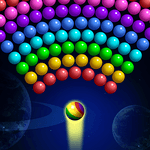
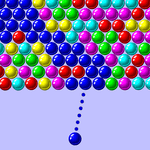
Shoot & pop bubbles in this classic fun puzzle game! Clear levels & win coins!
| Version | 16.1 |
| Size | 45.3 MB |
| What's New | Thanks to our dedicated users, we were able to identify and resolve some issues affecting gameplay. With our latest update, we've improved stability and fixed bugs to ensure you have a seamless experience. We've also made some minor improvements to enhance your overall experience. Update now to enjoy your favorite game without any interruptions. |
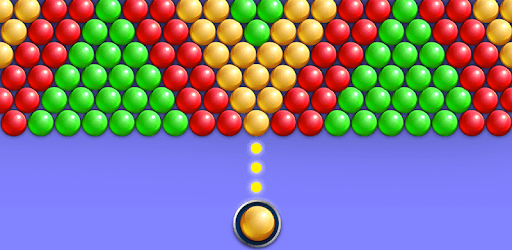
Bubble Shooter 3 is an Android app developed and published by Bubble Shooter Artworks at Google Play Store on May 16, 2018 for Android users. Bubble Shooter 3 is so popular that it has gained 1000000 installs so far and growing.
Looking for a game that’s fun, engaging, and perfect for all ages? Bubble Shooter 3 is the game for you. Whether you’re a seasoned gamer or just looking for something to pass the time, this game offers hours of entertainment. Let’s dive into what makes Bubble Shooter 3 so special and why it stands out in the crowded field of mobile games.
The first thing you’ll notice about Bubble Shooter 3 is its exceptionally exciting gameplay. From the moment you start, you’ll be drawn into a world where colorful bubbles float across your screen, waiting for you to pop them. The game’s mechanics are simple yet addictive: match three or more bubbles of the same color to make them disappear. As you progress to higher levels, the game becomes more challenging, keeping you hooked with every bubble pop.
One of the standout features of Bubble Shooter 3 is how easy it is to play. The game’s intuitive controls mean you can start playing immediately without having to go through a steep learning curve. You simply aim and shoot using an arrow pointer, making it accessible for players of all ages. Plus, the game rarely leaves you stuck indefinitely, ensuring that you don’t get bored or frustrated as you play through the levels.
Time flies when you’re playing Bubble Shooter 3. You won’t feel like your time is wasted; instead, you’ll find each game session engaging and fulfilling. With each new round, you’ll be thrilled to achieve a higher score, making you eager to play again. This sense of progress and accomplishment keeps the game exciting, whether you’re playing for a few minutes or several hours.
Bubble Shooter 3 is not just about popping bubbles; it’s also a brain teaser. The further you get into the game, the more strategic you need to be about which bubbles to pop and when. This adds a layer of complexity that keeps the game interesting and intellectually stimulating. It’s a fun way to keep your brain active while enjoying a relaxing game.
Playing Bubble Shooter 3 brings a lot of joy. The colorful graphics, satisfying sound effects, and challenging puzzles combine to create an experience that’s as enjoyable as it is addictive. Each level you complete gives you a sense of accomplishment and encourages you to keep playing. The cheerful design and easy accessibility make it a favorite for many players.
Whether you’re a child or an adult, Bubble Shooter 3 has something to offer. The game’s simple mechanics make it easy for kids to pick up and play, while the increasing difficulty levels provide a challenge for adults. This versatility makes it a great game for the whole family to enjoy together.
So if you’re looking for a fun and challenging game that you can play anytime, anywhere, give Bubble Shooter 3 a try. With its engaging gameplay, ease of play, and joyful experience, it’s sure to become one of your favorite games in no time.
Yes, you can run Bubble Shooter 3 on PC, but first, you will need emulator software installed on your Windows or MAC, which you can download for free. In the below video, you will find Bubble Shooter 3 in action. Before you install the emulator, check out the minimum and recommended system requirements to run it seamlessly. They may change depending on which version of the emulator you choose. Therefore, we recommend you download the latest version of the emulator. Below you will find three free Android emulators that we have shortlisted based on their popularity:
Up to date graphics drivers from Microsoft or the chipset vendor.
Storage: 1 GB available under installation path, 1.5GB available hard drive space
Internet: Broadband Internet connection
Regardless of which Android emulator you install, the steps to install, configure, and running the Bubble Shooter 3 app on PC are the same.