Published by Beetles Games Studio
Updated September 3, 2025
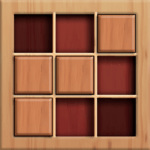
Smash as many blocks as you can! Try the new wood block sudoku puzzle game!
| Version | 2.6.6 |
| Size | 102.2 MB |
| What's New | New event released! |
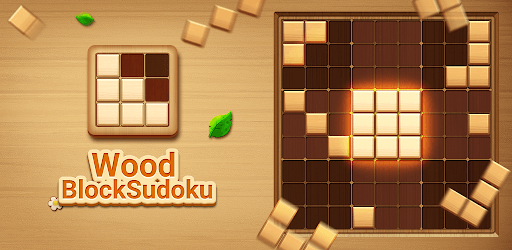
Wood Block Sudoku Game -Classic Free Brain Puzzle is an Android app developed and published by Beetles Games Studio at Google Play Store on Jan 20, 2020 for Android users. Wood Block Sudoku Game -Classic Free Brain Puzzle is so popular that it has gained 41869490 installs so far and growing.
Wood Block Sudoku Game -Classic Free Brain Puzzle is a delightful brain teaser that offers both fun and mental stimulation. Its engaging design is enjoyable for all ages, promoting relaxation and strategic thinking without the pressure of time limits.
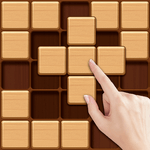
Wood Block Sudoku Game -Classic Free Brain Puzzle is highly addictive, allowing players to immerse themselves in planning and strategizing their next move. The aim is simple yet challenging: fit wooden blocks into a grid, clearing rows and columns as you go. The game's charm lies in its simplicity, making it a relaxing alternative to other frantic puzzle games.
One of the exceptional features of Wood Block Sudoku Game -Classic Free Brain Puzzle is its ability to be enjoyed offline. This means you can play whenever and wherever you want, without worrying about data usage or internet connections. Whether at home or on the go, the game is a perfect companion.
Many players find that Wood Block Sudoku Game -Classic Free Brain Puzzle offers a calming effect after a stressful day. The tranquil gameplay, combined with the fun of fitting pieces together, can help reduce anxiety and provide a much-needed mental break. It's an excellent way to unwind while keeping the mind active.
Wood Block Sudoku Game -Classic Free Brain Puzzle isn't just entertaining; it also serves as an excellent tool for improving cognitive functions. It can help enhance your problem-solving skills and spatial awareness. Regular play can increase your ability to observe surroundings, develop strategies, and organize thoughts more effectively.
The intuitive design of Wood Block Sudoku Game -Classic Free Brain Puzzle makes it easy for anyone to start playing right away. However, the game's complexity grows as you progress, ensuring that players remain challenged and engaged. This balance keeps it interesting for both new and veteran puzzle enthusiasts.
The game offers several modes to keep things fresh and exciting. Whether you prefer a more relaxed experience or want to push your skills to their limit, there’s a mode just for you. If ads become a distraction, there's an option to purchase ad-free gameplay, which also supports the developers.
Many fans of Wood Block Sudoku Game -Classic Free Brain Puzzle have been playing for years, enjoying its consistent quality and timeless challenge. It remains a staple on their devices, providing not just hours of fun but also a significant amount of brain exercise. This enduring appeal speaks to the game's well-crafted design and engaging nature.
Wood Block Sudoku Game -Classic Free Brain Puzzle is suitable for everyone, from kids to seniors. Its straightforward gameplay makes it accessible, while the strategic elements provide depth. It’s a wonderful way to spend quality time alone or together with family members, all while giving your brain a healthy workout.
If you’re a fan of puzzles, especially classic ones like Tetris, Wood Block Sudoku Game -Classic Free Brain Puzzle is a must-try. The satisfaction of beating your own high scores and achieving new milestones keeps players coming back for more. Plus, you can always resume right where you left off, making it convenient for those quick breaks throughout the day.
Embrace the fun and challenge of Wood Block Sudoku Game -Classic Free Brain Puzzle, and see for yourself why it has become a beloved game for many.
Yes, you can run Wood Block Sudoku Game -Classic Free Brain Puzzle on PC, but first, you will need emulator software installed on your Windows or MAC, which you can download for free. In the below video, you will find Wood Block Sudoku Game -Classic Free Brain Puzzle in action. Before you install the emulator, check out the minimum and recommended system requirements to run it seamlessly. They may change depending on which version of the emulator you choose. Therefore, we recommend you download the latest version of the emulator. Below you will find three free Android emulators that we have shortlisted based on their popularity:
Up to date graphics drivers from Microsoft or the chipset vendor.
Storage: 1 GB available under installation path, 1.5GB available hard drive space
Internet: Broadband Internet connection
Regardless of which Android emulator you install, the steps to install, configure, and running the Wood Block Sudoku Game -Classic Free Brain Puzzle app on PC are the same.