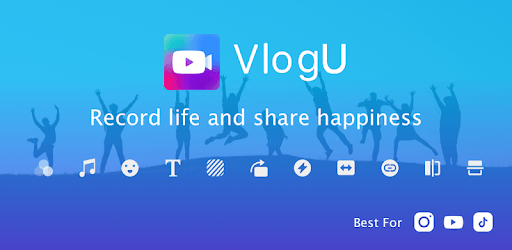
Vlog Video Editor for YouTube & Video Maker- VlogU for PC

Vlog Video Editor for YouTube & Video Maker- VlogU for PC

Published by Video Editor & Photo Editor Apps

Updated August 18, 2025

Free YouTube Vlog Video Editor for Vloggers, Slowmo, Subtitle, Music, Stickers

What's New

Version7.14.1
Size120.0 MB
What's New✅ Major Fix Update– Long-standing text display issues in Hindi, Arabic and other languages have been resolved.– Improved Arabic language adaptation and overall text stability.

Vlog Video Editor for YouTube & Video Maker- VlogU Screenshots

Vlog Video Editor for YouTube & Video Maker- VlogU PC screenshot

About Vlog Video Editor for YouTube & Video Maker- VlogU For PC

Vlog Video Editor for YouTube & Video Maker- VlogU is an Android app developed and published by Video Editor & Photo Editor Apps at Google Play Store on May 30, 2019 for Android users. Vlog Video Editor for YouTube & Video Maker- VlogU is so popular that it has gained 8941898 installs so far and growing.

Discover the Best Vlog Video Editor for YouTube & Video Maker: VlogU

Creating engaging videos for YouTube can be a thrilling adventure, especially when you have the right tools. Vlog Video Editor for YouTube & Video Maker- VlogU is one of those amazing tools that makes video editing a breeze. Whether you are a beginner or a pro, VlogU has something special to offer.

Simple and Effortless Editing

One of the best features of VlogU is its simplicity. The interface is user-friendly, making it easy for anyone to edit videos quickly. You can choose from a variety of templates that suit different styles. This helps save time and effort, allowing you to focus on the creative aspects rather than technical difficulties.

A Plethora of Options and Effects

VlogU offers numerous editing options that can match even the most advanced video editing apps. You can add animated clips, multiple effects, and transitions that give your videos a professional touch. Unlike many other apps, VlogU provides these features without any cost. Yes, you heard that right! You can access premium features just by watching a few advertisements.

Easy Watermark Removal

No one likes watermarks ruining their videos. VlogU makes it super easy to remove watermarks. All you need to do is watch a short advertisement, and voila! Your video is watermark-free. This is a unique feature that saves both time and money, making your final product look polished and professional.

Storage Management

While VlogU is feature-rich, it requires a bit of storage on your device. However, the benefits far outweigh this minor inconvenience. You'll find that the storage used is well worth the comprehensive tools and high-quality output you get in return.

Special for Vloggers

If you are a vlogger, VlogU is designed with you in mind. The app provides specialized features that cater to vloggers, making it easier to create content that stands out. From quick edits to detailed adjustments, the app covers all your needs.

Ideal for Beginners and Professionals

New to video editing? No problem! VlogU is perfect for beginners who are just starting out. The intuitive layout and easy-to-follow prompts make the learning curve almost non-existent. For seasoned professionals, the advanced features in VlogU help in fine-tuning every detail, ensuring top-notch videos.

Continuous Improvements

VlogU is actively updated, which means that any bugs or issues are quickly resolved. This ensures a smooth user experience, maintaining the app's high standards. The developers are responsive and continually work to enhance features, making this app a reliable choice for video editing.

Conclusion

VlogU is a powerful video editor that simplifies the process of creating YouTube videos. Its user-friendly interface, wide range of features, and easy watermark removal make it an indispensable tool for both beginners and seasoned vloggers. Despite requiring some extra storage, the benefits far surpass this minor drawback, making VlogU a top choice for video enthusiasts.

Can I run Vlog Video Editor for YouTube & Video Maker- VlogU on PC?

Yes, you can run Vlog Video Editor for YouTube & Video Maker- VlogU on PC, but first, you will need emulator software installed on your Windows or MAC, which you can download for free. In the below video, you will find Vlog Video Editor for YouTube & Video Maker- VlogU in action. Before you install the emulator, check out the minimum and recommended system requirements to run it seamlessly. They may change depending on which version of the emulator you choose. Therefore, we recommend you download the latest version of the emulator. Below you will find three free Android emulators that we have shortlisted based on their popularity:

How to Install Vlog Video Editor for YouTube & Video Maker- VlogU on Windows PC

BlueStacks

Minimum
  • OS: Microsoft Windows 7 and above.
  • Processor: Intel or AMD Processor.
  • RAM: Your PC must have at least 4GB of RAM. (Note that having 4GB or more disk space is not a substitute for RAM)
  • Storage: 5GB Free Disk Space.
  • You must be an Administrator on your PC.
Recommended:
  • OS: Microsoft Windows 10
  • Processor: Intel or AMD Multi-Core Processor with Single Thread benchmark score > 1000.
  • Graphics: Intel/Nvidia/ATI, Onboard or Discrete controller with benchmark score >= 750.
  • Please ensure Virtualization is enabled on your PC/Laptop.
  • RAM: 8GB or higher
  • Storage: SSD (or Fusion/Hybrid Drives)
  • Internet: Broadband connection to access games, accounts and related content.

Up to date graphics drivers from Microsoft or the chipset vendor.

  • To start with, download Bluestacks from its official website. The latest version of BluesStacks is v 5, and it is around 400 MB.
  • Once the download is done, click on the Bluestacks set up file to install it on your Windows PC. Follow the on-screen instructions and install it accordingly.
  • The next step is to launch the emulator using the desktop shortcut and sign in using your Google account.
  • Now, head over to Bluestacks home screen and click on the Google Play Store icon.
  • Hit the search bar in Google Play and search for Vlog Video Editor for YouTube & Video Maker- VlogU.
  • Install Vlog Video Editor for YouTube & Video Maker- VlogU from the Play Store by clicking the Install option, which completes downloading of Vlog Video Editor for YouTube & Video Maker- VlogU on PC.

NoxPlayer

Minimum
  • Operating System: Windows XP SP3, Windows Vista, Windows 7, Windows 8, Windows 10, and DirectX 9.0c
  • Processor: At least dual-core processor, both Intel, and AMD are OK
  • Video: Supports Open GL 2.0 or above
  • Memory: 1.5 GB RAM
Recommended
  • Operating System: Windows 7, Windows 8, Windows 10
  • Processor: Multiple core processors which support VT-x or AMB-V Virtualization Technology, better performance with this function enabled
  • Video: The higher performance, the better
  • Memory: 4 GB RAM

Storage: 1 GB available under installation path, 1.5GB available hard drive space

Internet: Broadband Internet connection

  • Download NoxPlayer from the official website. The latest version of NoxPlayer is v 3, and it is around 600 MB.
  • Now install the emulator using the downloaded setup file. Just go through the on-screen instructions and install NoxPlayer on your computer or laptop.
  • After the installation process, launch the Nox Android emulator and log in using your Google account when it asks you.
  • Click on the Google Play Store icon and head over to the search bar to search Vlog Video Editor for YouTube & Video Maker- VlogU. Once found, click on the Install button to install Vlog Video Editor for YouTube & Video Maker- VlogU for PC.
  • If you do not find Vlog Video Editor for YouTube & Video Maker- VlogU on Google Play Store or if you want to skip logging in to Google, you can sideload APK (download the .APK file from this page and open it with NoxPlayer).
  • Launch Vlog Video Editor for YouTube & Video Maker- VlogU from home-screen and start playing it on PC right away!

MEmu

Minimum
  • 2 cores x86/x86_64 Processor (Intel or AMD CPU)
  • WinXP SP3 / Win7 / Win8 / Win10 (Not recommended to run on Server/Enterprise)
  • Latest Windows DirectX 11 / Graphics driver with OpenGL 2.0
  • Hardware Virtualization Technology (Intel VT-x/AMD-V) shall be enabled in BIOS
  • 2GB of RAM (4GB for x64 system)
  • 5GB of hard disk free space
Recommended
  • OS: Microsoft Windows 10 with VT Enabled
  • CPU: Single Thread PassMark score > 1500 (Intel/AMD Multi-Core).
  • Graphics: Intel/Nvidia/ATI, Onboard or Discrete controller with PassMark score > 750.
  • Latest Windows DirectX 11 / Graphics driver with OpenGL 4.5 or higher
  • RAM: 8GB or higher
  • HDD: SSD, 10GB of hard disk free space
  • Internet: Broadband connection with low latency for FPS games
  • Download MEmu Play from the official website. The latest version of NoxPlayer is v 7.5.
  • When the download is completed, install the MEmu emulator on your PC. Follow the on-screen instructions and keep on clicking the Next button until the final step.
  • Now, using the desktop shortcut, look for the MEmu Play emulator and launch it. Once done, it will ask you to log in using your Google account, proceed with the same.
  • MEmu Play will ask you to log in using your Google account. When you log in, it will sync your Google account to MEmu Play. Launch the Google Play Store by clicking on the icon and search for Vlog Video Editor for YouTube & Video Maker- VlogU.
  • Click on the Install button once you find Vlog Video Editor for YouTube & Video Maker- VlogU from the search results. You can also sideload APK (download the .APK file from this page and open it with MEmu) if you want to skip above step.
  • After the installation of Vlog Video Editor for YouTube & Video Maker- VlogU, you're all set to use the app on PC!

Regardless of which Android emulator you install, the steps to install, configure, and running the Vlog Video Editor for YouTube & Video Maker- VlogU app on PC are the same.