Published by PinGuo Inc.
Updated October 23, 2025
Beauty camera with 300+ classic filters, collage styles and creative stickers.
| Version | 9.9.52 |
| Size | 120.9 MB |
| What's New | 提升了产品性能,优化你的使用体验~ |
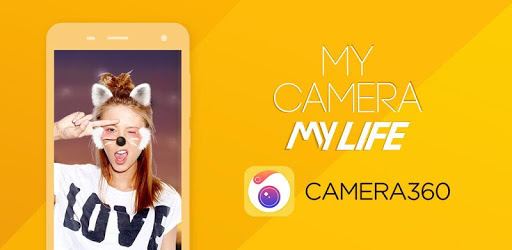
Camera360: Selfie Photo Editor with Funny Sticker is an Android app developed and published by PinGuo Inc. at Google Play Store on Mar 3, 2011 for Android users. Camera360: Selfie Photo Editor with Funny Sticker is so popular that it has gained 352724380 installs so far and growing.
Camera360: Selfie Photo Editor with Funny Sticker is a versatile and fun app that helps you take your selfies to the next level. With its array of features, aesthetic filters, and creative stickers, it’s designed to make your photos stand out. Whether you're a selfie lover or just want to touch up your pictures, this app has all the tools you need.
Camera360 provides a wide range of editing tools. From basic retouching to advanced beauty looks, this app has it all. You can easily enhance your photos with filters, adjust brightness, contrast, and sharpness, and apply various effects to bring out the best in your pictures. The app's complete set of features ensures that your selfies will always look polished and professional.
If you love playing around with different looks, Camera360 will be your best friend. The app offers a collection of unique aesthetic filters that transform your photos into cinematic and magical realms. Whether you want a vintage vibe or a modern touch, there’s a filter for every mood. These filters can make your photos truly pop, capturing the essence of any moment.
One of the standout features of Camera360 is its assortment of funny stickers. These stickers are perfect for adding a playful touch to your selfies. You can choose from a variety of designs, including cute animals, festive holiday themes, and quirky characters. These creative elements can make your selfies more engaging and fun, perfect for sharing on social media.
Camera360 is known for its reliability. It works well on most smartphones and delivers a seamless experience. Users have praised how smoothly the app functions and the quality of the photos it produces. Whether you’re using an older phone or the latest model, you can expect consistent and high-quality performance.
This app isn't just about filters and stickers. Camera360 also offers extensive beauty and makeup features. You can apply virtual makeup to enhance your photos, including lipstick, eyebrow shaping, and foundation options. These tools allow you to experiment with different makeup looks without the hassle of applying real products.
While Camera360 is known for its user-friendly interface, some users have experienced language setting issues. When you download and install the app, it typically defaults to English. However, there have been occasional reports of the language changing to Chinese. If you encounter this problem, checking your phone’s region settings and the app’s language settings might help. Remember, most users enjoy a seamless experience with no language issues.
Many people have been loyal to Camera360 for years. Its comprehensive features and reliable performance make it a go-to photo editing app. Whether you've been using it for a long time or you’re just discovering it, Camera360 is sure to become a favorite in your photo editing collection.
Camera360: Selfie Photo Editor with Funny Sticker combines fun and functionality to create a photo editing tool that’s hard to beat. With its wide range of features, unique filters, and creative stickers, it has everything you need to make your photos truly shine. Why wait? Download Camera360 and start capturing your best selfies today!
Yes, you can run Camera360: Selfie Photo Editor with Funny Sticker on PC, but first, you will need emulator software installed on your Windows or MAC, which you can download for free. In the below video, you will find Camera360: Selfie Photo Editor with Funny Sticker in action. Before you install the emulator, check out the minimum and recommended system requirements to run it seamlessly. They may change depending on which version of the emulator you choose. Therefore, we recommend you download the latest version of the emulator. Below you will find three free Android emulators that we have shortlisted based on their popularity:
Up to date graphics drivers from Microsoft or the chipset vendor.
Storage: 1 GB available under installation path, 1.5GB available hard drive space
Internet: Broadband Internet connection
Regardless of which Android emulator you install, the steps to install, configure, and running the Camera360: Selfie Photo Editor with Funny Sticker app on PC are the same.