Published by Transport Department Govt. of Telangana
Updated March 24, 2026
Digital wallet to store all the documents issued by the transport department.
| Version | 2.0.5 |
| Size | 21.8 MB |
| What's New | * Updated UI for easy user interaction* Bug fixes |
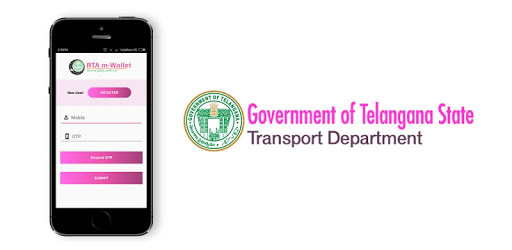
RTA m-Wallet is an Android app developed and published by Transport Department Govt. of Telangana at Google Play Store on Apr 2, 2016 for Android users. RTA m-Wallet is so popular that it has gained 1000000 installs so far and growing.
Imagine having all your important transport documents in one place, easily accessible at any time. No more worrying about forgetting to bring your insurance or pollution certificates with you. With the RTA m-Wallet app, you can have all your certificates issued by the Transport department right at your fingertips.
However, despite the convenience of this powerful app, there is still one drawback. Even with the app, you still need to carry hard copies of the remaining documents. But what if there was a way to have everything you need in just one app?
Introducing the RTA m-Wallet, the ultimate solution for all your transport certificate needs. With this app, you can not only access your driving license and registration certificate, but also your insurance and pollution certificates. It truly is the All-in-One App you've been waiting for.
But that's not all. The RTA m-Wallet app is designed to be user-friendly and efficient. Say goodbye to the hassle of searching for physical documents when you need them the most. Everything you need is neatly organized and easily accessible within the app.
We understand that no app is perfect, and the RTA m-Wallet is no exception. Some users have reported encountering issues such as slow performance and error messages when trying to open certain documents. We want to assure you that we are actively working on fixing these bugs to provide you with a seamless experience.
In addition, we appreciate the valuable feedback we have received from our users. We have taken note of your suggestions, such as adding the option to upload error screenshots and enabling access through fingerprint or face recognition. Our team is constantly striving to improve the app and make it even more user-friendly.
One of the standout features of the RTA m-Wallet app is the ability to easily share your certificates with others. Whether you need to show your documents to traffic police or simply want to share them with your family members, this app makes it quick and convenient.
Furthermore, it's important to note that the documents stored in the RTA m-Wallet app carry the same validity as the originals. This means that you can confidently present your digital certificates without any worries.
With the RTA m-Wallet app, you can rest assured that the information on your documents is always up to date. No more flipping through outdated papers or worrying about missing important details. The app ensures that you have the latest information at all times.
Whether you're a frequent driver or simply want to have all your transport certificates in one place, the RTA m-Wallet app is the perfect solution. Say goodbye to the hassle of carrying physical documents and embrace the convenience of digital certificates.
Yes, the RTA m-Wallet app allows you to access not only your driving license and registration certificate but also your insurance and pollution certificates.
Absolutely. Our team is actively working on fixing any reported bugs and enhancing the overall performance of the RTA m-Wallet app.
Yes, the RTA m-Wallet app allows you to easily share your digital certificates with others, whether it's traffic police or your family members.
The digital certificates stored in the RTA m-Wallet app carry the same validity as the originals, ensuring that you can confidently present them when needed.
Absolutely. The RTA m-Wallet app ensures that the information on your documents is always the latest, eliminating the need to worry about outdated papers.
Yes, you can run RTA m-Wallet on PC, but first, you will need emulator software installed on your Windows or MAC, which you can download for free. In the below video, you will find RTA m-Wallet in action. Before you install the emulator, check out the minimum and recommended system requirements to run it seamlessly. They may change depending on which version of the emulator you choose. Therefore, we recommend you download the latest version of the emulator. Below you will find three free Android emulators that we have shortlisted based on their popularity:
Up to date graphics drivers from Microsoft or the chipset vendor.
Storage: 1 GB available under installation path, 1.5GB available hard drive space
Internet: Broadband Internet connection
Regardless of which Android emulator you install, the steps to install, configure, and running the RTA m-Wallet app on PC are the same.