Published by VicMan LLC
Updated November 17, 2026
Retouch your portrait in a click and apply impressive filters and photo effects!
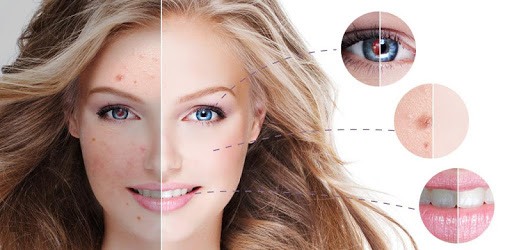
Visage Lab – face retouch is an Android app developed and published by VicMan LLC at Google Play Store on Mar 25, 2013 for Android users. Visage Lab – face retouch is so popular that it has gained 10559539 installs so far and growing.
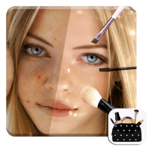
Visage Lab – Face Retouch is a game-changer in the world of photo enhancement. This intuitive and user-friendly app stands out for its ability to transform your photos with ease. From making faces clearer and shinier to adding cool effects, Visage Lab does it all.
Visage Lab is lauded for its ability to automatically correct flaws and lighting in photos. This means you don’t have to spend hours tweaking and editing. The app takes care of the nitty-gritty, giving your photos a professional touch in just a few taps. The end result? Perfectly retouched images that are ready to share.
One of the standout features is the face-clearing function. This tool ensures that your face looks clear and shiny, making your photos glow. Whether it's smoothing out skin or enhancing eyes, Visage Lab excels in creating stunning images effortlessly.
One of the reasons Visage Lab is favored by many is its quick and easy-to-use interface. The app runs smoothly, allowing users to retouch photos without any hassle. With no slowdowns or bugs reported, it has become a favorite for everyday photo editing needs. The seamless experience makes it enjoyable and practical for anyone to use.
Another delightful feature of Visage Lab is the variety of effects it offers. Users can choose from a range of filters and enhancements to give their photos that extra edge. Whether it’s adding a bit more sparkle or correcting lighting, the app provides plenty of options to get creative with your photos.
Moreover, this versatility in effects means you can customize your photos exactly how you like. From subtle adjustments to dramatic changes, Visage Lab provides the tools needed to make every photo look spectacular.
Visage Lab makes it incredibly easy to share your perfected photos. The app’s flawless retouching capabilities ensure that every photo looks its best before you post it. This has made it an essential tool for those who love sharing their snaps online. With Visage Lab, there's no need for multiple apps – one single tool does it all.
If you enjoy taking selfies, capturing memorable moments, or simply love sharing photos with friends and family, Visage Lab is designed for you. It simplifies and enhances the entire photo retouching process, ensuring that your images always look their best. Even if you’re new to photo editing, the ease of use and powerful features make it a must-have app.
In conclusion, Visage Lab – Face Retouch is a top-tier app for anyone looking to enhance their photos effortlessly. Its user-friendly design, automatic correction features, and variety of effects make it a standout choice. Why settle for anything less when you can have stunning, professional-quality photos at the tap of a screen?
Yes, you can run Visage Lab – face retouch on PC, but first, you will need emulator software installed on your Windows or MAC, which you can download for free. In the below video, you will find Visage Lab – face retouch in action. Before you install the emulator, check out the minimum and recommended system requirements to run it seamlessly. They may change depending on which version of the emulator you choose. Therefore, we recommend you download the latest version of the emulator. Below you will find three free Android emulators that we have shortlisted based on their popularity:
Up to date graphics drivers from Microsoft or the chipset vendor.
Storage: 1 GB available under installation path, 1.5GB available hard drive space
Internet: Broadband Internet connection
Regardless of which Android emulator you install, the steps to install, configure, and running the Visage Lab – face retouch app on PC are the same.