
Published by Ninja Toolkit
Updated November 21, 2026
Quran MP3 full offline with a minimal & clean interface. Works without internet.
| Version | v4.7 |
| Size | 98.7 MB |
| What's New | - Added support for latest Android devices If you like our app, then please provide a 5 star (★★★★★) rating to support us. May Allah bless you. |
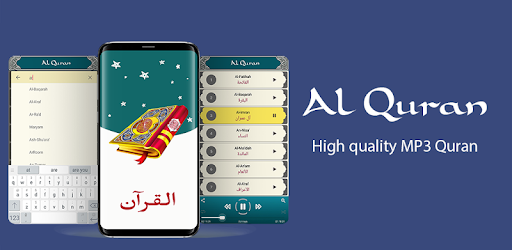
Quran MP3 Offline - Full Audio Quran Sharif is an Android app developed and published by Ninja Toolkit at Google Play Store on Nov 25, 2017 for Android users. Quran MP3 Offline - Full Audio Quran Sharif is so popular that it has gained 477283 installs so far and growing.
Embark on a spiritual journey with Quran MP3 Offline - Full Audio Quran Sharif, an exceptional mobile application designed to bring the complete Quran right to your fingertips. This app stands out due to its offline functionality, allowing users to listen to the Quran without the need for an internet connection.
One of the prominent features of Quran MP3 Offline - Full Audio Quran Sharif is its ability to function offline. Whether you are commuting, traveling, or simply in a place with no internet access, you can continue your Quranic recitations seamlessly. This flexibility makes it highly convenient for users who want to stay connected to their faith anytime, anywhere.
This app ensures a superior audio experience by providing high-quality recitations in the beautiful voice of renowned Qaris. The melodious and clear audio enhances the spiritual ambiance and helps in maintaining a peaceful environment during recitations. Listening to the Quran in such a soulful voice brings a deeper connection to the words of the Holy Book.
Quran MP3 Offline - Full Audio Quran Sharif comes equipped with various control functions that make the app user-friendly. Functions like "Play from Where Left" allow users to pick up their recitation right where they stopped previously, making it incredibly convenient to manage long listening sessions. This feature helps in maintaining a consistent recitation routine without the hassle of finding the last listened Surah or Ayah.
The app provides options that enhance the user experience by allowing customization of recitations. Users can request additional control functionalities, such as stopping the Surah after a particular sequence or number of lines. This customization makes the listening experience more manageable and personalized, catering to individual preferences and needs.
Engage with the Quran MP3 Offline - Full Audio Quran Sharif app in an interactive manner. The app is designed to be intuitive and easy to navigate, making it suitable for users of all ages. Its simplicity ensures that even children can use it effortlessly, promoting an early connection with the Quran.
Experience the spiritual fulfillment and rewards of consistent Quran recitation with Quran MP3 Offline - Full Audio Quran Sharif. The app promotes continuous connection with the Quran, making it easier for users to incorporate readings and listening into their daily routine. It’s an excellent resource that ensures that the holy words of the Quran are always close, providing endless moments of reflection and peace.
In conclusion, Quran MP3 Offline - Full Audio Quran Sharif is not just an app, but a companion for your spiritual journey. With its offline capabilities, superior audio quality, useful control functions, and customizable listening experience, it stands as a valuable tool for anyone looking to deepen their connection with the Quran.
Yes, you can run Quran MP3 Offline - Full Audio Quran Sharif on PC, but first, you will need emulator software installed on your Windows or MAC, which you can download for free. In the below video, you will find Quran MP3 Offline - Full Audio Quran Sharif in action. Before you install the emulator, check out the minimum and recommended system requirements to run it seamlessly. They may change depending on which version of the emulator you choose. Therefore, we recommend you download the latest version of the emulator. Below you will find three free Android emulators that we have shortlisted based on their popularity:
Up to date graphics drivers from Microsoft or the chipset vendor.
Storage: 1 GB available under installation path, 1.5GB available hard drive space
Internet: Broadband Internet connection
Regardless of which Android emulator you install, the steps to install, configure, and running the Quran MP3 Offline - Full Audio Quran Sharif app on PC are the same.