Published by Mike Guo
Updated August 21, 2025
Chinese Bible Study Fellowship app
| Version | 2020.02.15 |
| Size | 46.2 MB |
| What's New | Bug fixes |
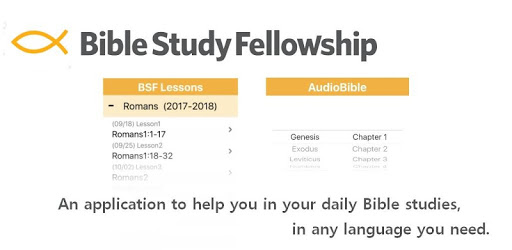
CBSF is an Android app developed and published by Mike Guo at Google Play Store on Apr 29, 2017 for Android users. CBSF is so popular that it has gained 5000 installs so far and growing.
Are you enrolled in BSF and struggling to find time for your homework? Look no further - CBSF is here to make your life easier. With its user-friendly design and convenient features, this app is a game-changer for anyone in the BSF community.
One of the standout features of CBSF is its ability to save your progress automatically. No more worrying about losing your work - this app has got you covered. Whether you're on the go or at home, you can easily access your homework and continue where you left off.
Every question in CBSF is linked to relevant Scripture, providing you with a seamless experience. With just a click, you can dive deep into the Word and find the answers you need. Say goodbye to flipping through pages - CBSF brings the Bible to your fingertips.
Forget about carrying around heavy textbooks or printed copies of your homework. CBSF allows you to complete your assignments anytime, anywhere. Whether you're commuting on public transportation or simply prefer using your mobile device, this app has got you covered.
The yearly study in CBSF is thoughtfully arranged by week, making it easy to work ahead or catch up. Each day has its own tab, providing a clear structure for your homework. Additionally, you can print or export your work, ensuring you're ready for your discussion group.
CBSF goes above and beyond by offering extra benefits not found on the main myBSF site. Discover new features and improvements with regular updates. The app is constantly evolving to meet the needs of the BSF community, ensuring a seamless and enriching experience.
Unfortunately, CBSF does not currently offer daily reminders. However, you can utilize your calendar app to set reminders for your BSF homework.
Currently, CBSF does not have a dedicated "note" tab. However, you can take notes during lectures using other apps or platforms.
At the moment, CBSF does not have a built-in sync feature for cloud storage. However, you can manually export your work and save it to your preferred cloud drive for portability across devices.
Absolutely! CBSF is designed to work seamlessly across multiple Android devices. You can access your homework and progress from any device without any hassle.
No, CBSF is completely ad-free. You can enjoy a distraction-free experience while focusing on your BSF study.
In conclusion, CBSF is the ultimate app for anyone enrolled in BSF. With its user-friendly interface, Scripture integration, and convenient features, it revolutionizes the way you approach your homework. Experience the convenience and efficiency of CBSF today, and make your BSF journey even more fulfilling.
Yes, you can run CBSF on PC, but first, you will need emulator software installed on your Windows or MAC, which you can download for free. In the below video, you will find CBSF in action. Before you install the emulator, check out the minimum and recommended system requirements to run it seamlessly. They may change depending on which version of the emulator you choose. Therefore, we recommend you download the latest version of the emulator. Below you will find three free Android emulators that we have shortlisted based on their popularity:
Up to date graphics drivers from Microsoft or the chipset vendor.
Storage: 1 GB available under installation path, 1.5GB available hard drive space
Internet: Broadband Internet connection
Regardless of which Android emulator you install, the steps to install, configure, and running the CBSF app on PC are the same.