
Published by Softwel
Updated August 23, 2026
Quick and Easy Finite Element Analysis of 2D Framed Structures
| Version | 3.0.1 |
| Size | 3.5 MB |
| What's New | - Refreshed user interface, with support for light mode- Mouse wheel zoom support- Added rotation lock support to prevent rotation but allow translation- Added separate precision setting for rotation values- Android 16 Compatibility- Bug fixes |
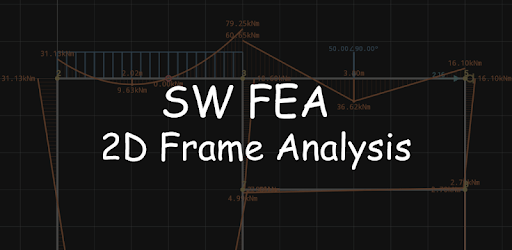
SW FEA 2D Frame Analysis is an Android app developed and published by Softwel at Google Play Store on Nov 2, 2016 for Android users. SW FEA 2D Frame Analysis is so popular that it has gained 399155 installs so far and growing.
Are you an engineering student looking for a reliable and efficient tool to analyze structures? Look no further! SW FEA 2D Frame Analysis is the app you've been searching for. With its user-friendly interface and powerful features, this app is a game-changer for anyone studying structural analysis.
When it comes to checking results for academic purposes, SW FEA 2D Frame Analysis is truly awesome. It provides accurate and reliable calculations, allowing you to verify your manual analysis with ease. Whether you need to determine reactions, moments, shear diagrams, or any other structural values, this app has got you covered.
One of the standout features of this app is its versatility. It can handle structures of any type, even those with inclinations or side sway. So, if you're looking to challenge yourself and analyze difficult frames, SW FEA 2D Frame Analysis will help you solve them effortlessly.
SW FEA 2D Frame Analysis has been developed with the needs of engineering students like you in mind. The developers understand the importance of a customizable and visually pleasing interface. While the app's overall performance is commendable, some users have reported a minor inconvenience when using the app in dark mode. The diagram becomes nearly invisible, forcing them to switch off dark mode. To address this concern, it would be highly appreciated if the app offered customizable backgrounds or brighter options.
Furthermore, the developers are dedicated to continuously improving the app. If you encounter any bugs or issues, they are committed to fixing them promptly. For instance, some users have reported a force-close error when attempting to add an Internal Hinge. Rest assured, the developers are working diligently to resolve this issue and provide you with a seamless experience.
It's not every day that you come across an app that exceeds your expectations. SW FEA 2D Frame Analysis has garnered praise from engineering students worldwide, and for good reason. The graphics are superb, making the analysis process visually engaging and enjoyable. The developers deserve all the compliments they receive for their fantastic work.
Moreover, this app is completely free, which is an added bonus for students on a tight budget. It's refreshing to see developers who genuinely want to help people by providing a valuable tool without bombarding users with ads. The compact size of the app further demonstrates the intelligence and thoughtfulness behind its creation.
Currently, SW FEA 2D Frame Analysis is only available as a mobile app. However, the developers are open to exploring possibilities for a laptop version in the future. Stay tuned for any updates or alternative solutions.
SW FEA 2D Frame Analysis offers the convenient feature of generating your work in PDF format. Simply navigate to the output section of the app, and you'll find the option to export your analysis as a PDF file. This allows you to easily share and document your findings.
While SW FEA 2D Frame Analysis strives for accuracy, some users have noticed slight discrepancies between the numbers on the bottom of the bending moment diagrams and the computations from engineering formulas. If you encounter any inconsistencies, it's recommended to cross-reference your results with manual calculations or consult with your professor to ensure the utmost precision.
SW FEA 2D Frame Analysis is undoubtedly a game-changer for engineering students. Its powerful features, user-friendly interface, and dedication to continuous improvement make it the ultimate tool for structural analysis. Download the app today and unleash your academic potential!
Yes, you can run SW FEA 2D Frame Analysis on PC, but first, you will need emulator software installed on your Windows or MAC, which you can download for free. In the below video, you will find SW FEA 2D Frame Analysis in action. Before you install the emulator, check out the minimum and recommended system requirements to run it seamlessly. They may change depending on which version of the emulator you choose. Therefore, we recommend you download the latest version of the emulator. Below you will find three free Android emulators that we have shortlisted based on their popularity:
Up to date graphics drivers from Microsoft or the chipset vendor.
Storage: 1 GB available under installation path, 1.5GB available hard drive space
Internet: Broadband Internet connection
Regardless of which Android emulator you install, the steps to install, configure, and running the SW FEA 2D Frame Analysis app on PC are the same.