
Published by 23apps.com
Updated June 15, 2026
A resume builder app to make a great looking resume for free
| Version | 251229 |
| Size | 8.0 MB |
| What's New | Minor bug fixes and improvements. Install or update to the newest version to check it out! |
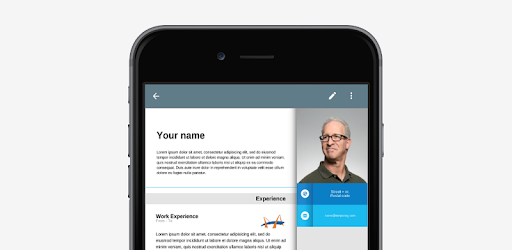
Resume App is an Android app developed and published by 23apps.com at Google Play Store on Sep 30, 2014 for Android users. Resume App is so popular that it has gained 2178276 installs so far and growing.
Are you tired of spending hours trying to format your resume? Look no further! The Resume App is here to revolutionize the way you create and edit your resumes. With its simple, quick, and easy-to-use interface, this app is a game-changer for job seekers. Whether you're a seasoned professional or just starting out, the Resume App has got you covered.
One of the standout features of the Resume App is its user-friendly interface. Unlike other apps or programs, this app offers a wide range of features without compromising on ease of use. You don't need to be a tech-savvy individual to navigate through this app. It's designed to be simple and intuitive, making it accessible to everyone.
With the Resume App, you can choose from a variety of options to customize your resume. From different layouts to font sizes and colors, you have the freedom to create a resume that truly represents your unique skills and qualifications. The app also allows you to add new sections, ensuring that your resume covers all the necessary information.
Have you ever lost your resume when switching devices? With the Resume App, that's a thing of the past. Thanks to its "SAVE PDF" feature, you can easily save your resume to your Google Drive. This means that even if you change devices, you can simply download the app on your new device and load your resume from your Google Drive. You can pick up right where you left off, without any hassle.
Why settle for anything less when you can have the best? The Resume App is the ultimate tool to unlock your career potential. It offers a wide range of resume formats and options to choose from, ensuring that your resume stands out from the crowd. With years of experience behind it, this app has helped countless individuals secure their dream jobs.
Don't just take our word for it. Users have praised the Resume App for its simplicity, effectiveness, and professional format. They love how easy it is to create and edit their resumes, even on their phones. The ability to download a copy for their computers is an added bonus.
Yes, the Resume App is absolutely free to use. You can access all its features without any hidden charges.
Yes, the Resume App offers a variety of resume formats to suit your needs. You can select the one that best showcases your skills and qualifications.
Yes, you have the option to remove the app's name from your resume by upgrading to the paid version of the app.
Rest assured, your resume is safe and secure with the Resume App. By saving it to your Google Drive, you can access it anytime, anywhere, without the fear of losing your data.
Don't miss out on the opportunity to create a standout resume effortlessly. Download the Resume App today and take your career to new heights!
Yes, you can run Resume App on PC, but first, you will need emulator software installed on your Windows or MAC, which you can download for free. In the below video, you will find Resume App in action. Before you install the emulator, check out the minimum and recommended system requirements to run it seamlessly. They may change depending on which version of the emulator you choose. Therefore, we recommend you download the latest version of the emulator. Below you will find three free Android emulators that we have shortlisted based on their popularity:
Up to date graphics drivers from Microsoft or the chipset vendor.
Storage: 1 GB available under installation path, 1.5GB available hard drive space
Internet: Broadband Internet connection
Regardless of which Android emulator you install, the steps to install, configure, and running the Resume App app on PC are the same.