
Published by Envato Pty Ltd
Updated February 5, 2024
Make free websites on your phone in minutes ⚡️ Easy Website Builder Android App
| Version | 1.13.2 |
| Size | 75.8 MB |
| What's New | We’ve been busy tidying things up behind the scenes with a release packed full of bug fixes and performance improvements. Most importantly, font customisation is fixed, meaning you can now update and change fonts on your Milkshake site as expected - let the customization commence! |
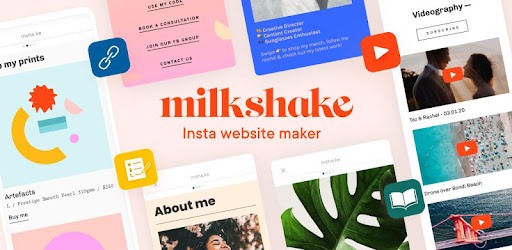
Milkshake — Website Builder is an Android app developed and published by Envato Pty Ltd at Google Play Store on Nov 12, 2019 for Android users. Milkshake — Website Builder is so popular that it has gained 3969556 installs so far and growing.
Are you looking for a user-friendly website builder that can help you create a professional web page in no time? Look no further than Milkshake — Website Builder! This amazing app is designed to make web page creation a breeze, even for beginners like you. With its customizable features and attractive designs, Milkshake is the perfect tool to bring your online presence to life.
Milkshake — Website Builder is truly a game-changer when it comes to creating web pages. Its intuitive interface and straightforward design make it incredibly easy to use. Whether you're a tech-savvy individual or a complete newbie, you'll find this app a joy to work with.
One of the standout features of Milkshake is its high level of customization. You have the freedom to personalize your web page to match your unique style and brand. From choosing fonts and colors to adding cards and selecting styles, the possibilities are endless. You can create a web page that truly reflects your personality and captivates your audience.
If you're starting out as a seller in your country's market, Milkshake can be your ultimate companion. This app provides you with the tools you need to showcase your products and reach a wider audience. With Milkshake, you can easily create a site for your items to be sold, making your dreams of becoming a successful entrepreneur a reality.
Not only does Milkshake offer a user-friendly platform, but it also offers affordability. This means you can get your business up and running without breaking the bank. The app's pricing strategy ensures that you only pay for one website at a time, allowing you to manage your expenses effectively.
Discovering Milkshake — Website Builder can be described as a happy accident for many users. Its attractive UI, smooth performance, and simplicity make it a joy to use. Whether you stumbled upon it or were actively searching for a website builder, Milkshake is a hidden gem that will exceed your expectations.
One of the standout features of Milkshake is its "shake" function, which automatically generates layouts for your web page. This innovative feature saves you time and effort, allowing you to focus on creating engaging content and growing your online presence.
If you're looking to establish your personal brand, Milkshake is the ideal choice. With its easy-to-use features and stunning design options, you can create a web page that showcases your skills, talents, and unique personality. Milkshake empowers beginners to take control of their personal branding journey and create a web page that looks and feels professional.
Many users have praised Milkshake for its ability to transform their Instagram bio link. With Milkshake, you can turn a simple link into a captivating web page that leaves a lasting impression on your audience. Whether you're a blogger, influencer, or entrepreneur, Milkshake has got you covered.
Yes, absolutely! Milkshake is designed with beginners in mind. Its user-friendly interface and intuitive features make web page creation a breeze, even for those with little to no technical knowledge.
Definitely! Milkshake offers a wide range of customization options. You can choose fonts, colors, and styles that align with your brand. The app allows you to create a web page that truly reflects your unique style and personality.
Absolutely! Milkshake is a great platform for sellers who want to showcase their products and reach a wider audience. With its easy-to-use features, you can create a site for your items to be sold and start your journey as an online entrepreneur.
Yes, Milkshake offers affordable pricing options. You only pay for one website at a time, allowing you to manage your expenses effectively. This makes it a budget-friendly choice for individuals and small businesses.
Definitely! Milkshake is the perfect tool for establishing your personal brand. With its stunning design options and user-friendly features, you can create a web page that showcases your skills, talents, and unique personality.
Don't miss out on the opportunity to create a stunning web page with Milkshake — Website Builder. Get started today and take your online presence to new heights!
Yes, you can run Milkshake — Website Builder on PC, but first, you will need emulator software installed on your Windows or MAC, which you can download for free. In the below video, you will find Milkshake — Website Builder in action. Before you install the emulator, check out the minimum and recommended system requirements to run it seamlessly. They may change depending on which version of the emulator you choose. Therefore, we recommend you download the latest version of the emulator. Below you will find three free Android emulators that we have shortlisted based on their popularity:
Up to date graphics drivers from Microsoft or the chipset vendor.
Storage: 1 GB available under installation path, 1.5GB available hard drive space
Internet: Broadband Internet connection
Regardless of which Android emulator you install, the steps to install, configure, and running the Milkshake — Website Builder app on PC are the same.