
Published by Bible India
Updated November 29, 2025
Telugu Bible - Free, Offline, No Ads and Very Fast
| Version | 1.0 |
| Size | 3.3 MB |
| What's New | Corrected several mistakes in bible verses.Added text size option 'small'Fixed a problem in sharing verses on some devices. |
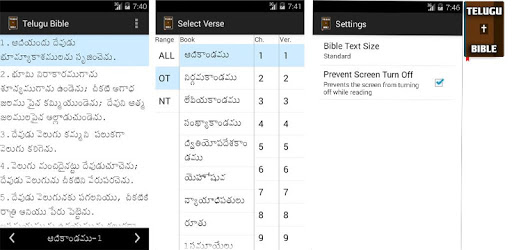
Telugu Bible is an Android app developed and published by Bible India at Google Play Store on Dec 18, 2013 for Android users. Telugu Bible is so popular that it has gained 100000 installs so far and growing.
The Telugu Bible brings sacred scripture to your fingertips. This app is designed to be an accessible and easy-to-use tool for anyone looking to read the Bible in Telugu. From quick navigation to customizable features, it's built to suit everyone’s needs. Let's explore what makes this app special.
One of the standout features of the Telugu Bible is its user-friendly interface. The design is straightforward and intuitive, making it easy for users of all ages to navigate through chapters and verses effortlessly. The app offers quick switching to required verses, allowing for a seamless reading experience.
The Telugu Bible offers various customization options to enhance your reading experience. For those who prefer different font sizes, the app allows you to choose the text size that feels most comfortable for you. This flexibility ensures that everyone can read the text easily, regardless of their visual preferences.
Speed is another key feature of the Telugu Bible. It loads texts quickly, ensuring that you don't have to wait long to find the verses you need. Whether you are in a quiet moment of reflection or a group study, you will find the app’s fast performance very satisfying.
The Telugu Bible provides daily verses and inspirations, making it easy for you to stay connected with your faith daily. This feature is invaluable for those who seek daily spiritual nourishment and wish to stay engaged with the Word of God regularly.
With the Telugu Bible on your mobile device, you can carry the Word of God with you wherever you go. This app ensures that you have access to the Bible at any time, making it an excellent tool for those who may not always have a physical Bible on hand. Its portability is one of its best features, especially for individuals who are always on the move.
The Telugu Bible is more than just an app; it is a means to deepen your faith and understanding of the scriptures. It helps believers to easily access and reflect on biblical teachings anytime. This app is especially useful for believers who want to carry and read the Bible anywhere and make it a part of their daily routine.
The developers of the Telugu Bible are always working on updates and improvements, ensuring that the app remains up-to-date and as useful as possible. They are open to feedback, which means the app continues to evolve and meet the needs of its users effectively.
Another important aspect of the Telugu Bible is its accessibility. The app is designed to work smoothly on various devices. This reliability ensures that users can access the Bible whenever they need it, providing an uninterrupted spiritual journey.
The Telugu Bible is a gift for every Christian, allowing for easy access to sacred scriptures. The app encourages users to read the Bible every day, anywhere and anytime on their mobile device. It is more than an app; it is a companion in your spiritual journey.
Yes, you can run Telugu Bible on PC, but first, you will need emulator software installed on your Windows or MAC, which you can download for free. In the below video, you will find Telugu Bible in action. Before you install the emulator, check out the minimum and recommended system requirements to run it seamlessly. They may change depending on which version of the emulator you choose. Therefore, we recommend you download the latest version of the emulator. Below you will find three free Android emulators that we have shortlisted based on their popularity:
Up to date graphics drivers from Microsoft or the chipset vendor.
Storage: 1 GB available under installation path, 1.5GB available hard drive space
Internet: Broadband Internet connection
Regardless of which Android emulator you install, the steps to install, configure, and running the Telugu Bible app on PC are the same.