Published by COSMOTE GREECE
Updated December 3, 2025
Are you a COSMOTE subscriber? You can now manage your account by yourself!
| Version | 12.4.0 |
| Size | 251.0 MB |
| What's New | Minor bug fixes and improvements. Install or update to the newest version to check it out! |
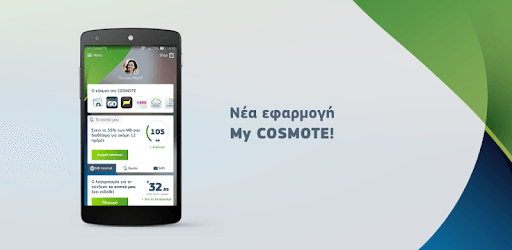
My COSMOTE is an Android app developed and published by COSMOTE GREECE at Google Play Store on Jun 24, 2014 for Android users. My COSMOTE is so popular that it has gained 1000000 installs so far and growing.
Are you looking for a convenient way to manage and pay your COSMOTE bills? Look no further than the My COSMOTE app. With its user-friendly interface and helpful features, this app is designed to make your life easier. Whether you're a COSMOTE customer or thinking of becoming one, this app is a must-have for anyone who wants to stay in control of their mobile and fixed-line services.
One of the standout features of the My COSMOTE app is its ability to provide you with real-time information about your account. No more guessing how much data or minutes you have left – with just a few taps, you can easily check your balance and usage. This means you can stay connected without any surprises, whether you're at home or on the go.
But that's not all – the app also allows you to make payments directly from your mobile device. Gone are the days of waiting in line or logging into a website to pay your bills. With the My COSMOTE app, you can conveniently settle your payments with just a few taps. It's fast, secure, and hassle-free.
As a COSMOTE customer, you'll also get access to exclusive offers and gifts through the app. From special discounts to bonus data, there's always something exciting waiting for you. Simply check the app regularly to see what's available and take advantage of these amazing deals.
Need help with an issue or have a question about your account? The My COSMOTE app has got you covered. If you can't find the solution on your own, you can easily contact the main office in Athens for assistance. The customer service team is known for their politeness and willingness to help, ensuring that you get the support you need, step by step.
Unfortunately, the My COSMOTE app does not currently offer the option to upload your own music for calling tunes. However, the app provides a range of other useful features to help you manage your COSMOTE services.
Making payments through the My COSMOTE app is quick and easy. Simply navigate to the payment section, choose your preferred payment method, and follow the prompts to complete the transaction. Your balance will be updated instantly.
At the moment, the My COSMOTE app is only available in Greek. However, COSMOTE is continuously working to improve its services, so an English version may be released in the future.
Currently, the My COSMOTE app does not display a detailed payment history. However, COSMOTE is aware of this request and may consider adding this feature in future updates.
If you need assistance or have any questions, you can contact the main office in Athens directly from the My COSMOTE app. Simply navigate to the customer service section and follow the instructions to get in touch with a representative.
With the My COSMOTE app, managing your COSMOTE account has never been easier. Stay connected, stay informed, and enjoy exclusive offers – all from the palm of your hand. Download the app today and experience the convenience for yourself!
Yes, you can run My COSMOTE on PC, but first, you will need emulator software installed on your Windows or MAC, which you can download for free. In the below video, you will find My COSMOTE in action. Before you install the emulator, check out the minimum and recommended system requirements to run it seamlessly. They may change depending on which version of the emulator you choose. Therefore, we recommend you download the latest version of the emulator. Below you will find three free Android emulators that we have shortlisted based on their popularity:
Up to date graphics drivers from Microsoft or the chipset vendor.
Storage: 1 GB available under installation path, 1.5GB available hard drive space
Internet: Broadband Internet connection
Regardless of which Android emulator you install, the steps to install, configure, and running the My COSMOTE app on PC are the same.