
Published by Play-On-Smart
Updated December 13, 2025
Preferans is a highly intellectual and aristocratic trick taking card game.
| Version | 2.3.59 |
| Size | 45.6 MB |
| What's New | landscape orientation layout fix |
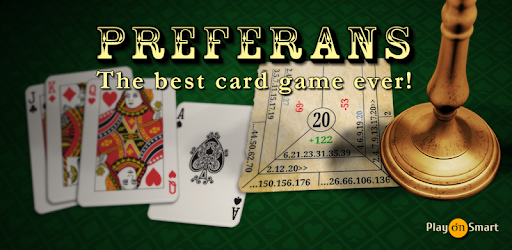
Preferans is an Android app developed and published by Play-On-Smart at Google Play Store on Jul 15, 2012 for Android users. Preferans is so popular that it has gained 1447708 installs so far and growing.
Looking for a game that challenges your mind and sharpens your strategic thinking? Look no further than Preferans! This incredible app is designed to provide you with hours of entertainment while improving your cognitive skills. Whether you're a beginner or an expert, Preferans offers a thrilling gameplay experience that will leave you hooked.
Preferans is not your average game. It is a complex and sophisticated card game that requires strategic planning, quick thinking, and careful decision-making. By playing Preferans, you can train your brain to think critically, analyze different scenarios, and make calculated moves. It's the perfect exercise for your mind!
With its clear explanations and user-friendly interface, Preferans makes it easy for players to grasp the rules and get started. Whether you're a seasoned player or a newcomer, the tutorials provided will guide you through the gameplay and help you become a master of Preferans in no time.
Imagine the look of amazement on your friends' faces when you showcase your newfound Preferans skills. Download this app today and practice to your heart's content before your next game night. Impress your friends with your strategic prowess and show them why Preferans is the game you've been searching for all these years.
But beware, the AI opponents in Preferans are known for their cunning tactics and cheating abilities. They will challenge you at every turn, creating unrealistic card combinations that will put your skills to the test. Can you outsmart them and come out on top?
Preferans offers a wide range of options and customization features to enhance your gaming experience. Enjoy the freedom to replay games without interfering with your current score, allowing you to refine your strategies and improve your performance. Additionally, the app provides various rule options, although some players have expressed a desire for more detailed explanations of these rules in the settings.
While the app does not currently offer a two-player and one AI option for network play, it still provides a fantastic gaming experience for individuals and multiplayer matches. The interface is sleek and intuitive, ensuring a seamless and enjoyable gameplay experience for all users.
Unfortunately, the app does not currently provide the option to view the initial layout of the game for analysis purposes. However, the app offers plenty of other features to enhance your gameplay experience.
While some players have reported instances of the AI opponents appearing to cheat, it is important to remember that they are programmed to challenge you and provide a tough gameplay experience. Use their cunning tactics as an opportunity to sharpen your skills and become an even better Preferans player.
At this time, the app does not offer an ad-free version. However, the developers are constantly working on improving the app and may consider introducing an ad-free option in the future.
Experience the thrill of Preferans and embark on a journey to become a master of this captivating card game. Download the app now and let the strategic battles begin!
Yes, you can run Preferans on PC, but first, you will need emulator software installed on your Windows or MAC, which you can download for free. In the below video, you will find Preferans in action. Before you install the emulator, check out the minimum and recommended system requirements to run it seamlessly. They may change depending on which version of the emulator you choose. Therefore, we recommend you download the latest version of the emulator. Below you will find three free Android emulators that we have shortlisted based on their popularity:
Up to date graphics drivers from Microsoft or the chipset vendor.
Storage: 1 GB available under installation path, 1.5GB available hard drive space
Internet: Broadband Internet connection
Regardless of which Android emulator you install, the steps to install, configure, and running the Preferans app on PC are the same.