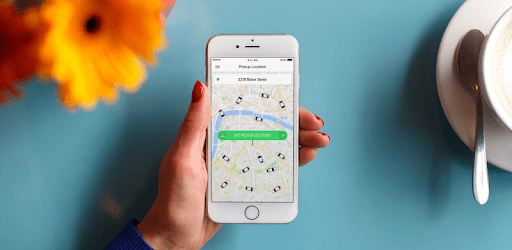
Taxify for PC

Taxify for PC

Published by Taxify

Updated October 29, 2025

Need a ride? Use Taxify! Great rides at great prices.

What's New

VersionCA.195.0
Size116.8 MB
What's NewThanks for using Bolt!We regularly update the app to provide a consistently high-quality experience. Each update includes improvements in speed and reliability. Check out the latest updates in the app!Enjoying Bolt? Please leave a rating! Your feedback helps us improve.

Taxify Screenshots

Taxify PC screenshot

About Taxify For PC

Taxify is an Android app developed and published by Taxify at Google Play Store on Jul 19, 2013 for Android users. Taxify is so popular that it has gained 10000000 installs so far and growing.

Exploring Taxify: A Convenient Ride-Hailing Experience

Taxify, recently known as Bolt, is a ride-hailing service that's added convenience and ease to everyday travel. Its user-friendly app ensures that you can book a ride with just a few taps on your smartphone.

Why Choose Taxify?

One of the main reasons people choose Taxify is its affordability. The prices are quite fair compared to other options, making it a great choice for budget-conscious individuals. Even though it's a bit more expensive than public transportation, it offers the comfort and ease of door-to-door service, which is especially helpful during emergencies or when running late for work.

Simplified Usage

Taxify makes it easy to book a ride without needing a local SIM card. This feature is especially handy for travelers who rely on their existing phone numbers without the hassle of switching to a local number. This global usability sets Taxify apart from other ride-hailing services.

Safety Comes First

Safety is a top priority with Taxify. Many users appreciate the comfortable and secure feelings they get when using the service. The drivers are known to be polite, adhere to traffic rules, and make sure that passengers have a pleasant journey. This focus on safety ensures a trustworthy service that you can rely on.

Handling Challenges

Like any service, Taxify does have its quirks. Sometimes, drivers may have difficulty finding your exact location, requiring a bit of patience. However, this is usually balanced by their friendly nature and commitment to providing good customer service.

Promotions and Fair Pricing

Taxify offers promotions that attract many customers looking for even better deals. Promotions can make rides more affordable, but not all drivers accept these offers. It's advisable to check with your driver beforehand to avoid surprises. Overall, though, the prices remain competitive and fair.

Improving Day by Day

One of the standout qualities of Taxify is its constant evolution. Taxify listens to feedback and makes efforts to improve services. This is reflected in the overall satisfaction of the users, even when there are minor hiccups.

A Worldwide Choice

Taxify's reach extends beyond local borders. Even if it's not available in certain countries, travelers can still use it in various cities worldwide. This universality adds to its charm, making it a preferred choice for many tourists and business travelers alike.

A Versatile Solution

Whether for day-to-day commuting, emergencies, or traveling in a new city, Taxify proves to be a versatile solution. The app's convenience, safety measures, and fair pricing offer a balanced package for anyone in need of reliable transportation.

Customer Satisfaction

Taxify often garners strong positive feedback. Users commend the app's ease of use, driver professionalism, and the quick resolution of issues. This adherence to quality service ensures a growing base of happy and loyal users.

In summary, Taxify is a notable name in the ride-hailing world. Its accessibility, safety, and promotions make it a winning choice for anyone seeking convenient and reliable transport solutions. If you're looking for a service that blends affordability, safety, and ease of use, Taxify is definitely worth considering.

Can I run Taxify on PC?

Yes, you can run Taxify on PC, but first, you will need emulator software installed on your Windows or MAC, which you can download for free. In the below video, you will find Taxify in action. Before you install the emulator, check out the minimum and recommended system requirements to run it seamlessly. They may change depending on which version of the emulator you choose. Therefore, we recommend you download the latest version of the emulator. Below you will find three free Android emulators that we have shortlisted based on their popularity:

How to Install Taxify on Windows PC

BlueStacks

Minimum
  • OS: Microsoft Windows 7 and above.
  • Processor: Intel or AMD Processor.
  • RAM: Your PC must have at least 4GB of RAM. (Note that having 4GB or more disk space is not a substitute for RAM)
  • Storage: 5GB Free Disk Space.
  • You must be an Administrator on your PC.
Recommended:
  • OS: Microsoft Windows 10
  • Processor: Intel or AMD Multi-Core Processor with Single Thread benchmark score > 1000.
  • Graphics: Intel/Nvidia/ATI, Onboard or Discrete controller with benchmark score >= 750.
  • Please ensure Virtualization is enabled on your PC/Laptop.
  • RAM: 8GB or higher
  • Storage: SSD (or Fusion/Hybrid Drives)
  • Internet: Broadband connection to access games, accounts and related content.

Up to date graphics drivers from Microsoft or the chipset vendor.

  • To start with, download Bluestacks from its official website. The latest version of BluesStacks is v 5, and it is around 400 MB.
  • Once the download is done, click on the Bluestacks set up file to install it on your Windows PC. Follow the on-screen instructions and install it accordingly.
  • The next step is to launch the emulator using the desktop shortcut and sign in using your Google account.
  • Now, head over to Bluestacks home screen and click on the Google Play Store icon.
  • Hit the search bar in Google Play and search for Taxify.
  • Install Taxify from the Play Store by clicking the Install option, which completes downloading of Taxify on PC.

NoxPlayer

Minimum
  • Operating System: Windows XP SP3, Windows Vista, Windows 7, Windows 8, Windows 10, and DirectX 9.0c
  • Processor: At least dual-core processor, both Intel, and AMD are OK
  • Video: Supports Open GL 2.0 or above
  • Memory: 1.5 GB RAM
Recommended
  • Operating System: Windows 7, Windows 8, Windows 10
  • Processor: Multiple core processors which support VT-x or AMB-V Virtualization Technology, better performance with this function enabled
  • Video: The higher performance, the better
  • Memory: 4 GB RAM

Storage: 1 GB available under installation path, 1.5GB available hard drive space

Internet: Broadband Internet connection

  • Download NoxPlayer from the official website. The latest version of NoxPlayer is v 3, and it is around 600 MB.
  • Now install the emulator using the downloaded setup file. Just go through the on-screen instructions and install NoxPlayer on your computer or laptop.
  • After the installation process, launch the Nox Android emulator and log in using your Google account when it asks you.
  • Click on the Google Play Store icon and head over to the search bar to search Taxify. Once found, click on the Install button to install Taxify for PC.
  • If you do not find Taxify on Google Play Store or if you want to skip logging in to Google, you can sideload APK (download the .APK file from this page and open it with NoxPlayer).
  • Launch Taxify from home-screen and start playing it on PC right away!

MEmu

Minimum
  • 2 cores x86/x86_64 Processor (Intel or AMD CPU)
  • WinXP SP3 / Win7 / Win8 / Win10 (Not recommended to run on Server/Enterprise)
  • Latest Windows DirectX 11 / Graphics driver with OpenGL 2.0
  • Hardware Virtualization Technology (Intel VT-x/AMD-V) shall be enabled in BIOS
  • 2GB of RAM (4GB for x64 system)
  • 5GB of hard disk free space
Recommended
  • OS: Microsoft Windows 10 with VT Enabled
  • CPU: Single Thread PassMark score > 1500 (Intel/AMD Multi-Core).
  • Graphics: Intel/Nvidia/ATI, Onboard or Discrete controller with PassMark score > 750.
  • Latest Windows DirectX 11 / Graphics driver with OpenGL 4.5 or higher
  • RAM: 8GB or higher
  • HDD: SSD, 10GB of hard disk free space
  • Internet: Broadband connection with low latency for FPS games
  • Download MEmu Play from the official website. The latest version of NoxPlayer is v 7.5.
  • When the download is completed, install the MEmu emulator on your PC. Follow the on-screen instructions and keep on clicking the Next button until the final step.
  • Now, using the desktop shortcut, look for the MEmu Play emulator and launch it. Once done, it will ask you to log in using your Google account, proceed with the same.
  • MEmu Play will ask you to log in using your Google account. When you log in, it will sync your Google account to MEmu Play. Launch the Google Play Store by clicking on the icon and search for Taxify.
  • Click on the Install button once you find Taxify from the search results. You can also sideload APK (download the .APK file from this page and open it with MEmu) if you want to skip above step.
  • After the installation of Taxify, you're all set to use the app on PC!

Regardless of which Android emulator you install, the steps to install, configure, and running the Taxify app on PC are the same.


Download Taxify For PC