Published by BMW
Updated April 22, 2026
Lock your car, plan trips, and more with the new BMW Connected.
| Version | 6.4.1.6349 |
| Size | 51.8 MB |
| What's New | This version includes minor bug fixes. |
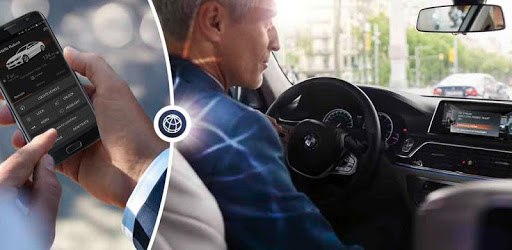
BMW Connected is an Android app developed and published by BMW at Google Play Store on Oct 6, 2016 for Android users. BMW Connected is so popular that it has gained 100000 installs so far and growing.
BMW Connected is a powerful tool designed to enhance the driving experience by integrating your vehicle with modern digital conveniences. From remotely controlling your car's features to syncing your navigation with your calendar, BMW Connected brings an innovative suite of functions to your fingertips.
One of the standout features of BMW Connected is its ability to precondition your car remotely. Imagine being able to heat or cool your car before even stepping inside, ensuring it’s always at the perfect temperature. This can be done effortlessly with just a few taps on your device.
Locking and unlocking your car doors has never been easier. With BMW Connected, you can control these functions from anywhere, giving you that extra layer of convenience and security. Additionally, you can flash the lights or sound the horn, which can be particularly useful in crowded parking lots.
Keeping an eye on your car's status is another key aspect of BMW Connected. You can check the charge status of your vehicle, helping you plan the perfect time to hit the road. This feature is particularly beneficial for electric car owners who need to monitor their vehicle’s charging progress.
When it comes to navigation, BMW Connected goes a step further. The integration with Google Maps allows you to search for addresses within the app and push them directly to your car’s navigation system. This seamless Over-The-Air (OTA) update ensures that your route is ready the moment you are.
The app's continuous updates have improved its stability and usability over time. Users have noted that it works flawlessly after updates, offering a smooth and responsive experience. The developers are keen on fixing bugs and adding new features, guaranteeing that the app evolves to meet its users' needs.
BMW Connected is designed to work well across various devices, including popular models like the Nexus 6P and gear watches. The integration extends further, allowing users to enjoy features such as Spotify support directly through the app, enhancing the drive with your favorite tunes.
Setting up BMW Connected might be tricky for those less tech-savvy, especially with vehicle registration. However, once configured, the app provides an impeccable experience. Make sure to have your location services and WiFi or 4G enabled during setup to ensure everything runs smoothly.
One of the more unique features of BMW Connected is its integration with your Google calendar. If you have an appointment saved with a location, the app can prepare your navigation route with a simple tap. This fusion of scheduling and navigation simplifies your day-to-day planning significantly.
Overall, BMW Connected offers a wide array of functionalities that significantly improve the driving experience. Its intuitive design ensures that both tech enthusiasts and average users can benefit from its features. Whether you're preconditioning your car, managing locks, checking statuses, or syncing your calendar, BMW Connected makes it all easy and efficient.
Yes, you can run BMW Connected on PC, but first, you will need emulator software installed on your Windows or MAC, which you can download for free. In the below video, you will find BMW Connected in action. Before you install the emulator, check out the minimum and recommended system requirements to run it seamlessly. They may change depending on which version of the emulator you choose. Therefore, we recommend you download the latest version of the emulator. Below you will find three free Android emulators that we have shortlisted based on their popularity:
Up to date graphics drivers from Microsoft or the chipset vendor.
Storage: 1 GB available under installation path, 1.5GB available hard drive space
Internet: Broadband Internet connection
Regardless of which Android emulator you install, the steps to install, configure, and running the BMW Connected app on PC are the same.