Published by Zound Industries International AB
Updated September 8, 2025
Change your music experience
| Version | 3.6.0 |
| Size | 47.6 MB |
| What's New | Minor bug fixes and improvements. Install or update to the newest version to check it out! |
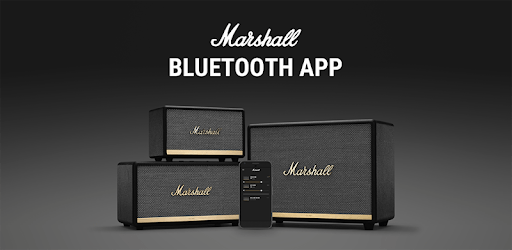
Marshall Bluetooth is an Android app developed and published by Zound Industries International AB at Google Play Store on Oct 8, 2018 for Android users. Marshall Bluetooth is so popular that it has gained 7259095 installs so far and growing.
Marshall Bluetooth has made a significant impact with its high-quality audio products. Renowned for delivering remarkable sound and robust build quality, Marshall's Bluetooth devices, including speakers, headphones, and earbuds, cater to a variety of audio preferences and needs. Let's delve into what makes Marshall Bluetooth so special.
The standout feature of Marshall Bluetooth devices is undoubtedly their sound quality. Whether you're using the Stanmore, Kilburn, or Emberton speakers, you are greeted with rich, clear sound that enhances your listening experience. Recent firmware updates have improved sound quality even further, ensuring that each note and beat is heard with impressive clarity.
Marshall Bluetooth devices are not just about superior sound; they also boast a stylish design. With a nod to their classic amplifier designs, these devices offer a unique, vintage look that stands out. Whether you're using them for music, TV, or other audio needs, their versatility is unmatched. However, some users have pointed out that allowing more than two speakers to couple at any given time could enhance their functionality even further.
Marshall is known for its durable build quality, which is evident in their Bluetooth devices. From the Kilburn's robust design to the powerful performance of the Woodburn II, Marshall ensures longevity and reliability. This high-quality construction guarantees that these devices are built to last, even with daily use.
Marshall Bluetooth devices come with a user-friendly app that helps manage your audio experience. While there have been some issues with connectivity and pairing, Marshall has been responsive in addressing these problems. Easily reset your headphones or speakers through troubleshooting steps provided by Marshall, ensuring seamless use of your devices.
One common request is for the app to allow more advanced audio adjustments. While you can make basic tweaks, adding options to adjust the bass and treble would provide a more personalized listening experience. This would allow users to fine-tune their audio settings to match their preferences perfectly.
Marshall offers a wide range of Bluetooth devices to suit different needs. From the compact Mode II earbuds with their excellent clarity to the powerful Monitor 2 headphones, there is something for everyone. Each product comes with its own set of features, ensuring that whether you need portable earbuds or powerful speakers, Marshall has got you covered.
Marshall's customer support is well-regarded for its quick and effective assistance. Whether you need help with a fake product or need to understand how to perform a factory reset, the support team is ready to assist. This commitment to customer satisfaction speaks volumes about the brand’s dedication to enhancing your audio experience.
Marshall Bluetooth products might come with a higher price tag, but they offer excellent value for money. The combination of high-quality sound, stylish design, durable build, and responsive customer support makes them worth every penny. Investing in a Marshall Bluetooth device means choosing a product that delivers outstanding performance and reliability.
In the world of audio technology, Marshall Bluetooth stands out for all the right reasons. Whether it's their impressive sound quality, stylish designs, or robust build, they offer a superior audio experience that is hard to match.
Yes, you can run Marshall Bluetooth on PC, but first, you will need emulator software installed on your Windows or MAC, which you can download for free. In the below video, you will find Marshall Bluetooth in action. Before you install the emulator, check out the minimum and recommended system requirements to run it seamlessly. They may change depending on which version of the emulator you choose. Therefore, we recommend you download the latest version of the emulator. Below you will find three free Android emulators that we have shortlisted based on their popularity:
Up to date graphics drivers from Microsoft or the chipset vendor.
Storage: 1 GB available under installation path, 1.5GB available hard drive space
Internet: Broadband Internet connection
Regardless of which Android emulator you install, the steps to install, configure, and running the Marshall Bluetooth app on PC are the same.