Published by tek-q
Updated July 29, 2025
HappyLighting is a Bluetooth lamp control software.
| Version | 1.6.49 |
| Size | 62.0 MB |
| What's New | Minor bug fixes and improvements. Install or update to the newest version to check it out! |
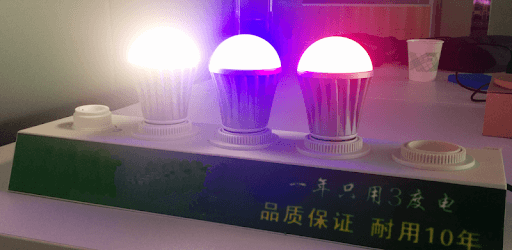
HappyLighting is an Android app developed and published by tek-q at Google Play Store on Aug 30, 2018 for Android users. HappyLighting is so popular that it has gained 10000 installs so far and growing.
HappyLighting is a delightful and intuitive app designed to give you control over your LED lights. This app offers a wide range of features that make it easy to customize your lighting experience, whether you want to change the color, set a timer, or sync your lights with music.
One of the standout features of HappyLighting is the ability to change the color of your LED lights effortlessly. You can even take a picture and select a color from that image to use for your lights. Imagine using a photo of your favorite character, like Shrek, to set a fun and unique color for your room.
HappyLighting excels in its connectivity. As soon as you walk into your house, your lights connect without needing any special permissions. This seamless connection means you can control your lights instantly, making it a convenient and efficient option for your home lighting needs.
HappyLighting is versatile and works well in various settings. Whether you're using it for your daughter’s sensory lights to create perfect pink and purple hues or integrating it into your car’s LED systems, the app performs flawlessly. It can control modules and colors for hood lights, rock lights, and interior lighting, making it an excellent choice for car enthusiasts.
Another brilliant feature of HappyLighting is its "tape" music mode. This mode allows your lights to sync with the music playing through either your phone speaker or the light strip speaker, creating a lively atmosphere. Additionally, the timer feature is user-friendly, allowing you to set times effortlessly. While it can be customized further for specific days of the week, its current functionality is impressive.
HappyLighting has proven to be reliable, addressing and fixing any previous bugs or issues promptly. With each update, the app continues to enhance its performance, ensuring you have a smooth and enjoyable experience.
The alarm feature is a lovely addition to HappyLighting. It gradually lights up your room while playing delightful sounds like birds chirping. This feature ensures a gentle and pleasant start to your day.
The app is user-friendly and straightforward. Whether you are a tech-savvy individual or a beginner, you'll find it easy to navigate and use. You can easily save your favorite colors and presets for quick access, making it simple to switch up your lighting whenever you want.
HappyLighting is an outstanding app that brings fun and functionality to your LED lights. With its vast array of features, easy connectivity, and user-friendly interface, it’s no wonder why it's a preferred choice for many. Dive into the world of HappyLighting and transform your lighting experience today!
Yes, you can run HappyLighting on PC, but first, you will need emulator software installed on your Windows or MAC, which you can download for free. In the below video, you will find HappyLighting in action. Before you install the emulator, check out the minimum and recommended system requirements to run it seamlessly. They may change depending on which version of the emulator you choose. Therefore, we recommend you download the latest version of the emulator. Below you will find three free Android emulators that we have shortlisted based on their popularity:
Up to date graphics drivers from Microsoft or the chipset vendor.
Storage: 1 GB available under installation path, 1.5GB available hard drive space
Internet: Broadband Internet connection
Regardless of which Android emulator you install, the steps to install, configure, and running the HappyLighting app on PC are the same.