Published by Word Calm
Updated March 31, 2026
Connect the letter the right way to create a word. Come challenge now.
| Version | 2.7.7 |
| Size | 177.4 MB |
| What's New | 1. Fix bugs |
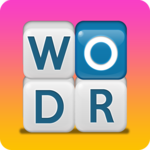
Word Calm is an Android app developed and published by Word Calm at Google Play Store on Jan 27, 2019 for Android users. Word Calm is so popular that it has gained 100 installs so far and growing.
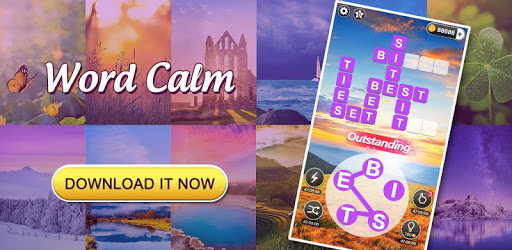
Word Calm opens up a world where you can enjoy relaxing gameplay while stimulating your mind. It's a game suited for everyone, whether you're looking for a way to start your day with a challenge or seeking a calm moment to unwind. Picture yourself escaping into a realm of words, where each level takes you on a soothing yet engaging mental journey. The beautiful landscapes within the game create a serene environment perfect for those times when you need to de-stress.
Word Calm isn't just a game; it's a daily ritual. The Daily Challenges are a delightful way to kickstart your morning, providing a gentle mental workout that sets a positive tone for the rest of your day. As the week progresses, look forward to the excitement of the weekend tournaments, launching every Friday afternoon. These events offer a chance to compete and truly test your vocabulary skills, adding a sprinkle of thrill to your weekends.
One of the most appealing aspects of Word Calm is its blend of relaxation and education. The game manages to be both entertaining and intellectually stimulating. Spend a few minutes playing, and you'll find yourself more focused and alert. It's an effective way to keep your brain active, especially when you feel those rusty gears starting to slow down. The variety of themes and evolving difficulty levels ensure that you’re continually challenged, but never overwhelmed.
Word Calm shines during those quiet, introspective moments. Whether you’re curled up on the couch late at night or taking a peaceful break in the middle of the day, the game’s gentle pace and serene backgrounds create an ideal atmosphere. It’s easy to lose track of time, immersing yourself in the relaxing gameplay. Despite the presence of ads, they are short and unobtrusive, allowing you to deeply enjoy your word adventure with minimal interruptions.
Word Calm has proven to be more than just a game—it’s a therapeutic tool. It has been found incredibly helpful in focusing the mind and aids in recovery processes, such as speech therapy after an accident. The stimulation from trying to find the correct words enhances cognitive abilities, providing a meaningful and enjoyable way to regain mental sharpness.
No need to limit your enjoyment of Word Calm to a single device. With the option to download the game on multiple devices, you can carry the fun wherever you go. The consistent experience across different platforms ensures you never miss a beat, whether you're at home or on the move.
The gameplay of Word Calm is designed to be straightforward yet rewarding. As you progress, you'll encounter harder levels every 10 stages, keeping the game challenging and intriguing. Additionally, the option to watch ads for extra coins adds a strategic layer without being intrusive, making it easier to advance and unlock more features.
Word Calm goes beyond entertainment by offering educational benefits. It helps with spelling, vocabulary, and mental agility, making it an ideal choice for anyone looking to improve their language skills while having fun. The game's adaptive difficulty and engaging word puzzles make learning feel like a game instead of a chore.
Immerse yourself in Word Calm and discover a game that’s as relaxing as it is stimulating. As you navigate through beautiful themes and challenging puzzles, you’ll find a perfect balance between fun and cognitive exercise. Happy playing!
Yes, you can run Word Calm on PC, but first, you will need emulator software installed on your Windows or MAC, which you can download for free. In the below video, you will find Word Calm in action. Before you install the emulator, check out the minimum and recommended system requirements to run it seamlessly. They may change depending on which version of the emulator you choose. Therefore, we recommend you download the latest version of the emulator. Below you will find three free Android emulators that we have shortlisted based on their popularity:
Up to date graphics drivers from Microsoft or the chipset vendor.
Storage: 1 GB available under installation path, 1.5GB available hard drive space
Internet: Broadband Internet connection
Regardless of which Android emulator you install, the steps to install, configure, and running the Word Calm app on PC are the same.