
Published by VSee Lab, Inc.
Updated July 27, 2025
VSee Clinic is a simple, secure way to consult with your provider.
| Version | 1.31.3-2151287-4c1526b |
| Size | 184.4 MB |
| What's New | - Fixed autoplay issue for the embedded video feature. |
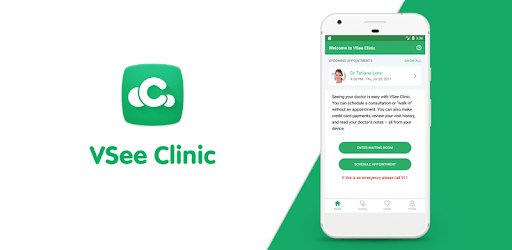
VSee Clinic is an Android app developed and published by VSee Lab, Inc. at Google Play Store on Jul 21, 2017 for Android users. VSee Clinic is so popular that it has gained 645978 installs so far and growing.
In today's fast-paced world, accessing medical care quickly and efficiently is more important than ever. **VSee Clinic** is a digital health platform that allows patients to consult with doctors and healthcare professionals virtually. This innovative solution offers numerous benefits, making it an excellent choice for anyone needing medical advice or treatment without the hassle of visiting a clinic in person.
One of the standout features of VSee Clinic is its user-friendly interface. Setting up an appointment is straightforward, and the app is designed to be intuitive even for those who aren't tech-savvy. The app can be easily downloaded and set up on most smartphones, allowing users to quickly connect with medical professionals.
Whether you're dealing with a chronic condition or need immediate medical attention, VSee Clinic makes it possible to consult with a healthcare provider promptly. This is particularly beneficial for people who may find it challenging to leave their homes due to illness, inclement weather, or other constraints.
One of the primary advantages of VSee Clinic is its convenience. Patients can see their doctors from the comfort of their own homes, eliminating the need to travel or wait in crowded clinics. This feature is especially useful during pandemics when minimizing exposure to viruses is crucial.
The app allows you to maintain continuity in your healthcare without the need for rescheduling important appointments. Whether you're at home or out of town, VSee Clinic ensures that you can still consult with your doctor, providing peace of mind and consistent care.
VSee Clinic boasts high-quality video feeds, ensuring that doctors can see and understand the patient's condition clearly. This is crucial for accurate diagnoses and effective treatments. Despite being a virtual platform, VSee Clinic maintains the same level of care as in-person consultations.
For instance, the video quality is clear enough to show detailed issues, such as skin conditions or swelling, to healthcare professionals. This allows doctors to make informed decisions without necessarily requiring an in-person visit. The reliable connection also adds to the efficiency of the consultations, ensuring that the sessions are not interrupted.
VSee Clinic also excels in providing timely medical assistance. Users can consult with doctors at any time, even in the early hours of the morning. If you need a prescription quickly, the app can facilitate that within minutes, saving you from long waiting times at a physical clinic. This feature makes it an invaluable tool for urgent medical needs.
The versatility of VSee Clinic allows it to cater to a wide range of health issues. Whether you have a toothache, a chronic illness, or need to follow up on a previous health concern, the platform connects you with the right healthcare professionals. It's an all-in-one solution for maintaining your health effectively.
Additionally, the app is not only beneficial for patients but also for caregivers. It allows family members to assist with medical appointments when they can't be physically present, ensuring their loved ones receive the necessary care.
Users of VSee Clinic consistently highlight its reliability. The app performs seamlessly, with minimal issues reported. In cases where problems do arise, they are often related to individual phone settings rather than the app itself. The overall user experience is positive, making VSee Clinic a dependable choice for telehealth.
Yes, you can run VSee Clinic on PC, but first, you will need emulator software installed on your Windows or MAC, which you can download for free. In the below video, you will find VSee Clinic in action. Before you install the emulator, check out the minimum and recommended system requirements to run it seamlessly. They may change depending on which version of the emulator you choose. Therefore, we recommend you download the latest version of the emulator. Below you will find three free Android emulators that we have shortlisted based on their popularity:
Up to date graphics drivers from Microsoft or the chipset vendor.
Storage: 1 GB available under installation path, 1.5GB available hard drive space
Internet: Broadband Internet connection
Regardless of which Android emulator you install, the steps to install, configure, and running the VSee Clinic app on PC are the same.