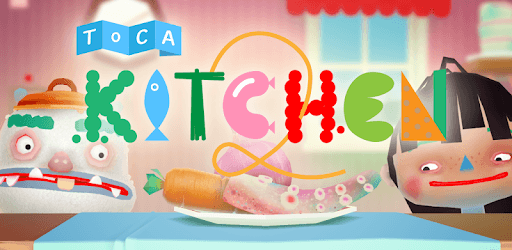
Toca Kitchen 2 for PC

Toca Kitchen 2 for PC

Published by Toca Boca

Updated October 18, 2025

The wildly popular Toca Kitchen is back!

What's New

Version3.8
Size770.4 MB
What's NewBug Fixes :)

Toca Kitchen 2 Screenshots

Toca Kitchen 2 PC screenshot

About Toca Kitchen 2 For PC

Toca Kitchen 2 is an Android app developed and published by Toca Boca at Google Play Store on May 25, 2015 for Android users. Toca Kitchen 2 is so popular that it has gained 50000000 installs so far and growing.

Toca Kitchen 2: A Blend of Fun and Creativity for Kids

Toca Kitchen 2 is a fun and engaging game that kids absolutely love. It's designed to spark creativity and imagination. With this game, your children can become little chefs, experimenting in their virtual kitchen with different food items and recipes. It's a hit among kids, who eagerly look forward to playing it after finishing their chores.

Amazing Animation and Engaging Gameplay

The animations in Toca Kitchen 2 are stunning and beautifully crafted. The game presents a colorful and vibrant environment that appeals to the young audience. Kids can chop, boil, fry, mix, and serve various foods to the characters within the game. The interactions and responses of these characters as they eat the dishes are both humorous and entertaining.

Diverse Food Items

In Toca Kitchen 2, players get access to a variety of food items. While there is already a decent selection, some desire more options like apples, soup, and eggs to make the gameplay even more enriching. The hope is that future updates might include these items, adding more elements for kids to explore.

Encourages Responsibility and Creativity

Toca Kitchen 2 is not only fun but also teaches kids responsibility. The game can be used as a reward for completing chores, thus promoting good habits. Moreover, by experimenting with different food preparations, kids can develop a sense of creativity and learn about food combinations without the mess of a real kitchen.

Simple and Ad-Free Experience

One of the best features of Toca Kitchen 2 is that it provides an ad-free experience, allowing kids to play without interruptions. In addition, the game allows kids to dress up their characters, adding a layer of personalization and fun. This combination of cooking and dress-up makes it a versatile and enjoyable app for children.

Occasional Lag and Long Download Times

Although Toca Kitchen 2 is fantastic, some users report occasional lag or longer download times. Despite these minor issues, the overall experience remains highly positive. It’s worth waiting a bit longer for the download because the joy and engagement it brings are undeniable.

A Learning Tool Beyond Playing

Toca Kitchen 2 can be more than just a game. For some, it has been a tool for learning and creativity, especially for those who might not have access to other learning resources. The game encourages kids to think creatively and enhances their imaginative skills. It’s a fantastic way for children to learn through play.

Toca Kitchen 2 is an excellent choice for parents looking for a fun, creative, and educational game for their kids. It not only entertains but also fosters creativity, responsibility, and learning. While having fun, children can explore their culinary skills in a safe and engaging environment, making Toca Kitchen 2 a must-download app for kids of various age groups.

Can I run Toca Kitchen 2 on PC?

Yes, you can run Toca Kitchen 2 on PC, but first, you will need emulator software installed on your Windows or MAC, which you can download for free. In the below video, you will find Toca Kitchen 2 in action. Before you install the emulator, check out the minimum and recommended system requirements to run it seamlessly. They may change depending on which version of the emulator you choose. Therefore, we recommend you download the latest version of the emulator. Below you will find three free Android emulators that we have shortlisted based on their popularity:

How to Install Toca Kitchen 2 on Windows PC

BlueStacks

Minimum
  • OS: Microsoft Windows 7 and above.
  • Processor: Intel or AMD Processor.
  • RAM: Your PC must have at least 4GB of RAM. (Note that having 4GB or more disk space is not a substitute for RAM)
  • Storage: 5GB Free Disk Space.
  • You must be an Administrator on your PC.
Recommended:
  • OS: Microsoft Windows 10
  • Processor: Intel or AMD Multi-Core Processor with Single Thread benchmark score > 1000.
  • Graphics: Intel/Nvidia/ATI, Onboard or Discrete controller with benchmark score >= 750.
  • Please ensure Virtualization is enabled on your PC/Laptop.
  • RAM: 8GB or higher
  • Storage: SSD (or Fusion/Hybrid Drives)
  • Internet: Broadband connection to access games, accounts and related content.

Up to date graphics drivers from Microsoft or the chipset vendor.

  • To start with, download Bluestacks from its official website. The latest version of BluesStacks is v 5, and it is around 400 MB.
  • Once the download is done, click on the Bluestacks set up file to install it on your Windows PC. Follow the on-screen instructions and install it accordingly.
  • The next step is to launch the emulator using the desktop shortcut and sign in using your Google account.
  • Now, head over to Bluestacks home screen and click on the Google Play Store icon.
  • Hit the search bar in Google Play and search for Toca Kitchen 2.
  • Install Toca Kitchen 2 from the Play Store by clicking the Install option, which completes downloading of Toca Kitchen 2 on PC.

NoxPlayer

Minimum
  • Operating System: Windows XP SP3, Windows Vista, Windows 7, Windows 8, Windows 10, and DirectX 9.0c
  • Processor: At least dual-core processor, both Intel, and AMD are OK
  • Video: Supports Open GL 2.0 or above
  • Memory: 1.5 GB RAM
Recommended
  • Operating System: Windows 7, Windows 8, Windows 10
  • Processor: Multiple core processors which support VT-x or AMB-V Virtualization Technology, better performance with this function enabled
  • Video: The higher performance, the better
  • Memory: 4 GB RAM

Storage: 1 GB available under installation path, 1.5GB available hard drive space

Internet: Broadband Internet connection

  • Download NoxPlayer from the official website. The latest version of NoxPlayer is v 3, and it is around 600 MB.
  • Now install the emulator using the downloaded setup file. Just go through the on-screen instructions and install NoxPlayer on your computer or laptop.
  • After the installation process, launch the Nox Android emulator and log in using your Google account when it asks you.
  • Click on the Google Play Store icon and head over to the search bar to search Toca Kitchen 2. Once found, click on the Install button to install Toca Kitchen 2 for PC.
  • If you do not find Toca Kitchen 2 on Google Play Store or if you want to skip logging in to Google, you can sideload APK (download the .APK file from this page and open it with NoxPlayer).
  • Launch Toca Kitchen 2 from home-screen and start playing it on PC right away!

MEmu

Minimum
  • 2 cores x86/x86_64 Processor (Intel or AMD CPU)
  • WinXP SP3 / Win7 / Win8 / Win10 (Not recommended to run on Server/Enterprise)
  • Latest Windows DirectX 11 / Graphics driver with OpenGL 2.0
  • Hardware Virtualization Technology (Intel VT-x/AMD-V) shall be enabled in BIOS
  • 2GB of RAM (4GB for x64 system)
  • 5GB of hard disk free space
Recommended
  • OS: Microsoft Windows 10 with VT Enabled
  • CPU: Single Thread PassMark score > 1500 (Intel/AMD Multi-Core).
  • Graphics: Intel/Nvidia/ATI, Onboard or Discrete controller with PassMark score > 750.
  • Latest Windows DirectX 11 / Graphics driver with OpenGL 4.5 or higher
  • RAM: 8GB or higher
  • HDD: SSD, 10GB of hard disk free space
  • Internet: Broadband connection with low latency for FPS games
  • Download MEmu Play from the official website. The latest version of NoxPlayer is v 7.5.
  • When the download is completed, install the MEmu emulator on your PC. Follow the on-screen instructions and keep on clicking the Next button until the final step.
  • Now, using the desktop shortcut, look for the MEmu Play emulator and launch it. Once done, it will ask you to log in using your Google account, proceed with the same.
  • MEmu Play will ask you to log in using your Google account. When you log in, it will sync your Google account to MEmu Play. Launch the Google Play Store by clicking on the icon and search for Toca Kitchen 2.
  • Click on the Install button once you find Toca Kitchen 2 from the search results. You can also sideload APK (download the .APK file from this page and open it with MEmu) if you want to skip above step.
  • After the installation of Toca Kitchen 2, you're all set to use the app on PC!

Regardless of which Android emulator you install, the steps to install, configure, and running the Toca Kitchen 2 app on PC are the same.


Download Toca Kitchen 2 For PC