
Published by Sonelli Ltd
Updated October 2, 2025
The #1 SSH client for Android.
| Version | 3.2.2 |
| Size | 23.7 MB |
| What's New | • Fix issue with Xiaomi devices where the terminal background color was overridden by MIUI 12. • Added option to change the terminal font. • Available fonts: Cascadia Code, Sauce Code Pro, Roboto Mono, JetBrains Mono, Fira Code, Open Dyslexic, Inconsolata and Droid Sans Mono. • Don't see your favourite font there? Drop us a mail at [email protected]; fonts will be prioritized based on the number of requests. |
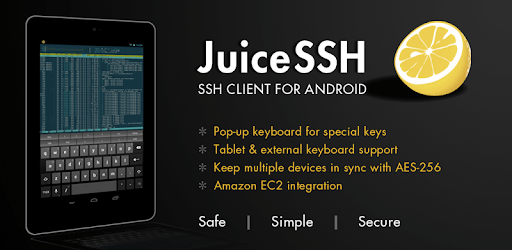
JuiceSSH - SSH Client is an Android app developed and published by Sonelli Ltd at Google Play Store on Nov 23, 2012 for Android users. JuiceSSH - SSH Client is so popular that it has gained 1000000 installs so far and growing.
JuiceSSH - SSH Client is an outstanding tool for those who need to manage servers from their mobile devices. It's a handy app that allows you to perform quick maintenance or monitoring tasks right from your smartphone or tablet. Whether you’re on the go or simply don't have access to your computer, JuiceSSH is the perfect solution.
One of the best features of JuiceSSH is its reliability. When you need to connect to your servers, JuiceSSH just works. The connections remain stable, and it supports various protocols without any noticeable lag. It’s robust enough to cater to your immediate needs, whether you are on a train or at the beach. The app has proven to be a lifesaver in emergencies, consistently delivering a flawless performance.
JuiceSSH also offers plenty of customization and personalization options, making the user experience even more enjoyable. This includes customizable keyboards with special keys like Ctrl, ensuring that you have all the functionality you need, just as you would on a desktop keyboard. The app's layout is easy to navigate, even on smaller screens, ensuring that it remains usable despite the size of your device.
This SSH client goes beyond basic functionalities. It allows for easy generation of key pairs and offers support for tunneling, key backups, and much more. These advanced features make JuiceSSH a powerful tool for both simple and complex server management tasks. Port Knocking support is an additional layer of security that works seamlessly with the app, further enhancing its capabilities.
JuiceSSH is compatible with a diverse range of devices and operating systems. Whether you are using a smartphone, tablet, or even an older version of an OS, JuiceSSH maintains its performance. The app has been designed to be as functional on smaller portable devices as it is on larger screens, making it a flexible solution for all your server management needs.
While the free version of JuiceSSH is already quite potent, the Pro version takes it a step further. It offers additional features and enhanced support, demonstrating the developers’ commitment to providing a top-notch user experience. If you encounter issues when upgrading to the Pro version, reaching out to the support team can help resolve transaction problems.
JuiceSSH has garnered a dedicated user base, many of whom have been using the app for years without any issues. This level of trust and reliability is a testament to the app’s quality and the developers' continuous efforts to maintain it. Despite the need for some updates, especially for newer operating systems like Android 13, the app’s core functionalities remain unaffected. The stable connections and the ability to import keys without hassles ensure that JuiceSSH remains a tried and trusted tool for mobile SSH needs.
In a world where mobile efficiency is paramount, JuiceSSH - SSH Client stands out as an indispensable tool for server management. Its combination of reliability, customization, and advanced features makes it the go-to choice for users needing robust mobile SSH access.
Yes, you can run JuiceSSH - SSH Client on PC, but first, you will need emulator software installed on your Windows or MAC, which you can download for free. In the below video, you will find JuiceSSH - SSH Client in action. Before you install the emulator, check out the minimum and recommended system requirements to run it seamlessly. They may change depending on which version of the emulator you choose. Therefore, we recommend you download the latest version of the emulator. Below you will find three free Android emulators that we have shortlisted based on their popularity:
Up to date graphics drivers from Microsoft or the chipset vendor.
Storage: 1 GB available under installation path, 1.5GB available hard drive space
Internet: Broadband Internet connection
Regardless of which Android emulator you install, the steps to install, configure, and running the JuiceSSH - SSH Client app on PC are the same.