
Published by stylish app world
Updated September 14, 2025
poster making to create Post, Cover Page and Poster like professionals
| Version | 1.1.8 |
| Size | 31.1 MB |
| What's New | 1. Improve User Experience2.add new social media post templates3. Minior Bug Fixing4. Performance Enhancement5. Add New Post Maker Backgrounds6. Improve editing tools for Social Media Post DesignThank You for using the Poster Maker for Social Media app! We regularly update our app to fix bugs, improve performance and add new features to help you connect with your friends. |
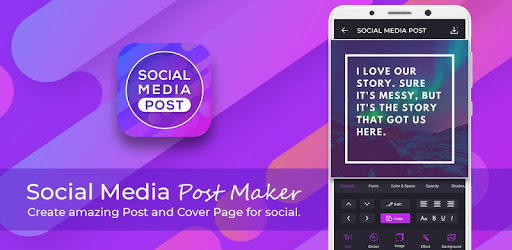
Social Media Post Maker - Social Post is an Android app developed and published by stylish app world at Google Play Store on Nov 1, 2018 for Android users. Social Media Post Maker - Social Post is so popular that it has gained 682694 installs so far and growing.
In today's digital world, creating engaging social media posts is essential for personal and business brands alike. However, not everyone has the skills or time to design standout posts from scratch. This is where Social Media Post Maker - Social Post comes in handy, offering an intuitive and resourceful tool for all your social media needs.
Social Media Post Maker - Social Post is a fantastic tool for creating stunning social media posts. It is designed for simplicity. Whether you want to combine multiple images into one striking poster, or just need a quick text update with a beautiful background, this app makes it a breeze. Moreover, it includes a host of features like backgrounds, text options, and fun stickers to make your posts pop!
Budget is a critical factor when selecting any service. Social Media Post Maker - Social Post is available for free, although you may encounter ads and watermarks in this version. However, you can opt for a reasonably priced version that eliminates these constraints, giving you total creative freedom. This flexibility makes it a preferred choice for both personal users and business owners working on a tight budget.
Sometimes one image isn't enough to tell your story. That’s where Social Media Post Maker - Social Post shines. You can easily put two or more images into a single poster, making it ideal for creating composite images for events, promotions, or just to share memories.
If you’re a business owner like the Founder of The Raees Wear & Help Decorhome, Social Media Post Maker - Social Post is an invaluable tool for creating efficient and eye-catching posts. The ease of use and extensive options allow you to align your social media presence with your brand’s image without having to hire a professional designer.
Social Media Post Maker - Social Post boasts an easy-to-use interface that doesn't overwhelm. Its efficiency means you can quickly put together a post without wasting time. This makes the app a joy to use for both social media newbies and seasoned pros alike.
The app already includes many features, but there's always room for growth. The anticipation of future updates, like the potential addition of video features, adds excitement. It shows that the app is constantly evolving to meet the needs of its users.
Social Media Post Maker - Social Post is crafted to be a user-friendly, affordable, and effective tool for creating social media posts. From combining images to adding text and stickers, the app simplifies the creation process. Whether you're an individual or a business owner, this app helps you create professional-looking social media content effortlessly. Download Social Media Post Maker - Social Post today and see for yourself how easy and fun social media post creation can be!
Yes, you can run Social Media Post Maker - Social Post on PC, but first, you will need emulator software installed on your Windows or MAC, which you can download for free. In the below video, you will find Social Media Post Maker - Social Post in action. Before you install the emulator, check out the minimum and recommended system requirements to run it seamlessly. They may change depending on which version of the emulator you choose. Therefore, we recommend you download the latest version of the emulator. Below you will find three free Android emulators that we have shortlisted based on their popularity:
Up to date graphics drivers from Microsoft or the chipset vendor.
Storage: 1 GB available under installation path, 1.5GB available hard drive space
Internet: Broadband Internet connection
Regardless of which Android emulator you install, the steps to install, configure, and running the Social Media Post Maker - Social Post app on PC are the same.