Published by Trucker Path
Updated September 2, 2025
Truck Stops, Parking, Weigh Stations, Truck GPS, Fuel, Walmart & Rest Areas
| Version | 6.8.8 |
| Size | 367.1 MB |
| What's New | - Route Editing with "Via" and "Avoid" options.- Alerts for traffic, weather, and hazards.- Route Comparison between distance, stops, and more.- Improved Routing to reduce recalculations.- Alternative Routes for better navigation.- Live Traffic Cams & 511 Data along your route.- Bug fixes and performance enhancements |
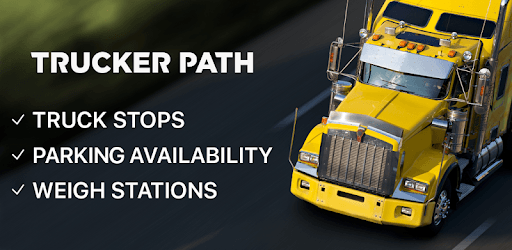
Trucker Path – Truck Stops & Weigh Stations is an Android app developed and published by Trucker Path at Google Play Store on Sep 18, 2014 for Android users. Trucker Path – Truck Stops & Weigh Stations is so popular that it has gained 5053254 installs so far and growing.
Trucker Path – Truck Stops & Weigh Stations is a fantastic tool designed for truck drivers. This app not only makes driving easier but also helps with many important tasks. Let's dive into how this app can be a game-changer for truck drivers.
One of the main features of Trucker Path is its simple and easy trip planning. Unlike traditional truck GPS units, this app allows you to input way points, save locations, and plan entire trips with ease. You can quickly search for and save places, making your driving experience much smoother. Whether you are planning a long route or a short trip, the app’s user-friendly interface makes it incredibly easy.
The app provides the most up-to-date information that truck drivers need. It shows the current status of weigh stations and truck stops, ensuring you have the right details when you need them. The latest updates have also added cooler design features and improved functionality, making it more seamless than ever before.
Trucker Path accurately lists a variety of truck stops, from large rest areas to smaller gas stations. Users can see detailed information such as exit numbers and parking availability. This is particularly helpful for over-the-road drivers who need to plan their breaks and stops efficiently. With user-generated entries, it's always good to double-check through satellite views for the most accurate information.
Parking is one of the biggest challenges for truck drivers, but Trucker Path helps solve this problem. The app can forecast parking availability with high accuracy, helping you maximize your driving time. Knowing there’s a good chance of available parking upon arrival can really take a load off your mind.
Fuel stops are another essential need for truck drivers. Trucker Path lets you find fuel stops quickly, even suggesting stops that sell specific types of fuel such as #1 or blended fuel. This feature can be a real time-saver, ensuring you get the fuel you need without unnecessary detours.
Safety is always a priority. Trucker Path helps you stay safe by providing information about truck restrictions and new construction areas. This ensures that you are always on the correct route, avoiding unnecessary fines or dangerous situations.
Recent updates to the app have added some special features that enhance the user experience. The app now includes voice commands like "join the highway," making navigation even easier. The look and style have also been refined, making it not only functional but also easy on the eyes.
Trucker Path – Truck Stops & Weigh Stations is a must-have for any truck driver looking to make their journey smoother and more efficient. With features like easy trip planning, timely updates, accurate stops information, parking availability, fuel filters, and safety features, the app incorporates everything a truck driver needs for a successful trip.
Yes, you can run Trucker Path – Truck Stops & Weigh Stations on PC, but first, you will need emulator software installed on your Windows or MAC, which you can download for free. In the below video, you will find Trucker Path – Truck Stops & Weigh Stations in action. Before you install the emulator, check out the minimum and recommended system requirements to run it seamlessly. They may change depending on which version of the emulator you choose. Therefore, we recommend you download the latest version of the emulator. Below you will find three free Android emulators that we have shortlisted based on their popularity:
Up to date graphics drivers from Microsoft or the chipset vendor.
Storage: 1 GB available under installation path, 1.5GB available hard drive space
Internet: Broadband Internet connection
Regardless of which Android emulator you install, the steps to install, configure, and running the Trucker Path – Truck Stops & Weigh Stations app on PC are the same.