Published by Smart Dato vGmbH
Updated April 19, 2026
Screen mirroring to a browser over WiFi (tethering supported) - second screen.
| Version | 1.9.12 |
| Size | 32.5 MB |
| What's New | Minor bug fixes and improvements. Install or update to the newest version to check it out! |
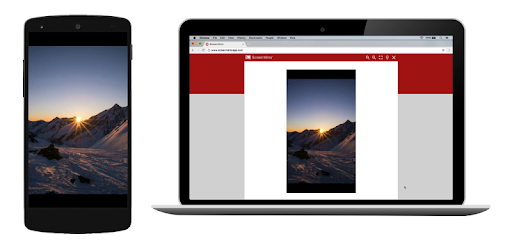
Screen Mirror - Screen Sharing is an Android app developed and published by Smart Dato vGmbH at Google Play Store on Jun 21, 2017 for Android users. Screen Mirror - Screen Sharing is so popular that it has gained 31288671 installs so far and growing.
Imagine this: You want to watch a drama series on a larger screen, or perhaps share an interesting app with your friends on their devices. Now, with Screen Mirror - Screen Sharing, all of this is possible without hassle. Let's dive into how this amazing tool transforms screen sharing and why it's a favorite among users.
Connecting two Android phones has never been easier. With Screen Mirror - Screen Sharing, all you need is a local IP address and you're set to go. The app supports viewing the shared screen through any Chrome browser, providing a seamless experience across various devices. No technical expertise is needed - it's simple, straightforward, and effective.
One of the standout features of Screen Mirror - Screen Sharing is that it’s completely free. Unlike other screen mirroring services that require payment, this app connects without any additional costs. You can enjoy high-quality screen sharing without worrying about hidden charges. Whether you're mirroring your phone to your TV or any other device, it connects instantly and effortlessly.
Have you ever wanted to watch your favorite K-dramas on your laptop? Screen Mirror - Screen Sharing makes this possible. Even if the app isn't available for download on your laptop, you can easily open it from your phone and mirror it to your laptop. This functionality makes it a fantastic option for binge-watching your favorite series or sharing videos with friends.
If you're someone who loves Virtual Reality (VR), Screen Mirror - Screen Sharing opens up a whole new world of possibilities. For instance, you can view content from your phone through devices like the Oculus Rift 2, making your VR experience more versatile and enjoyable. By easily connecting your devices, it allows you to enjoy a more immersive experience.
Screen Mirror - Screen Sharing is not only effective but also user-friendly. Its ease of use has won the hearts of many, making it a highly appreciated app for both personal and professional use. Whether you need it for work or play, it delivers what you need without any complications.
In today's digital era, the ability to seamlessly share screens across devices is invaluable. Screen Mirror - Screen Sharing positions itself as a prime choice for those looking to quickly and effectively mirror their screens. Its versatility, ease of use, and the fact that it is free make it a top contender in the world of screen sharing.
So next time you need to share your screen, consider giving Screen Mirror - Screen Sharing a try. It promises a smooth and delightful experience, making connectivity easier than ever before.
Yes, you can run Screen Mirror - Screen Sharing on PC, but first, you will need emulator software installed on your Windows or MAC, which you can download for free. In the below video, you will find Screen Mirror - Screen Sharing in action. Before you install the emulator, check out the minimum and recommended system requirements to run it seamlessly. They may change depending on which version of the emulator you choose. Therefore, we recommend you download the latest version of the emulator. Below you will find three free Android emulators that we have shortlisted based on their popularity:
Up to date graphics drivers from Microsoft or the chipset vendor.
Storage: 1 GB available under installation path, 1.5GB available hard drive space
Internet: Broadband Internet connection
Regardless of which Android emulator you install, the steps to install, configure, and running the Screen Mirror - Screen Sharing app on PC are the same.