Published by GordonEdwards.net LLC
Updated September 22, 2025
The only scanner app that can alert you when major events are happening.
| Version | 8.21.1 |
| Size | 68.9 MB |
| What's New | Changes in this version:• Improvements to reduce battery usage.• Added "Audio Archive" and "Your Recordings" back to the player screen's menu• Improved back gesture/button navigation a little further.• Fixed a bug resulted in the Share button in the Clips tab working only once.• Many other minor improvements and bug fixes.If you enjoying using Scanner Radio, please consider leaving a review. |
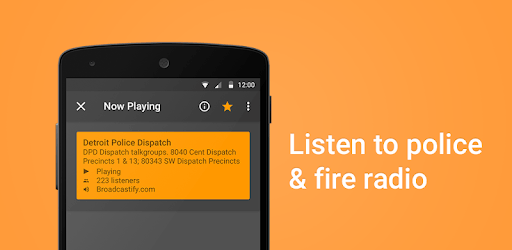
Scanner Radio - Fire and Police Scanner is an Android app developed and published by GordonEdwards.net LLC at Google Play Store on Apr 25, 2010 for Android users. Scanner Radio - Fire and Police Scanner is so popular that it has gained 40020514 installs so far and growing.
Getting real-time alerts and staying updated on local events has never been easier. Scanner Radio - Fire and Police Scanner is your go-to app for instant notifications about major incidents. This application ensures you are the first to know where breaking news is happening, often ahead of traditional media sources.
Scanner Radio - Fire and Police Scanner works flawlessly on various smartphones, including the Galaxy Note 8, 9s Plus, Note 10 Plus, and the S23 Ultra. Users have praised its seamless performance, highlighting that the app maintains its functionality across different models and over many years. Whether you've been using it for a decade or just a year, consistency in performance is a notable strength.
One of the standout features is the customizable notification settings. You can tailor the app to alert you when channels in specific countries or nearby areas reach certain thresholds. This ability to fine-tune your alerts means you can stay informed about local or regional emergencies, ensuring you never miss a critical update.
While Scanner Radio - Fire and Police Scanner does include some ads, users have generally not found them obtrusive. The ads present do not disrupt the streaming experience, allowing you to stay focused on the important updates. Furthermore, there is an ad-free version available for those who prefer a completely uninterrupted experience.
The app is highly regarded for its accuracy and minimal delay in broadcasts. Typically, you can expect to hear updates within a minute from the actual event spoken into the mic. This rapid and reliable information delivery is crucial for staying alert to police activity and other important incidents around you.
The developers of Scanner Radio - Fire and Police Scanner are known for their responsiveness to user feedback. They promptly address bugs and other issues as reported, which enhances overall user satisfaction. This commitment to customer service is evident, as many users have experienced quick and helpful responses to their inquiries.
Scanner Radio - Fire and Police Scanner offers a rich array of features, many of which are available without any cost. You can favorite specific radio stations, set up notifications for when certain stations come online, or when a particular number of people start listening. These features enhance your experience and allow you to stay better connected to your areas of interest.
This app is praised for being highly accessible and reliable. Even in areas with less coverage or when switching devices, users have noted that it continues to perform well. It's a testament to the app’s robust design that ensures continuity and dependability, whether you're listening on your commute or from home.
In the crowded space of scanning apps, Scanner Radio - Fire and Police Scanner stands out due to its reliability, customizability, and the promptness of the information it delivers. Whether you're using the free version or the pro version, the app ensures you stay informed with what’s happening in real-time, making it a must-have tool for anyone looking to keep their finger on the pulse.
Yes, you can run Scanner Radio - Fire and Police Scanner on PC, but first, you will need emulator software installed on your Windows or MAC, which you can download for free. In the below video, you will find Scanner Radio - Fire and Police Scanner in action. Before you install the emulator, check out the minimum and recommended system requirements to run it seamlessly. They may change depending on which version of the emulator you choose. Therefore, we recommend you download the latest version of the emulator. Below you will find three free Android emulators that we have shortlisted based on their popularity:
Up to date graphics drivers from Microsoft or the chipset vendor.
Storage: 1 GB available under installation path, 1.5GB available hard drive space
Internet: Broadband Internet connection
Regardless of which Android emulator you install, the steps to install, configure, and running the Scanner Radio - Fire and Police Scanner app on PC are the same.