Published by S2dio
Updated September 24, 2026
Take a photo of your Math Problems and get answers
| Version | 2.97 |
| Size | 66.7 MB |
| What's New | Disable some ads, fix issues |
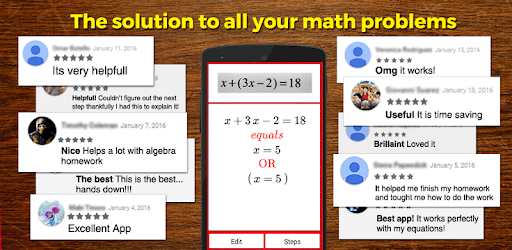
AutoMath Photo Calculator is an Android app developed and published by S2dio at Google Play Store on Nov 29, 2014 for Android users. AutoMath Photo Calculator is so popular that it has gained 8642868 installs so far and growing.
AutoMath Photo Calculator is a powerful tool designed to solve math problems in an easy and intuitive way. This app is perfect for students, parents, and anyone who needs quick answers to math equations. Let's explore some of the features and benefits of using AutoMath Photo Calculator.
One of the standout features of AutoMath Photo Calculator is its ease of use. The app allows you to solve math equations simply by taking a picture. This means no more struggling with entering numbers and symbols on a tiny keyboard. Just snap a photo, and let the app do the rest!
Accuracy is crucial when it comes to solving math problems, and AutoMath Photo Calculator doesn't disappoint. The app is designed to provide correct answers quickly, making it a reliable resource for homework help or quick calculations.
AutoMath Photo Calculator isn't just limited to basic arithmetic. It can handle a wide range of math problems, from simple addition and subtraction to more complex equations. Whether you need help with algebra, geometry, or calculus, this app has got you covered.
Many users have expressed their love for AutoMath Photo Calculator because it simplifies the process of solving math problems. Instead of manually calculating answers, users can instantly see the solution with a simple scan. This time-saving feature is greatly appreciated by students and busy parents alike.
In addition to solving problems, AutoMath Photo Calculator can also be a valuable learning tool. By showing the step-by-step solution, it helps users understand the process behind the answer. This can be incredibly beneficial for students who are trying to grasp new concepts.
Imagine having a math tutor in your pocket! AutoMath Photo Calculator serves as a handy companion for anyone who needs quick math assistance. Whether you're at school, at home, or on the go, you can rely on this app to provide the answers you need efficiently.
Overall, AutoMath Photo Calculator stands out as an extremely useful app for math enthusiasts and learners of all ages. Its intuitive photo-based input, accurate answers, and wide range of supported math problems make it a one-stop solution for all your math needs.
Yes, you can run AutoMath Photo Calculator on PC, but first, you will need emulator software installed on your Windows or MAC, which you can download for free. In the below video, you will find AutoMath Photo Calculator in action. Before you install the emulator, check out the minimum and recommended system requirements to run it seamlessly. They may change depending on which version of the emulator you choose. Therefore, we recommend you download the latest version of the emulator. Below you will find three free Android emulators that we have shortlisted based on their popularity:
Up to date graphics drivers from Microsoft or the chipset vendor.
Storage: 1 GB available under installation path, 1.5GB available hard drive space
Internet: Broadband Internet connection
Regardless of which Android emulator you install, the steps to install, configure, and running the AutoMath Photo Calculator app on PC are the same.