Published by Codecademy
Updated March 26, 2026
Practice coding anywhere with the Codecademy companion app.
| Version | 2.0.3 |
| Size | 42.9 MB |
| What's New | Updates to Notifications and Checkout |
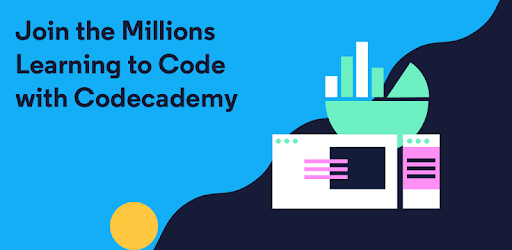
Codecademy Go is an Android app developed and published by Codecademy at Google Play Store on Jul 30, 2018 for Android users. Codecademy Go is so popular that it has gained 1798121 installs so far and growing.
Are you looking to learn coding but don't know where to start? Look no further than Codecademy Go, the ultimate app for beginners and aspiring programmers. With its user-friendly interface, comprehensive courses, and convenient mobile features, Codecademy Go is revolutionizing the way people learn to code.
Codecademy Go allows you to study coding at your own pace, whenever and wherever you want. Whether you're on the go or have a few minutes to spare, this app makes it easy to squeeze in some valuable coding practice. Say goodbye to wasted time scrolling through social media and hello to productive learning sessions with Codecademy Go.
Codecademy Go offers a wide range of courses to cater to your learning needs. From Python 3 to web development, you'll find everything you need to kickstart your programming journey. The courses are designed in a way that is easy to understand, making it perfect for beginners. You'll be amazed at how quickly you can grasp coding concepts and start building your own projects.
The user interface of Codecademy Go is well-designed and intuitive. Navigating through the app is a breeze, allowing you to focus on learning rather than getting lost in a complex interface. The app also offers useful features like flashcards and fill-in-the-blank exercises, making your learning experience interactive and engaging.
With Codecademy Go, the possibilities are endless. Whether you're looking to advance in your programming career or simply want to acquire a new skill, this app has got you covered. The comprehensive courses and practical exercises will equip you with the knowledge and confidence to take on coding challenges head-on.
Absolutely! Codecademy Go is specifically designed for beginners who have little to no coding experience. The courses are easy to follow and the app provides a supportive learning environment.
Yes, you can! Codecademy Go offers a mobile app version that allows you to learn coding anytime, anywhere. Take advantage of those spare moments throughout your day to practice coding and make progress towards your goals.
Codecademy Go offers a wide range of courses, including Python 3, web development, and more. Whether you're interested in front-end or back-end development, you'll find the right course to suit your needs.
While Codecademy Go offers free access to some courses, there is also a Pro subscription available for those who want to unlock additional features and content. The Pro subscription provides an enhanced learning experience and is well worth the investment for serious learners.
Yes, Codecademy Go allows you to track your progress as you complete lessons and exercises. This feature helps you stay motivated and see how far you've come on your coding journey.
Don't miss out on the opportunity to learn coding in a fun and engaging way. Download Codecademy Go today and embark on your coding adventure!
Yes, you can run Codecademy Go on PC, but first, you will need emulator software installed on your Windows or MAC, which you can download for free. In the below video, you will find Codecademy Go in action. Before you install the emulator, check out the minimum and recommended system requirements to run it seamlessly. They may change depending on which version of the emulator you choose. Therefore, we recommend you download the latest version of the emulator. Below you will find three free Android emulators that we have shortlisted based on their popularity:
Up to date graphics drivers from Microsoft or the chipset vendor.
Storage: 1 GB available under installation path, 1.5GB available hard drive space
Internet: Broadband Internet connection
Regardless of which Android emulator you install, the steps to install, configure, and running the Codecademy Go app on PC are the same.