Published by reMarkable AS
Updated February 4, 2024
This app makes it easy to connect your phone to the reMarkable paper tablet.
| Version | 3.22.3 |
| Size | 78.1 MB |
| What's New | Fixes a bug where some users could not log in. |
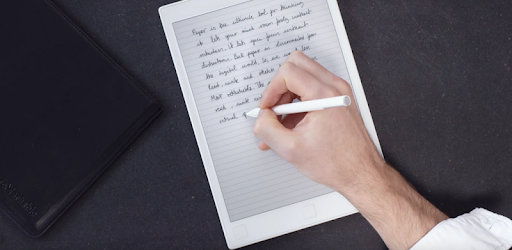
reMarkable paper tablet app is an Android app developed and published by reMarkable AS at Google Play Store on Sep 14, 2017 for Android users. reMarkable paper tablet app is so popular that it has gained 10000 installs so far and growing.
Are you tired of carrying around stacks of notebooks and countless pens? Do you wish there was a way to have all your notes, drawings, and books in one place, even when you're on the go? Look no further than the reMarkable paper tablet app!
This app is a game-changer, revolutionizing the way you take notes and organize your thoughts. With its sleek design and user-friendly interface, it's no wonder why so many people are raving about it.
When it comes to technology, we all want something that delivers on its promises. The reMarkable paper tablet app does just that and more. Don't just take our word for it - users are singing its praises!
"If only every product did what it said it would. Love this product and service! I should have a sales person for reMarkable as I think I've sold over 20+ to my very own customers. Simple the best bit of tech I've bought in years that truly delivers on the promise it sets out to do. Bravo!"
With its seamless performance, this app keeps up with your demands. One satisfied user shared, "Ignore the bad reviews, this thing is working perfect. Used for a week now and I've pounded this app with tons of documents it has yet to hiccup at all. Maybe look at your guys' phones instead of the app, because how simple this app is has been awesome!! Love it, thank you!"
Not only does the reMarkable paper tablet app perform flawlessly, but it also helps you reduce your paper usage. As one user happily exclaimed, "I haven't printed a single sheet for a week now, I love it!"
The reMarkable paper tablet app is not just a note-taking app; it's a true substitution for paper. Its versatility and convenience have won over users of all ages.
One satisfied parent shared, "True substitution for paper! Hope one day every kid in school has one like that. My kids - 6 and 9 already adopted it with pleasure :) I am hardly able to get it from them."
While the app continues to evolve, it already offers a range of features that cater to your core needs. As one user mentioned, "Software still lacks a lot of features, but core use cases are working. Stability - 95% achieved! Excellent for version 1.0! Keep up the good work...."
The reMarkable team is dedicated to providing an exceptional user experience. They value your feedback and are continuously working on updates and improvements.
One user expressed their desire for further integration, saying, "I am waiting for an upgrade because I always get 'Unsupported url type' when I transfer from the app. The windows version works but not the Android one. I need it for my Android. I also recommend you team up with Google in a way that any file saved on a specific folder would automatically be available. Another option would be to 'declare' the reMarkable as a printer so that you could simply print your documents to it through any platform."
Rest assured, the reMarkable team is committed to addressing these concerns and providing a seamless experience for all users. They have already made significant progress, as one user happily reported, "The app works splendid and very easy to use :-) Thank you for fixing the bugs."
Yes, the reMarkable paper tablet app is available for both Windows and Android devices, ensuring you can access your notes and documents wherever you go.
While the app currently supports file transfer from Windows, the reMarkable team is actively working on improving compatibility with other platforms, including Android.
Yes, the reMarkable team is exploring partnerships and integrations to enhance the user experience. They are actively looking into options such as automatic availability of files saved on specific folders and the ability to print documents directly to the reMarkable tablet.
Absolutely! The reMarkable paper tablet app is designed to be user-friendly for individuals of all ages. Many parents have already found it to be a fantastic tool for their children's note-taking and drawing needs.
Yes, the reMarkable team is committed to continuously improving the app. They value user feedback and are dedicated to providing a seamless and exceptional experience for all users.
Experience the future of note-taking and organization with the reMarkable paper tablet app. Say goodbye to stacks of paper and hello to a more efficient and eco-friendly way of working!
Yes, you can run reMarkable paper tablet app on PC, but first, you will need emulator software installed on your Windows or MAC, which you can download for free. In the below video, you will find reMarkable paper tablet app in action. Before you install the emulator, check out the minimum and recommended system requirements to run it seamlessly. They may change depending on which version of the emulator you choose. Therefore, we recommend you download the latest version of the emulator. Below you will find three free Android emulators that we have shortlisted based on their popularity:
Up to date graphics drivers from Microsoft or the chipset vendor.
Storage: 1 GB available under installation path, 1.5GB available hard drive space
Internet: Broadband Internet connection
Regardless of which Android emulator you install, the steps to install, configure, and running the reMarkable paper tablet app app on PC are the same.