Published by RDH Software
Updated September 27, 2026
Exact elevation for your location and locations world wide. Plus so much more !
| Version | 1.83.002 |
| Size | 13.9 MB |
| What's New | Bug fixes and minor enhancements |
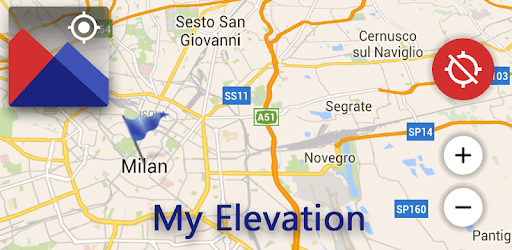
My Elevation is an Android app developed and published by RDH Software at Google Play Store on Jan 28, 2014 for Android users. My Elevation is so popular that it has gained 2403089 installs so far and growing.
Are you an adventure enthusiast, a hiker, or simply someone who loves to explore the great outdoors? If so, then you understand the importance of knowing your elevation. Whether you're planning a challenging hike in the Rockies or just curious about the altitude of your current location, My Elevation app is here to provide you with accurate and real-time altitude measurements. Say goodbye to guesswork and hello to precision with this incredible app!
My Elevation app is a game-changer for anyone who wants to stay informed about their altitude. With its user-friendly interface and reliable data, this app has become an indispensable tool for outdoor enthusiasts, travelers, and even those with specific medical needs. Let's dive into the features that make My Elevation stand out from the crowd:
When it comes to altitude measurement, precision is key. My Elevation app provides you with real-time and accurate altitude data, ensuring that you have the most reliable information at your fingertips. Whether you're standing at the peak of a mountain or walking through the Texas hill country, this app will give you an instant and precise reading of your elevation.
With My Elevation, you can easily track your location on a GPS-based map. This feature allows you to visualize your position and understand the surrounding terrain better. Whether you're hiking, driving, or flying, this app will help you navigate with confidence, knowing exactly where you are and how high you stand.
We understand that everyone has their preferred measurement units. That's why My Elevation app allows you to switch effortlessly between metric and imperial measurements. Whether you prefer meters or feet, kilometers or miles, this app caters to your personal preference, ensuring a seamless user experience.
My Elevation app takes simplicity to a whole new level. With its intuitive and user-friendly interface, you can access your altitude information with just a few taps. No more navigating through complex menus or wasting time searching for the data you need. This app presents your altitude in a clear and precise manner, making it easy for anyone to use, regardless of their technical expertise.
We understand the importance of a seamless user experience. While My Elevation app utilizes advertisements to fund its existence, rest assured that they are not obtrusive or disruptive. Unlike other similar apps, My Elevation strikes the perfect balance, ensuring that you can enjoy the app without any annoying distractions.
A: My Elevation app is available for free on both iOS and Android platforms. Simply download it from your app store and start exploring the world with accurate altitude measurements.
A: Unfortunately, there is currently no option to remove the location info tag within the app. However, rest assured that it does not hinder your ability to view the aerial imagery. Enjoy the stunning views while staying informed about your altitude!
A: While My Elevation app does not have a specific feature to simulate floods, it offers a range of other valuable tools to enhance your outdoor experience. From accurate altitude measurement to location tracking, this app has you covered for all your elevation-related needs.
Discover the power of My Elevation app today and unlock a whole new world of altitude measurement. Whether you're a seasoned hiker, a curious traveler, or someone with specific medical requirements, this app will revolutionize the way you explore and understand your surroundings. Download it now and embark on your next adventure with confidence!
Yes, you can run My Elevation on PC, but first, you will need emulator software installed on your Windows or MAC, which you can download for free. In the below video, you will find My Elevation in action. Before you install the emulator, check out the minimum and recommended system requirements to run it seamlessly. They may change depending on which version of the emulator you choose. Therefore, we recommend you download the latest version of the emulator. Below you will find three free Android emulators that we have shortlisted based on their popularity:
Up to date graphics drivers from Microsoft or the chipset vendor.
Storage: 1 GB available under installation path, 1.5GB available hard drive space
Internet: Broadband Internet connection
Regardless of which Android emulator you install, the steps to install, configure, and running the My Elevation app on PC are the same.