Published by Kika AI Team
Updated September 27, 2025
🐼Install free Gif keyboard with fun emoji, stickers! Auto-correction&Type fast!
| Version | 13.1.0.20200227 |
| Size | 20.5 MB |
| What's New | Minor bug fixes and improvements. Install or update to the newest version to check it out! |

Kika Keyboard - Emoji Keyboard, Emoticon, GIF is an Android app developed and published by Kika AI Team at Google Play Store on Jun 12, 2014 for Android users. Kika Keyboard - Emoji Keyboard, Emoticon, GIF is so popular that it has gained 100000000 installs so far and growing.
Kika Keyboard - Emoji Keyboard, Emoticon, GIF brings a fresh breeze of fun and uniqueness to typing on mobile devices. It's so much more than just a regular keyboard app. Let’s dive into why Kika Keyboard is worth exploring.
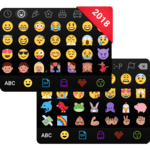
One of the coolest features of Kika Keyboard is its vast array of emojis. It offers a huge selection that lets you express yourself in countless ways. Whether you want to convey happiness, sadness, or something in between, there's an emoji for that. Plus, the emojis are cute and fit perfectly into any conversation, making them a delightful addition to your messages.
Ever wished for more diacritical options on your keyboard? Kika Keyboard offers unique alphabets like à, á, â, ä, and more for some letters. This feature is particularly helpful for those who type in multiple languages or use special characters frequently.
Personalization is a key highlight of Kika Keyboard - Emoji Keyboard, Emoticon, GIF. You can choose from a variety of keyboard backgrounds and themes to match your style and mood. Whether you prefer something colorful, minimalistic, or funky, you will find an option that suits you. This makes your keyboard not just a tool, but an extension of your personality.
If you often switch between languages, Kika Keyboard supports easy and smooth transitions. The ability to change languages on the fly without any hassle makes it a go-to choice for multilingual users. Type in your preferred language with ease and switch back with just a tap.
Adding flair to your conversations is easy with Kika Keyboard’s wide array of emoticons and GIFs. It’s not just about typing words; it's about expressing your feelings and adding fun elements to your chats. The variety of emoticons and GIFs available ensures there’s always something to match your sentiment.
A good keyboard app needs to be efficient and quick, and Kika Keyboard delivers on this front. It is fast and responsive, ensuring that your typing experience is smooth. The excellent response time makes typing comfortable and efficient, enhancing your overall use of the app.
The design of Kika Keyboard is user-friendly and intuitive. Even for those new to customizable keyboards, setting up and using Kika Keyboard is a breeze. Although there might be a small hassle in the initial setup, it’s worth the effort for the myriad of features you get.
One point to keep in mind is that some themes may require additional downloads. While this might be slightly inconvenient, the extensive options available make it worthwhile. The ability to personalize your keyboard to such an extent is a standout feature that Kika Keyboard offers.
Kika Keyboard - Emoji Keyboard, Emoticon, GIF enriches your typing experience with its blend of efficiency, personalization, and fun. From a vast emoji collection to customizable themes and easy language switching, it transforms the way you communicate. Dive into the world of Kika Keyboard and make your chatting experience more colorful and expressive!
Yes, you can run Kika Keyboard - Emoji Keyboard, Emoticon, GIF on PC, but first, you will need emulator software installed on your Windows or MAC, which you can download for free. In the below video, you will find Kika Keyboard - Emoji Keyboard, Emoticon, GIF in action. Before you install the emulator, check out the minimum and recommended system requirements to run it seamlessly. They may change depending on which version of the emulator you choose. Therefore, we recommend you download the latest version of the emulator. Below you will find three free Android emulators that we have shortlisted based on their popularity:
Up to date graphics drivers from Microsoft or the chipset vendor.
Storage: 1 GB available under installation path, 1.5GB available hard drive space
Internet: Broadband Internet connection
Regardless of which Android emulator you install, the steps to install, configure, and running the Kika Keyboard - Emoji Keyboard, Emoticon, GIF app on PC are the same.