Pocket Game Developer Beta for PC

Pocket Game Developer Beta for PC

Published by Stray Pixel Games Inc

Updated November 1, 2025

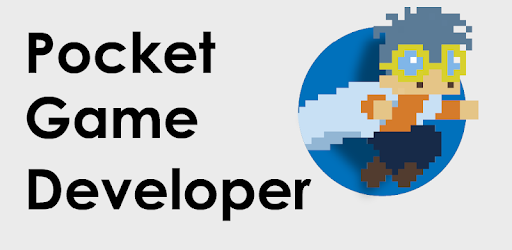
This is a 2D game engine. Create pixel games from scratch!

What's New

Version2.28.12
Size24.1 MB
What's NewTemporary removal of limits on new games and new objects.

Pocket Game Developer Beta Screenshots

Pocket Game Developer Beta PC screenshot

About Pocket Game Developer Beta For PC

Pocket Game Developer Beta is an Android app developed and published by Stray Pixel Games Inc at Google Play Store on Feb 12, 2015 for Android users. Pocket Game Developer Beta is so popular that it has gained 10000 installs so far and growing.

Pocket Game Developer Beta: Create Your Own Games with Ease

Are you intrigued by game development and dreaming of creating your own video games? Look no further! Pocket Game Developer Beta is a dynamic game-creation tool designed to enable both beginners and experienced developers to breathe life into their gaming ideas.

A Fun Game Maker

Pocket Game Developer Beta is more than a simple game maker; it is a thrilling journey into the world of game development. Users have the power to design various types of games like tower defense, endless runners, platformers, or even role-playing games without needing any prior coding knowledge. Engaging and intuitive, it lets you explore your creativity while developing gameplay mechanics and unique characters.

An Easy-to-Use Interface

The app boasts a user-friendly interface that makes the game creation process seamless and enjoyable. With features such as the green button to add sprites, users can easily incorporate characters or elements into their games. The drag and drop functionality for adding items, walls, and monsters is simplified to ensure anyone can start creating without a steep learning curve.

Design Without Limitations

One of the most outstanding features of Pocket Game Developer Beta is its flexibility. You can design your own characters and assets, making your game truly unique. While there are some inherent limitations, with a bit of innovation, you can create nearly any game concept you envision. From importing different elements to rotating NPCs and furniture, the app opens up a plethora of customization options.

Quality Animations and Movements

Creating fluid animations and movements is easy with Pocket Game Developer Beta. The app provides various tools and functionalities to animate characters and design engaging gameplay movements. Whether you are a beginner or an experienced designer, you will find the animation tools user-friendly and efficient for bringing your game’s storyline to life.

Room for Improvement

While Pocket Game Developer Beta is lauded for its robust features, there are a few areas where users have expressed desires for improvements and additional functionalities. For instance, smoother performance for larger assets and the ability to retexture sprites without redrawing them could enhance user experience. Also, having an option to import music and add unique game types inspired by popular titles like Just Shapes And Beats would elevate the app's capabilities even further.

A Community of Creativity

Beyond individual development, Pocket Game Developer Beta fosters a creative community. Sharing your creations and receiving feedback from other users can be immensely rewarding. The app could benefit from more integrated options for users to upload their games, share them, gather coins, and even take down games if needed.

A Tool for All Ages

Designed to be accessible to users of all ages, Pocket Game Developer Beta simplifies complex game development concepts, making it suitable for younger audiences as well. Its educational value cannot be understated as it introduces the fundamentals of game design, programming logic, and creative thinking in an engaging way.

A Platform for Dreams

Pocket Game Developer Beta stands out as a versatile tool for aspiring game developers. Despite some minor bugs and occasional lag, it remains an enjoyable and powerful platform that helps turn gaming dreams into reality. Whether you aim to create simple games or complex adventures, this game developer app makes the process both fun and achievable.

Can I run Pocket Game Developer Beta on PC?

Yes, you can run Pocket Game Developer Beta on PC, but first, you will need emulator software installed on your Windows or MAC, which you can download for free. In the below video, you will find Pocket Game Developer Beta in action. Before you install the emulator, check out the minimum and recommended system requirements to run it seamlessly. They may change depending on which version of the emulator you choose. Therefore, we recommend you download the latest version of the emulator. Below you will find three free Android emulators that we have shortlisted based on their popularity:

How to Install Pocket Game Developer Beta on Windows PC

BlueStacks

Minimum
  • OS: Microsoft Windows 7 and above.
  • Processor: Intel or AMD Processor.
  • RAM: Your PC must have at least 4GB of RAM. (Note that having 4GB or more disk space is not a substitute for RAM)
  • Storage: 5GB Free Disk Space.
  • You must be an Administrator on your PC.
Recommended:
  • OS: Microsoft Windows 10
  • Processor: Intel or AMD Multi-Core Processor with Single Thread benchmark score > 1000.
  • Graphics: Intel/Nvidia/ATI, Onboard or Discrete controller with benchmark score >= 750.
  • Please ensure Virtualization is enabled on your PC/Laptop.
  • RAM: 8GB or higher
  • Storage: SSD (or Fusion/Hybrid Drives)
  • Internet: Broadband connection to access games, accounts and related content.

Up to date graphics drivers from Microsoft or the chipset vendor.

  • To start with, download Bluestacks from its official website. The latest version of BluesStacks is v 5, and it is around 400 MB.
  • Once the download is done, click on the Bluestacks set up file to install it on your Windows PC. Follow the on-screen instructions and install it accordingly.
  • The next step is to launch the emulator using the desktop shortcut and sign in using your Google account.
  • Now, head over to Bluestacks home screen and click on the Google Play Store icon.
  • Hit the search bar in Google Play and search for Pocket Game Developer Beta.
  • Install Pocket Game Developer Beta from the Play Store by clicking the Install option, which completes downloading of Pocket Game Developer Beta on PC.

NoxPlayer

Minimum
  • Operating System: Windows XP SP3, Windows Vista, Windows 7, Windows 8, Windows 10, and DirectX 9.0c
  • Processor: At least dual-core processor, both Intel, and AMD are OK
  • Video: Supports Open GL 2.0 or above
  • Memory: 1.5 GB RAM
Recommended
  • Operating System: Windows 7, Windows 8, Windows 10
  • Processor: Multiple core processors which support VT-x or AMB-V Virtualization Technology, better performance with this function enabled
  • Video: The higher performance, the better
  • Memory: 4 GB RAM

Storage: 1 GB available under installation path, 1.5GB available hard drive space

Internet: Broadband Internet connection

  • Download NoxPlayer from the official website. The latest version of NoxPlayer is v 3, and it is around 600 MB.
  • Now install the emulator using the downloaded setup file. Just go through the on-screen instructions and install NoxPlayer on your computer or laptop.
  • After the installation process, launch the Nox Android emulator and log in using your Google account when it asks you.
  • Click on the Google Play Store icon and head over to the search bar to search Pocket Game Developer Beta. Once found, click on the Install button to install Pocket Game Developer Beta for PC.
  • If you do not find Pocket Game Developer Beta on Google Play Store or if you want to skip logging in to Google, you can sideload APK (download the .APK file from this page and open it with NoxPlayer).
  • Launch Pocket Game Developer Beta from home-screen and start playing it on PC right away!

MEmu

Minimum
  • 2 cores x86/x86_64 Processor (Intel or AMD CPU)
  • WinXP SP3 / Win7 / Win8 / Win10 (Not recommended to run on Server/Enterprise)
  • Latest Windows DirectX 11 / Graphics driver with OpenGL 2.0
  • Hardware Virtualization Technology (Intel VT-x/AMD-V) shall be enabled in BIOS
  • 2GB of RAM (4GB for x64 system)
  • 5GB of hard disk free space
Recommended
  • OS: Microsoft Windows 10 with VT Enabled
  • CPU: Single Thread PassMark score > 1500 (Intel/AMD Multi-Core).
  • Graphics: Intel/Nvidia/ATI, Onboard or Discrete controller with PassMark score > 750.
  • Latest Windows DirectX 11 / Graphics driver with OpenGL 4.5 or higher
  • RAM: 8GB or higher
  • HDD: SSD, 10GB of hard disk free space
  • Internet: Broadband connection with low latency for FPS games
  • Download MEmu Play from the official website. The latest version of NoxPlayer is v 7.5.
  • When the download is completed, install the MEmu emulator on your PC. Follow the on-screen instructions and keep on clicking the Next button until the final step.
  • Now, using the desktop shortcut, look for the MEmu Play emulator and launch it. Once done, it will ask you to log in using your Google account, proceed with the same.
  • MEmu Play will ask you to log in using your Google account. When you log in, it will sync your Google account to MEmu Play. Launch the Google Play Store by clicking on the icon and search for Pocket Game Developer Beta.
  • Click on the Install button once you find Pocket Game Developer Beta from the search results. You can also sideload APK (download the .APK file from this page and open it with MEmu) if you want to skip above step.
  • After the installation of Pocket Game Developer Beta, you're all set to use the app on PC!

Regardless of which Android emulator you install, the steps to install, configure, and running the Pocket Game Developer Beta app on PC are the same.
Download Pocket Game Developer Beta For PC